
Answered
How to install extensions in Photoshop 21.0.1 from My exchange
I've been trying for several days to install a PS extension after its having been acquired by "My Exchange." Is there some new procedure I'm not aware of?

I've been trying for several days to install a PS extension after its having been acquired by "My Exchange." Is there some new procedure I'm not aware of?
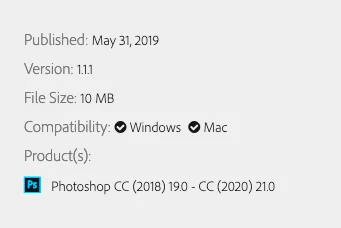
Can you share the link to the extension in question? It should clearly state if it is compatible with the latest version of Photoshop.
Note this extension under "Products" lists 2018 – 2020 (21.0)
I finally figured it out. I was blindly following some directions seen in a YouTube video and didn't realize there were different kinds of "extensions" that required different installation procedures. As a last resort, I read the specific installation directions on the extension I was interested in, and lo and behold, it worked. Duh.
I do appreciate your help.
Already have an account? Login
Enter your E-mail address. We'll send you an e-mail with instructions to reset your password.
 AdChoices