
Participant
June 29, 2022
Question

How to make a expo template with a company elements

  • June 29, 2022
  • 1 reply
  • 199 views

Hi everyone !

Sorry in advance fot my English, I haven't practice for a while.

I am a beginer on adobe suite and I have a challenge this week to "relook" and expo mockup (image 1).


The idea is to modernize all the "brand elements". I already have the new visuals as images and vector elements (image2) but I do not know how to "instert" properly into the elements (table, banner, poster...).


I have all the adobe pack so I can do it on indesign or illustrator if you think it is better.


Could you tell me how to do this, please ?

Image 1 :
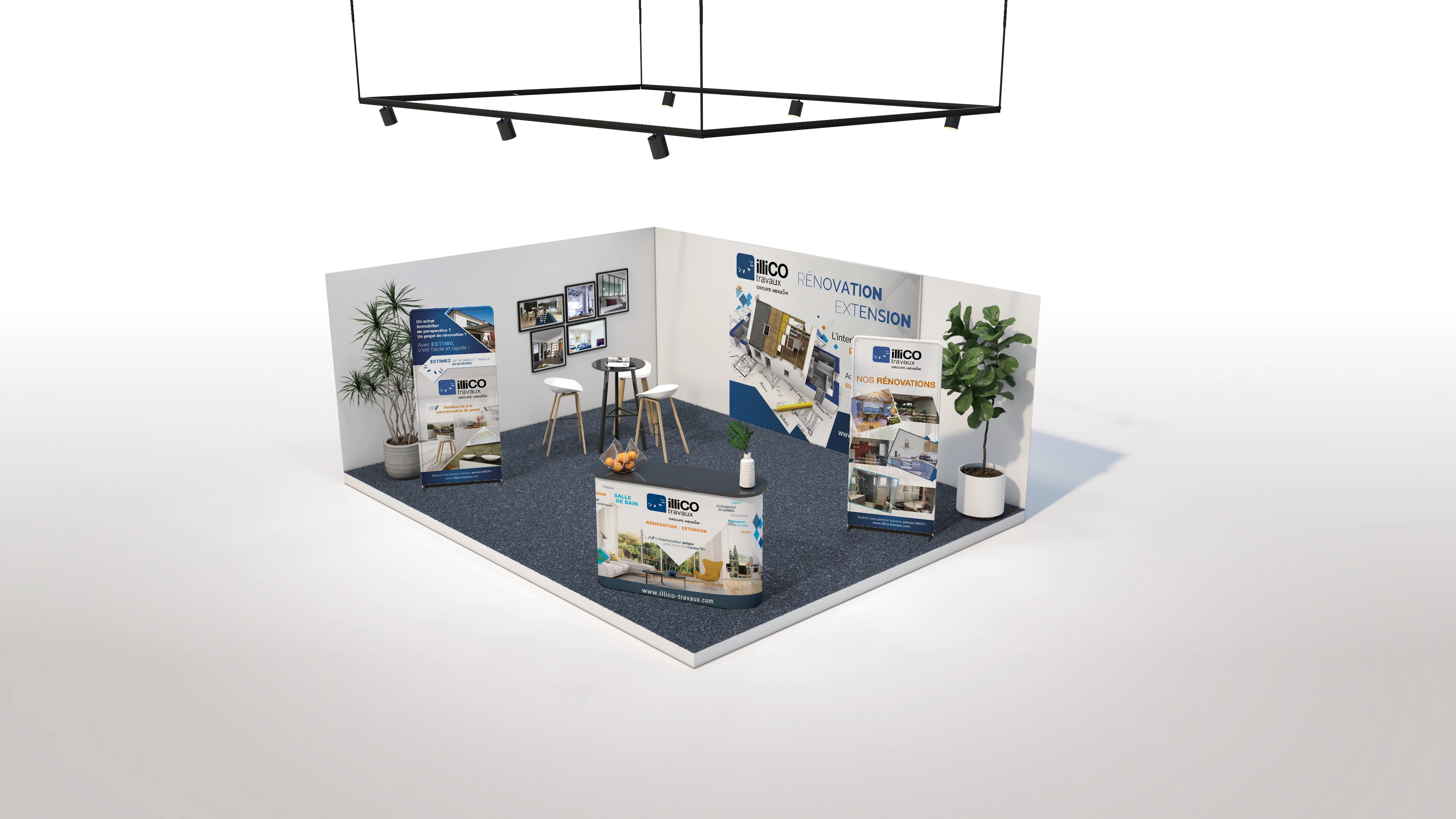
 

Image 2 :

This topic has been closed for replies.

1 reply

Mylenium
Legend
June 29, 2022

You would mask out the individual surfaces and then warp the artwork into place using free transform, perspective transform and additional treatments with distortion effects and brushes. Otherwise simply re-hire the 3D artist who did the original design and have him replace the texture. No point in playing cheap when your other cost for the tradeshow is higher than the half day rate the 3D artist would request. Seen it so many times... All the money for free coffee & cookies, no budget for the artists.


Mylenium

Participant
July 6, 2022

Thanks for your help, I managed to make something "clean" witrh photoshop using transform and perspective. 

Regarding your advice for re-hire the 3D artist, I would love to, but I really wanted to learn and do it by myself because my objectif was to discover and understand how to do it.

Francisco