Answered
How to make monochrome bitmap images
When you import a picture with an Indesign like the picture below, is there any case where the color space is written in monochrome? If so, how do you edit such a picture?
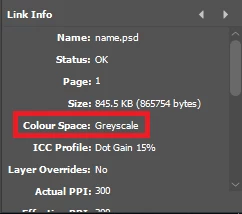
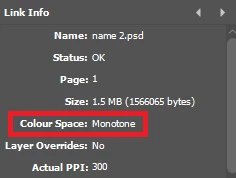

When you import a picture with an Indesign like the picture below, is there any case where the color space is written in monochrome? If so, how do you edit such a picture?
Grayscale is subject to standard color management the same way as RGB or CMYK. The only difference is that there is only one channel, instead of three or four.
But there are many pitfalls with grayscale, and Photoshop is the only application I know that treats it entirely correctly. In Indesign it is treated as 0-0-0-K, in other words as K only in document CMYK. Which is certainly wrong, unless the file has been specifically created as such (which you can do in Photoshop with some tweaks in Color Settings).
The dot gain profiles are generic and pretty useless. Dot gain means ink spread in paper, but the fixed percentages don't really correspond to actual ink spread, which isn't fixed, but follows a curve (transfer function). This is built into CMYK profiles. The net effect of a dot gain file treated as K-only CMYK, is to assign an incorrect profile.
In short - you'll get unpredictable tonal shifts.
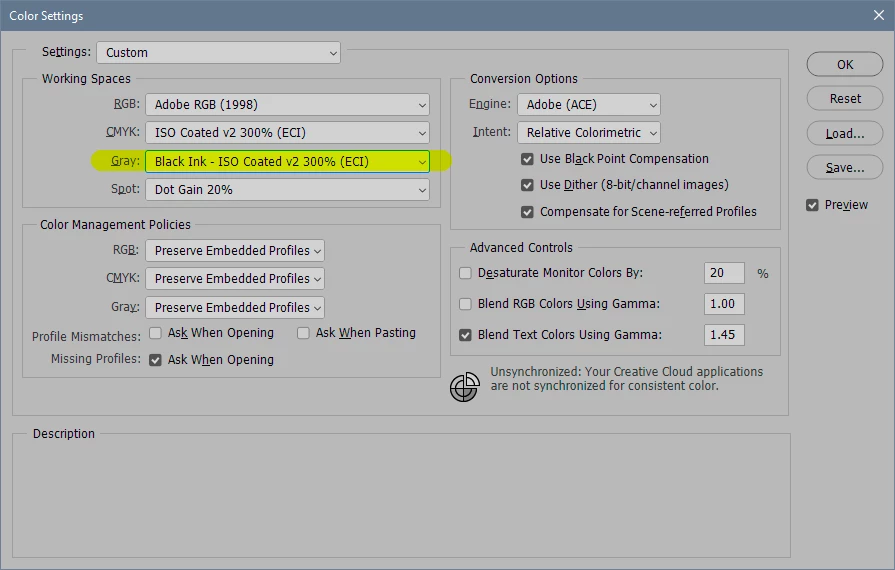
Open the file in Photoshop, with these Color Settings. Pick the CMYK profile you're actually using in the ID document. You get there by clicking "load gray" under working gray. This allows you to convert the grayscale file into this <black ink> CMYK, and from there the file will be correctly treated in InDesign:
I try to avoid grayscale whenever possible. It's an unpredictable mess...
Already have an account? Login
Enter your E-mail address. We'll send you an e-mail with instructions to reset your password.
 AdChoices