
AntDX316
Inspiring
June 17, 2022
Question

How to marching ants select the outline of the layer?

  • June 17, 2022
  • 3 replies
  • 2959 views

How to marching ants select the outline of the layer? 


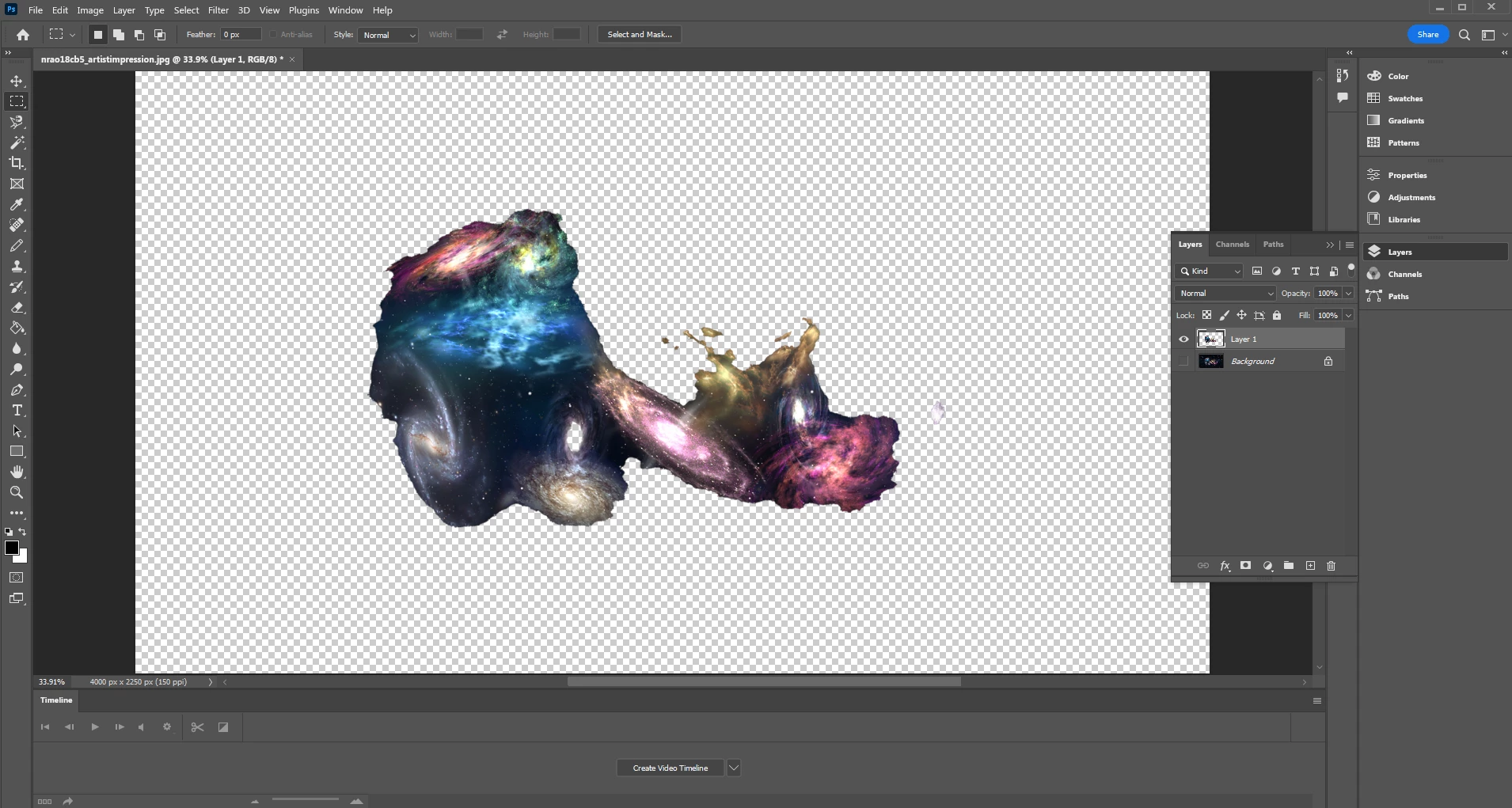
If I want to just marching ants select the entire outline of every piece on this layer, how do I do it at an instant?
 

3 replies

Nancy OShea
Community Expert
Community Expert
June 17, 2022
quote

If I want to just marching ants select the entire outline of every piece on this layer, how do I do it at an instant?


By @AntDX316

===========

Use Ctrl + A to select ALL.


Nancy O'Shea— Product User & Community Expert
AntDX316
AntDX316Author
Inspiring
June 17, 2022

Ctrl+A does nothing

Nancy OShea
Community Expert
Community Expert
June 17, 2022

It works on Windows.

What OS do you have?


Nancy O'Shea— Product User & Community Expert
Zesty_wanderlust15A7
Known Participant
June 17, 2022

You mean, all the pixels there?  Ctrl-click on the layer icon.

Leslie Moak Murray
Community Expert
Community Expert
June 17, 2022

Here's one easy way:

-Duplicate the layer

-Color Overlay (any color. I use black usually)

-Layer>Rasterize>Layer Style

-On the dupe layer, select with Magic Wand tool

-Ta-Da! Marching ants

Now you can go to the original layer and use the selection on it.


-edit formatting

AntDX316
AntDX316Author
Inspiring
June 17, 2022

wouldn't ctrl+left-click on the layer do the same?