
MEMEM
Inspiring
January 7, 2021
Question

How to mask where I don't want to see the layer and its animation

  • January 7, 2021
  • 2 replies
  • 196 views

Hi,

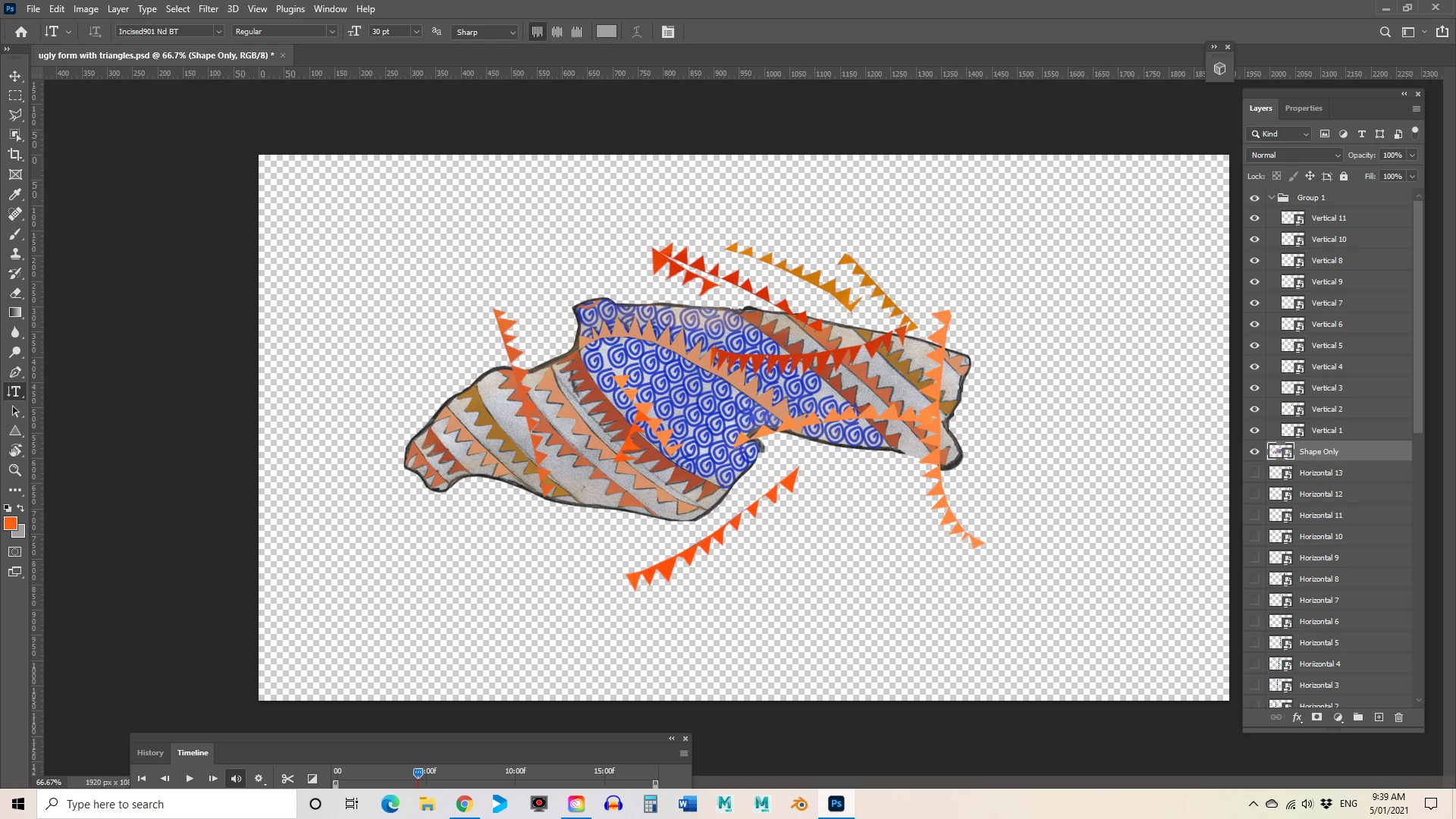
I've been getting some really great help but I want to only see the 'little lines' layers as they pass over the object of which they are in front.  There is a background layer but I've turned if off while I try to find the solution.  I've grouped the layers as you will see - but how do I mask/hide them unless in front of the shape.  I think it may be about black over the whole layer and then rub back to white to show the parts that are to be seen.  Hope this makes sense.  All help is appreciated.
This topic has been closed for replies.

2 replies

Bojan Živković11378569
Community Expert
Community Expert
January 7, 2021

Do you mean how to hide any part which goes beyond shape bounds? If that is the case do the fllowing:


  • Put all shapes in layer group.
  • Create selection from transparency by Ctrl + clicking on layer thumbnail of layer with shape.
  • Create group mask from selection.
  • Everything you add to that group will be hidden beyond shape/mask bundaries.
MEMEM
MEMEMAuthor
Inspiring
January 7, 2021

Thanks Bojan, that seems like a promising option.  Will try it ut now.


Myfanwy E S McLean
lambiloon
Community Expert
Community Expert
January 7, 2021

Hi there are some limitations in Photoshop After Effects is best option for such work....regards

Ali Sajjad / Graphic Design Trainer / Freelancer / Adobe Certified Professional
MEMEM
MEMEMAuthor
Inspiring
January 7, 2021

Thank you. I have thought realistically about AE as an option.

Myfanwy E S McLean