
Participant
August 1, 2020
Question

How to match the color of pasted layer to the background layer?

  • August 1, 2020
  • 3 replies
  • 727 views

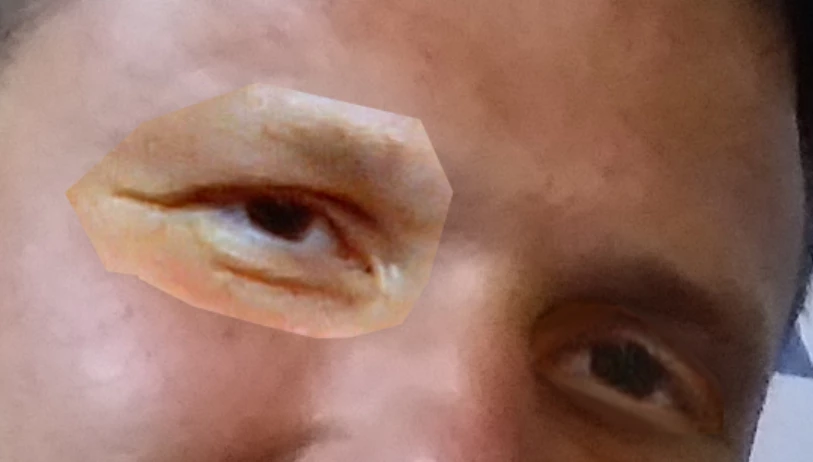
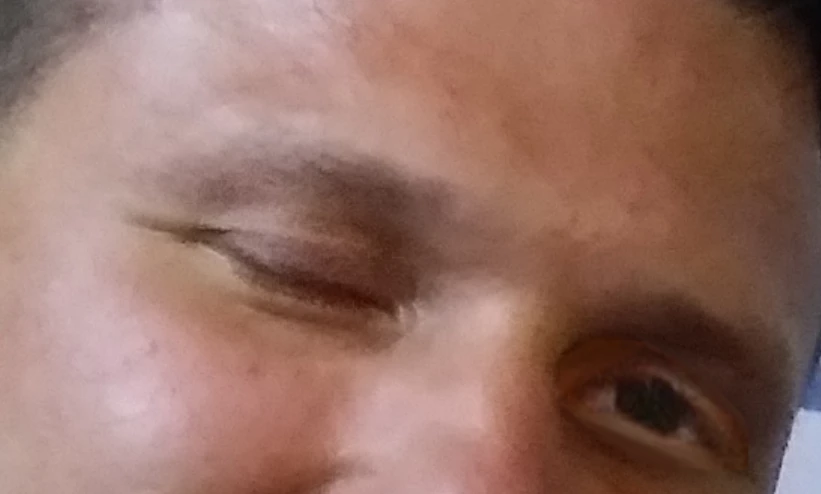
I am trying to open somebody's eyes in Photoshop by copying his open eyes from another photo and pasting them into the photo I need. The problem is the shades are different and I don't know how  I can handle that. I think that's an easy question for advanced Photoshop users. I attach both photos. Thanks for help in advance!
This topic has been closed for replies.

3 replies

c.pfaffenbichler
Community Expert
Community Expert
August 1, 2020

c.pfaffenbichler
Community Expert
Community Expert
August 1, 2020

And in my opinion you clipped the placed eye too close. 

c.pfaffenbichler
Community Expert
Community Expert
August 1, 2020

Clipping Mask the appropriate Adjustment Layer/s to the pasted Layer and apply a Layer Mask to it. 

Niko7301Author
Participant
August 1, 2020

Thank you for so fast response! I am a noobie in color adjustments, never used clipping masks, could you explain it step by step?

c.pfaffenbichler
Community Expert
Community Expert
August 1, 2020

• Create the Adjustment Layer, 

• Layer > Create Clipping Mask