Known Participant
January 29, 2020
Answered

How to recolor a dark object while keeping it's texture?

  • January 29, 2020
  • 4 replies
  • 1870 views

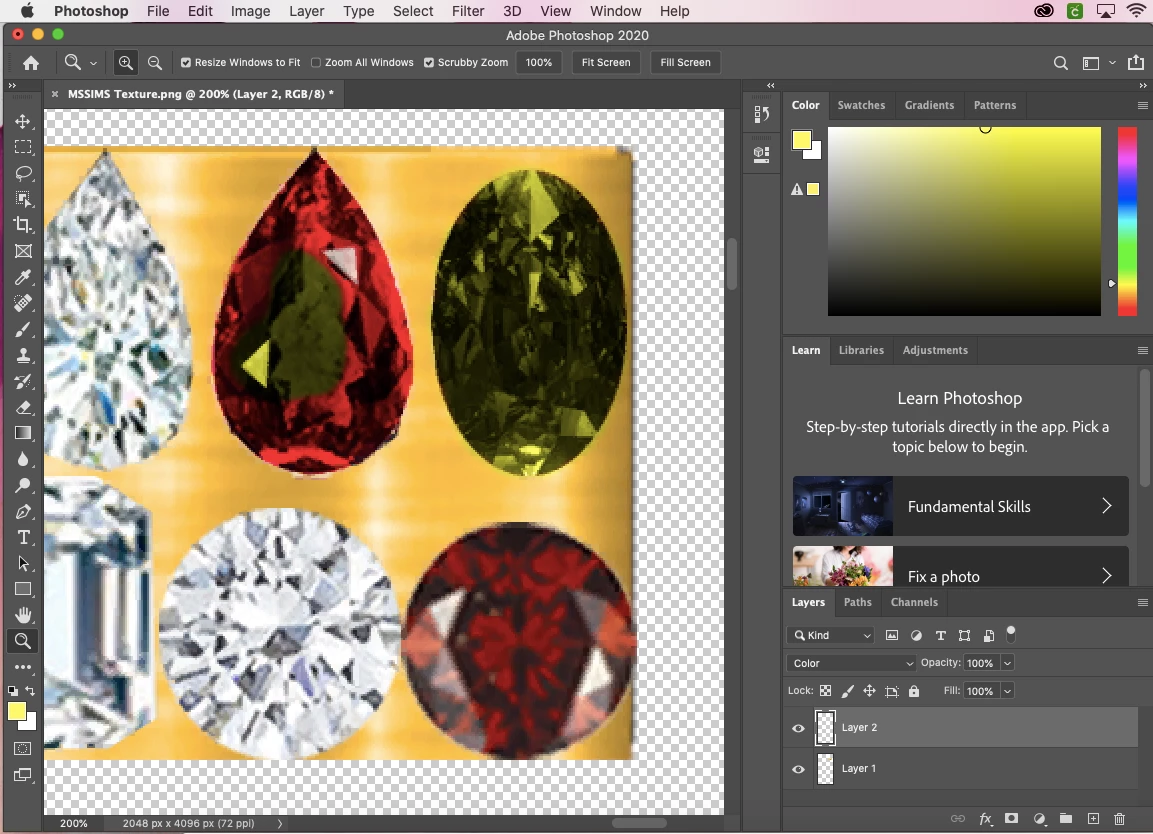
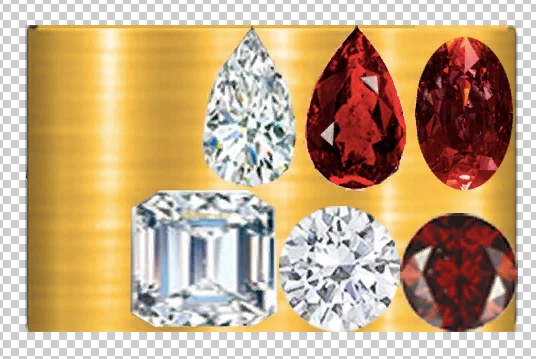
Hello all! I was wondering how to recolor the red diamonds while keeping the diamonds texture so they don't lose the "sparkle" effect. I have tried adding a second layer to the original layer, choosing a bright yellow color, and painting over the diamonds but it turns out verryyy dark. Layer 2 is at 100% oppacity. Is there anyway to make it lighter? Below is a photo of the original layer 1, and then the color I get. Thanks in advance! 
This topic has been closed for replies.
Correct answer davescm

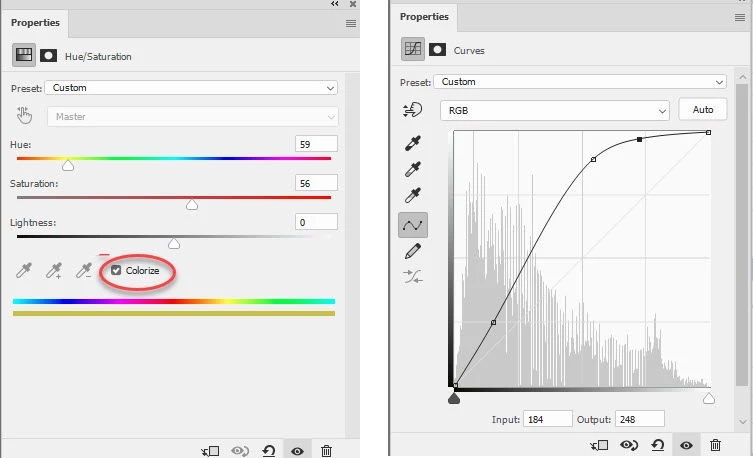
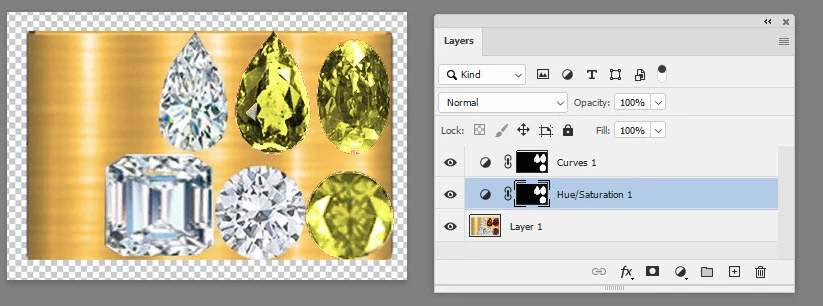
Try a Hue/Sat adjustment layer and a curve


Dave

4 replies

davescm
Community Expert
Community Expert
January 29, 2020

You're welcome 🙂

Dave

davescm
Community Expert
Community Expert
January 29, 2020

I didn't change the whole image - I made a selection before adding the adjustment layers so they each have a mask

Dave

Known Participant
January 29, 2020

Sorry your images did not show at first. That worked for me. Thank you so much!

davescm
Community Expert
davescmCommunity ExpertCorrect answer
Community Expert
January 29, 2020

Try a Hue/Sat adjustment layer and a curve


Dave

Known Participant
January 29, 2020

Thank you this does not work for me though because I don't need the whole image to change color, just the red diamonds. 

JJMack
Community Expert
Community Expert
January 29, 2020

Have you tried a frequency separation method?

JJMack
Known Participant
January 29, 2020

Hello, thank you for your reply! I followed a guide and was able to recolor the red diamond, but it lost it's "sparkle" effect. It kept the texture, but as you see in the other diamonds there are light parts and dark parts which make it look real. Once coloring the diamond after using the frequency seperation technique, the diamond no longer looks "real".