
How to remove background and not just make it look transparent. ?
I am having some frustrations here.
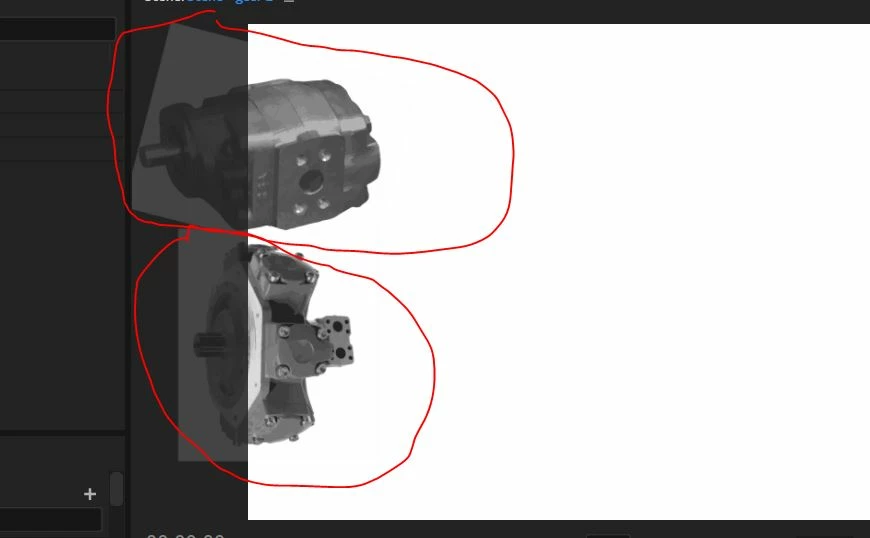
I manage to remove a few backgrounds and make it look transparent in photoshop. After saving the file as .png, apparently the the file still has the "frame" that used to be the backgroun around the picture.
How can I remove the brackground, including the frame in which the background used to appear?
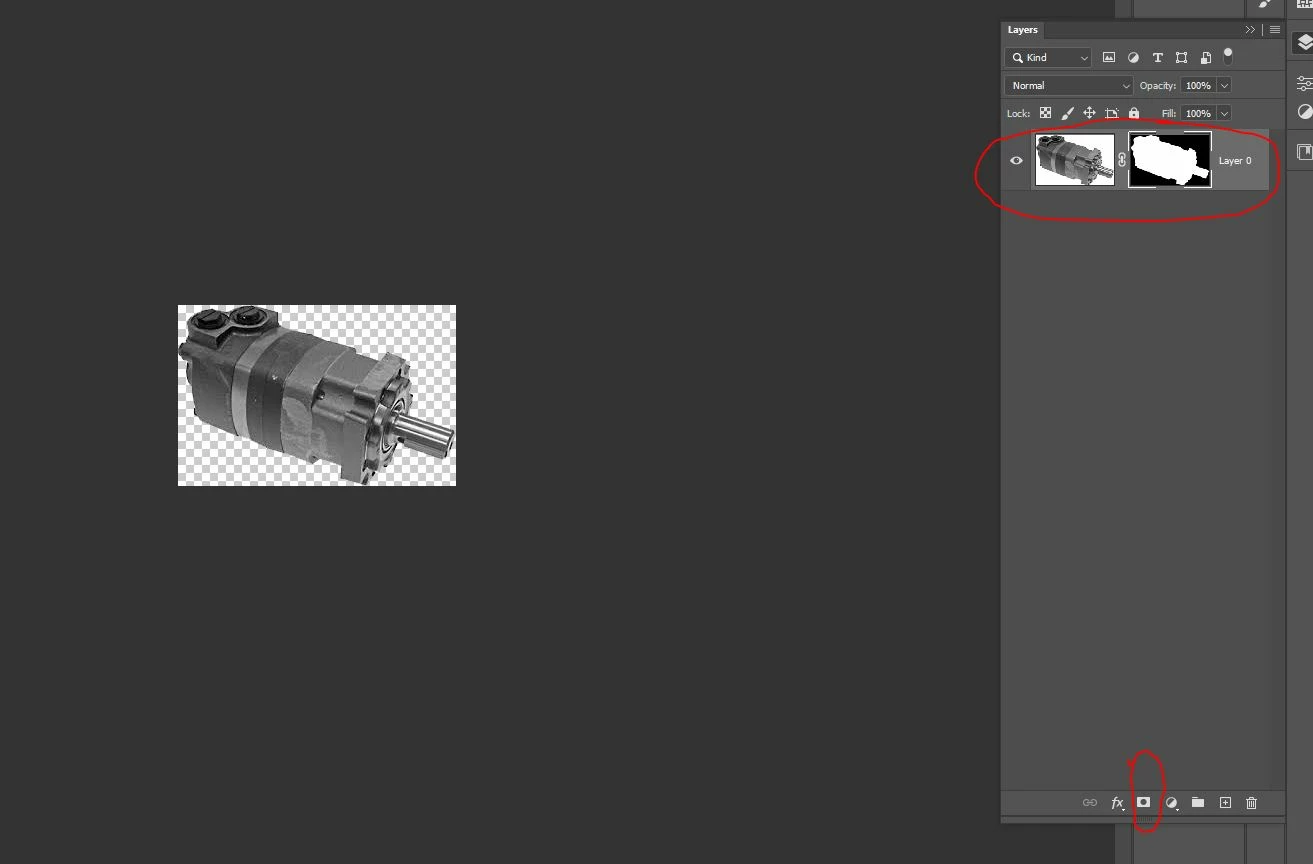
The way I originally did it was by using the magic wand or magnetic laso tool, then did a mask layer / vector mask, and it showed the background in black color and the item I want in white in the layer panel. On the actual picture it showed as if the background has been removed and it was not a transparent item. Once I saved it as .png it still kept the frame in which used to show the background.
video here:
This is how it looks on photoshop
This is how it looks in Character animator
 AdChoices