RajneshD
Inspiring
July 5, 2022
Question

How to remove noise/ pixellation in psd file

  • July 5, 2022
  • 1 reply
  • 4110 views

Greetings,


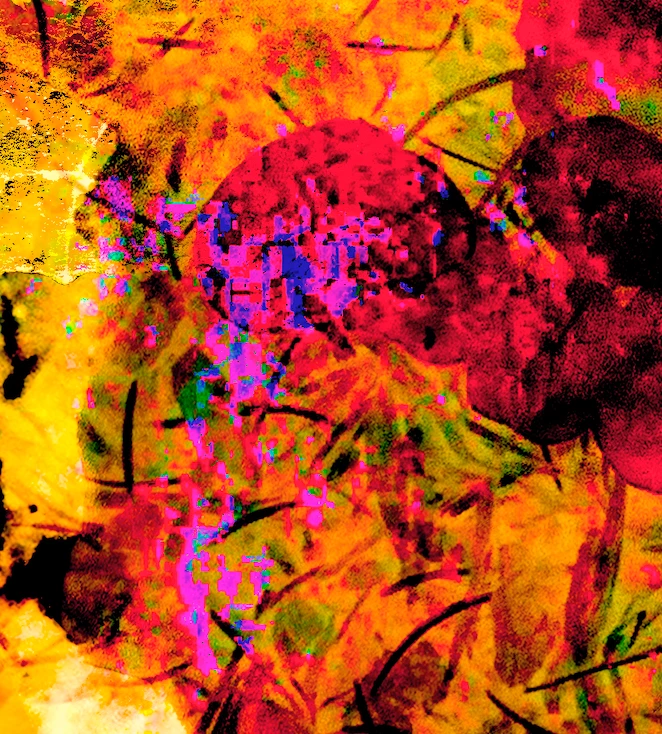
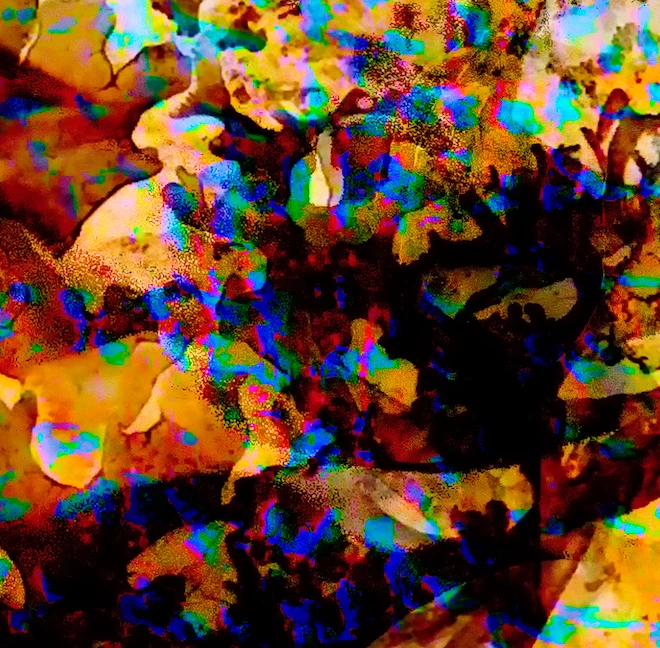
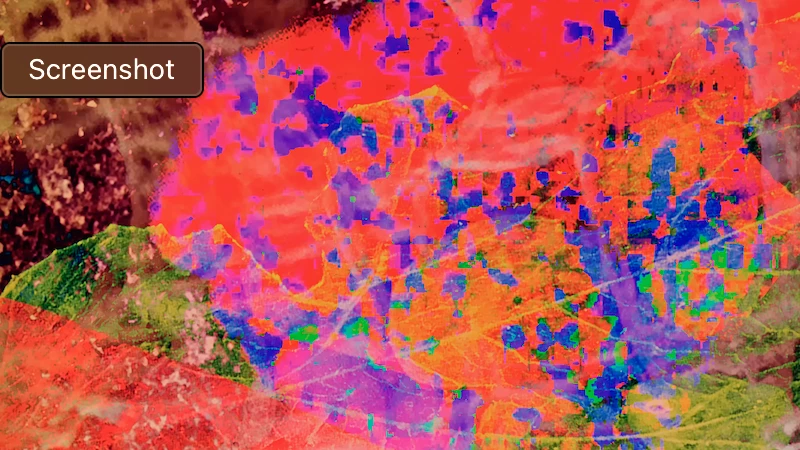
     I created some digital artwork in photoshop, but in the process overused filters and ended up with noise/ pixellation. I've attached screengrab samples of the files.

     Could you point me to information on how to fix these kind of problems?

     Thanks in advance for your help.

Regards,

Rajnesh


1 reply

Ranjisha Sengupta
Legend
July 5, 2022

Hi Rajnesh,


Thanks for reaching out. We're here to help.

Which version of Photoshop are you using? To reduce noise, click on "Filter," hover over "Noise," and click "Reduce Noise." Set the value of "Strength" to 0% to start. Drag the "Strength" slider to the right to remove as much luminance noise as possible. 
You can look at this video tutorial: https://www.youtube.com/watch?v=NS_VnfrmfGs.

To remove Pixelation in Photoshop, click on the Filter and Sharpen option. Choose Unsharp Mask to open a slider. Adjust the slider to sharpen the image until it hits an excellent visual point. This will reduce the pixelation.

Check out the video tutorial: https://www.youtube.com/watch?v=hv4EC4GUhKo.


Hope this helps,

Thanks.

Ranjisha

RajneshD
RajneshDAuthor
Inspiring
July 6, 2022

Hi Ranjisha,

     Thank you for your reply and the two links. I'm on an M1 Macbook Pro running Photoshop CC.

     I made a mistake in my original post. What I have appear to be Artifacts from using Jpeg files in a stack of high res images, and applying a bunch of filters and effects. The manipulation brought out the limitations of using Jpeg this way.

     I'm going to replace the Jpegs with Tiff images from better quality source and see if I can get rid of the artifacts. I'll report back on the results.

Best regards,
Rajnesh