Known Participant
September 22, 2021
Answered

How to remove one person from a photo?

  • September 22, 2021
  • 1 reply
  • 2935 views

Hi,


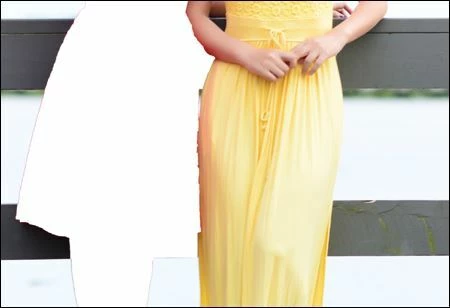
Can someone please tell me how to remove one person from a photo (part of it attached) that has two people with the latest PS?


Also since both persons are very close, after remove the other person, I probably need to smooth the edge of the kept person.  How can I do it?


Thanks & regards.

This topic has been closed for replies.
Correct answer jane-e

Hi

Use the Clone Stamp tool to "paint in" the pixels from another area. Make a selection first so you don't paint outside the lines.
 

Jane


1 reply

S_Gans
Community Expert
Community Expert
September 22, 2021

The only method to do this with precision is to learn about the selection tools and refining selections. There are MANY tutorials on the internet for these tools - but you're not going to find a magic, automatic solution for your need.
One tutorial to start with may be: https://helpx.adobe.com/photoshop/how-to/make-precise-selections-in-select-mask.html
After that, you're fortunate that the background can be repaired with a combination of selecting background, moving the layer into place, and using the clone stamp to repair edges. The clone stamp will also be helpful for fixing the edge of the remaining dress.
For the future, I really suggest taking and introductory course, or studying selections, layers, masking, and cloning, to accomplish similar goals on your images. The Photoshop Classroom in a Book is a good place to start.

Adobe Community Expert / Adobe Certified Instructor
bjch512Author
Known Participant
September 23, 2021

Thanks for the information.


I know how to replace background, but would it be possible to use PS to restore or patch the original background after remove the person from the image?  Please see attached screenshot.


Thanks & regards.

jane-e
Community Expert
jane-eCommunity ExpertCorrect answer
Community Expert
September 23, 2021

Hi

Use the Clone Stamp tool to "paint in" the pixels from another area. Make a selection first so you don't paint outside the lines.


Jane
