Participant
July 8, 2017
Answered

How to replace fence in photo

  • July 8, 2017
  • 3 replies
  • 1546 views

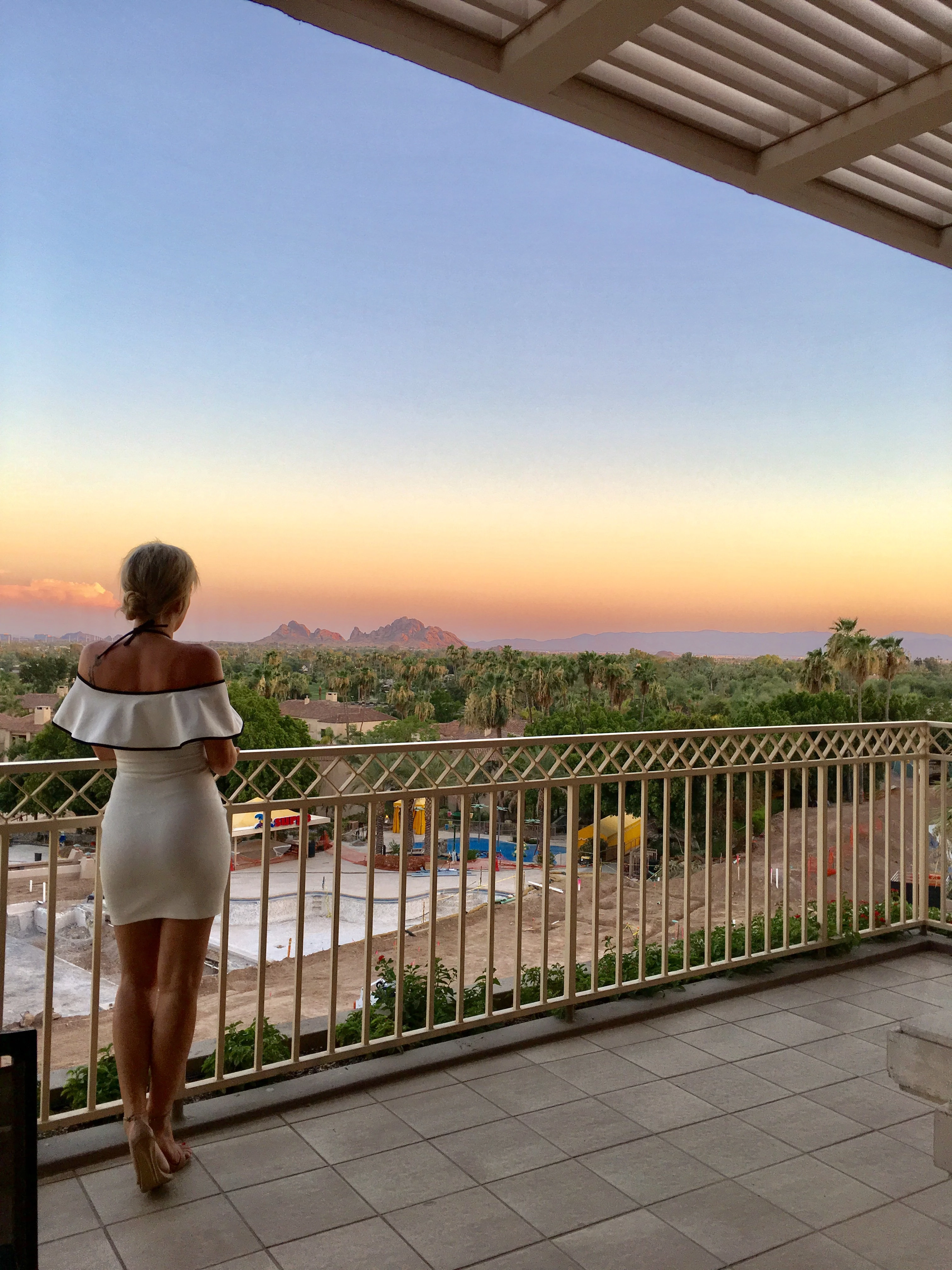
What is the best way to either overlay a solid fence or get rid of the construction visible thru open fence? Thanks!

    This topic has been closed for replies.
    Correct answer davescm

    Hi

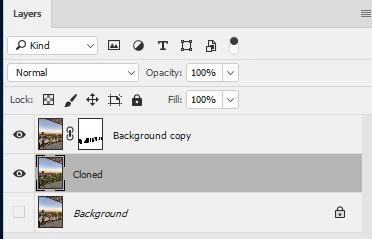
    Duplicate the image and mask the gaps in the fence (the pen tool is best for this - draw the path then make the mask from the path)

    Then on the layer below use the clone stamp tool to fill the gaps using trees from other parts of the image
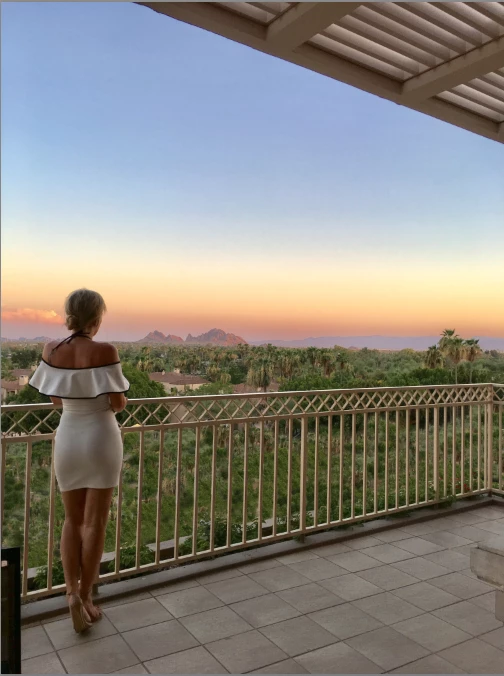
    Dave

    3 replies

    JJMack
    Community Expert
    Community Expert
    July 8, 2017

    I'm with Dave on the one if you have a lot of time clone the construction area clean it up. First crop I keep you 3:4 aspect ration buy I wanted to removed some distraction and reduce the size of the construction area some.  I did some noise reduction and some cloning full size not all thay is need just to give you my take on it.

    JJMack
    Derek Cross
    Community Expert
    Community Expert
    July 9, 2017

    Yeah, Dave's the way!

    davescm
    Community Expert
    davescmCommunity ExpertCorrect answer
    Community Expert
    July 8, 2017

    Hi

    Duplicate the image and mask the gaps in the fence (the pen tool is best for this - draw the path then make the mask from the path)

    Then on the layer below use the clone stamp tool to fill the gaps using trees from other parts of the image

    Dave

    Trevor.Dennis
    Community Expert
    Community Expert
    July 9, 2017

    davescm  wrote

    Hi

    Duplicate the image and mask the gaps in the fence (the pen tool is best for this - draw the path then make the mask from the path)

    Dave

    Dave, you have let us down.  I saw the OP and thought:

    THIS IS A JOB FOR 3D MAN!!!!

    But you went with a complicated masking approach — and that was a lot of masking.  So I thought I'd do your job for you, despite still being shite with 3D, which is why after making the flat railings and trying to 3D it, I got path too complex.  Not to be beaten, Alien Skin came to thew rescue again with its Extrude, but it looks like an illustration to me, despite dirtying it up with Render > Clouds and adding some grain, and distorting the railing's face via its layer mask.  Plus I set the extrude light direction back to front.    About the only plus point is that the only masking I needed to do was placing a copy of the lady at the top of the stack.

    davescm
    Community Expert
    Community Expert
    July 9, 2017

    Haha

    I knew I'd get you converted to using 3D . Need to turn your lighting round though - the shadows are on the wrong side of the railings. Oops -just saw your comment on that.

    Are those palm trees from render trees? If so I didn't think of using that.

    Actually the masking didn't take long at all. I only masked the rectangular slots - which with the pen tool was a fairly quick job. Better than watching the telly anyway

    Dave

    Derek Cross
    Community Expert
    Community Expert
    July 8, 2017

    I'm sure someone will come up with a better way, but meantime a quick and dirty way might be to try using the spot healing tools and the clone tool.