
Participating Frequently
October 11, 2023
Answered

How to replay the intro/tutorial videos on Generative AI within Photoshop 2024?

  • October 11, 2023
  • 5 replies
  • 2486 views

I just updated my Photoshop and was pleasantly surprised to learn about the new Generative AI functionality through the hands-on tutorials that were played within Photoshop, see screenshot on what I am talking about:
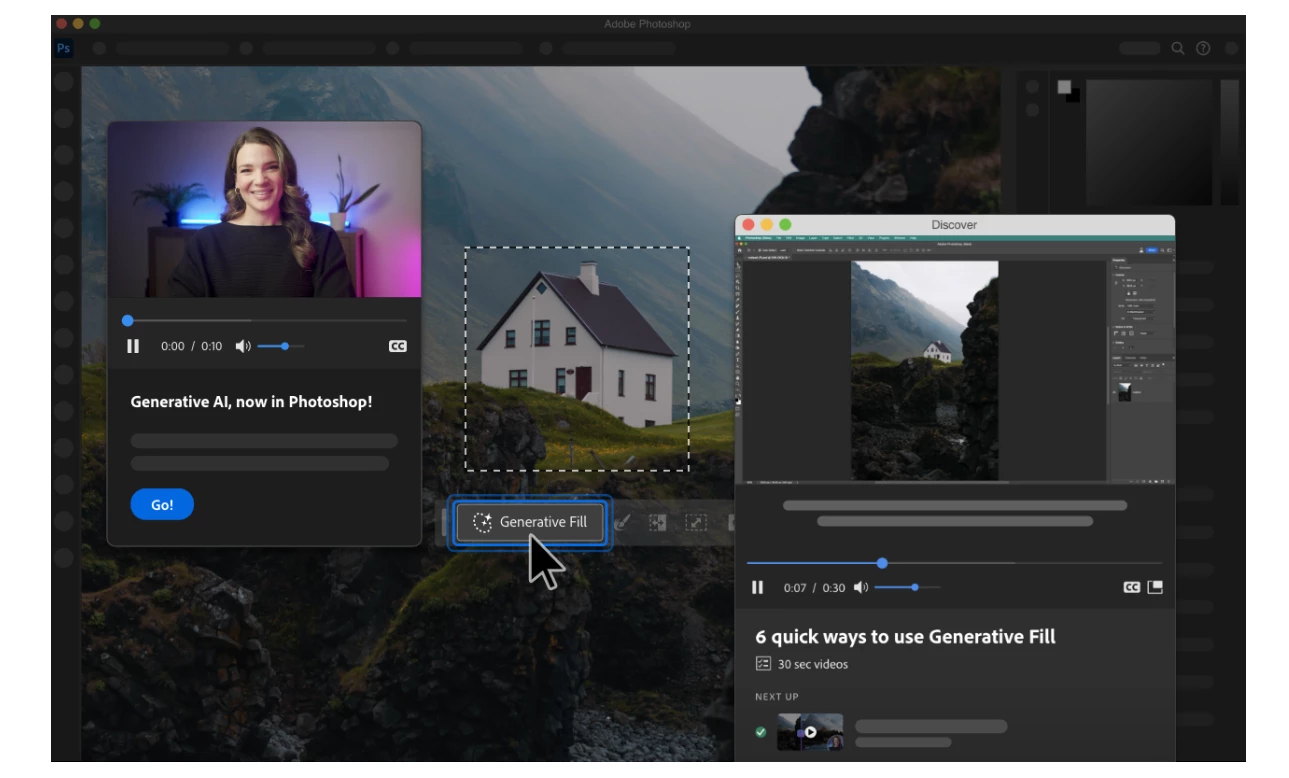
I closed it and now cannot get back to it. How do I reopen these tutorials in Photoshop so I can learn the steps again?

This topic has been closed for replies.
Correct answer Pattie-F

If you see a ? in the top right corner in Photoshop, you can also click that to see the videos.


5 replies

Known Participant
December 4, 2023

That's actually funny, a lot of us in another thread are actually annoyed because the tutorial won't ever stop playing.

Every.

Single

Time.

And we can't get rid of it.

Pattie-F
Pattie-FCorrect answer
Legend
October 26, 2023

If you see a ? in the top right corner in Photoshop, you can also click that to see the videos.


Participant
September 23, 2024

Per caso sapete se i minitutorial sul riempimento generativo sono disponibili anche in Italiano?

Pattie-F
Legend
October 13, 2023

You can get back to that video, but there are a few steps. Go to Discover panel by going to Help>Photoshop Help from the main menu (or cmd/ctrl F). Now click on the home icon if you were searching or watching something else. In the browse section, the top item in the list is "video series". Click on that and then on the play button to play the videos.


barbls5280
Known Participant
November 8, 2023

Thank you! Never would have found this again without

your comment.

Peru Bob
Community Expert
Community Expert
October 12, 2023

The nuclear option:

Uninstall and reinstall.


jo999ixAuthor
Participating Frequently
October 12, 2023

Haha, that certainly is an option but would leave that as a last resort. I really thought the videos were nicely done and kept me right in Photoshop. It is a great option than looking up other videos on the web to learn these new features. Thanks though!

jo999ixAuthor
Participating Frequently
October 12, 2023

Great to get the upvotes, but can someone help answer this question? Any Adobe moderators?