
Participant
August 2, 2020
Answered

How to scale an object to an exact ratio?

  • August 2, 2020
  • 2 replies
  • 2154 views

Hello experts, photoshop newbie here:


I found this nice book mockup online but it's 9x7" (I wanna say size but I think the appropraite term here is ratio).
My book artwork is designed for 7x4.3" landscape book


My question: is there a way where I can resize/scale the mockup to meet the aspect of my artwork other than eye-balling it? -preferably enter an exact dimension.


Thanks in advance,

Amin
This topic has been closed for replies.
Correct answer c.pfaffenbichler

It doesn’t seem to be that bad. 

2 replies

JJMack
Community Expert
Community Expert
August 2, 2020

9/7= 1.28   7/4.3=1.62 ths aspect ratio are off.    So your 1.62 aspect ratio is wider the 9:7  1.28 aspect ratio. If you were to resize your Image to fill the narrower image's aspect ratio height  the left and right sides if you image would be clipped off. My Batch Mockup script edit option(s) can pe user to populate you 7:4.3 images into the 9:7 object are  fitted to the area where tout image will have boarders top and bottom  Ot the fill the 9:7  area where the left and right sides will be clipped off.  To help you visualize this I  include this image.     The red rectangle is the  9:7 aspect area.  The green your 7:4.3 Image fitted to the area you see the boarders top and bottom inside the red area.  The Blue rectangle your image resized to fill the 9:7 height you can see the left and right clip off areas outside the res area.


You do not scale to Aspect Ratios you crop or distort to a different aspect ratio.  Adobe prefers to call it content aware scale (Alt+Shift+Ctrl+C) I prefer content aware distort.   I do not automate distortion just Fit and Crop.


Why Adobe content aware scale. Changind Aspect Ratio like  2:3 to 3:2 thing like going from Portrait to Landscape just do not produce acceptable results.

JJMack
Participant
August 3, 2020

Thank you so much for your through answer,

I'm well aware of  different aspect ratios and clippings. the object I want to resize (scale) is the blank gray book mockup, because it's a solid object changing its shape shouldn't be a problem.

My question was about on how to scale an object to specific number. If I figure that out, I'll change the mockup to match my cover design.

Again, thank you a lot


Legend
August 3, 2020

If you want to scale everything about a Photoshop file, all contents, all layers, just use Image > Image Size.

c.pfaffenbichler
Community Expert
Community Expert
August 2, 2020

Not really. 

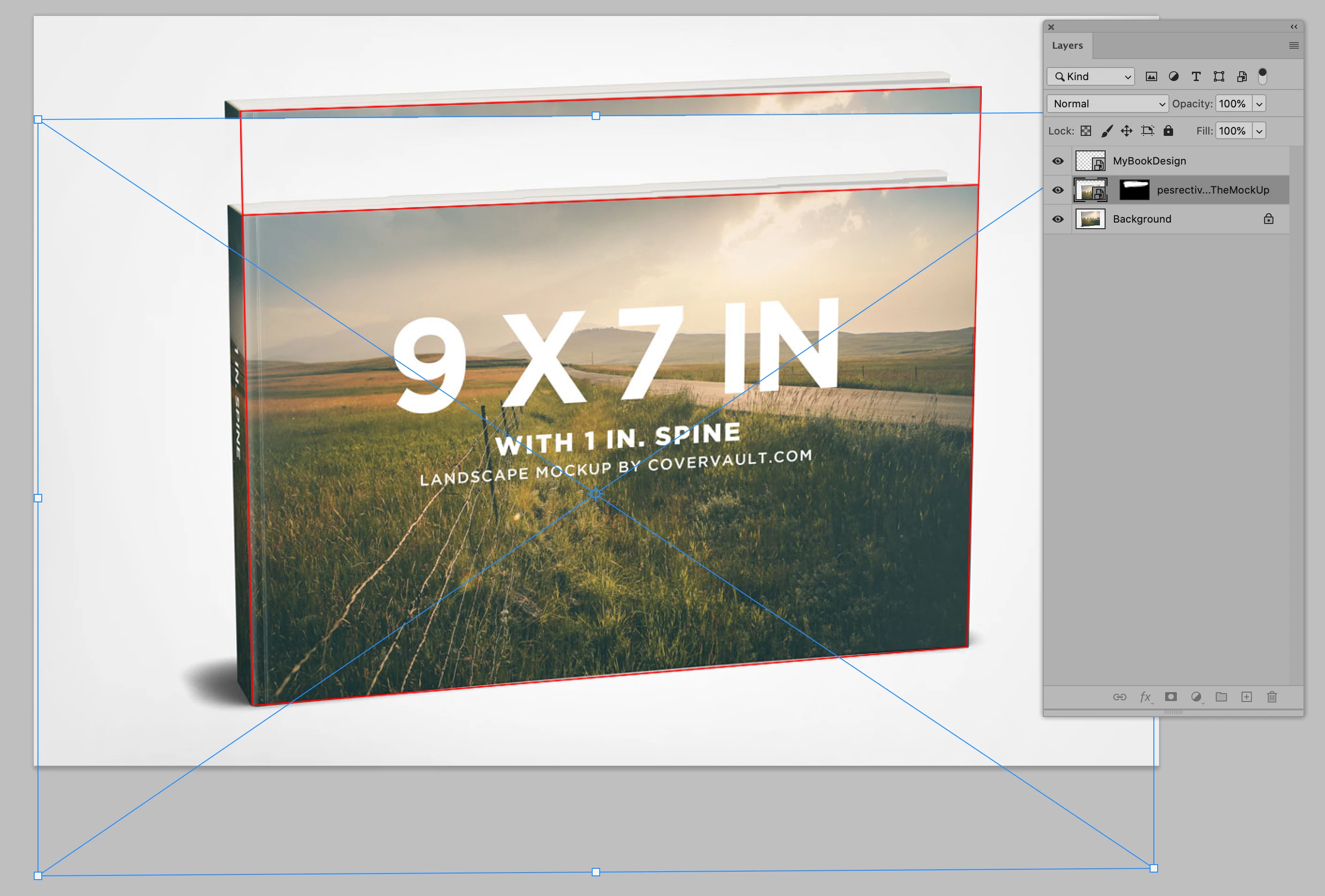
You could create a planar guide/grid that encompasses both ratios, then convert it to a Smart Object and perspectively transform it to meet the existing one and the intended one should become more or less clear …  

Then you can stitch together and touch up a version of the book-image that corresponds to that. 

Participant
August 2, 2020

I was afraid it's gonna be difficult for someone at level but thanks a lot

c.pfaffenbichler
Community Expert
c.pfaffenbichlerCommunity ExpertCorrect answer
Community Expert
August 2, 2020

It doesn’t seem to be that bad.