nana alderweireld
Participant
June 6, 2024
Question

How to transform rectangular in centimeters
  • June 6, 2024
  • 2 replies
  • 7932 views


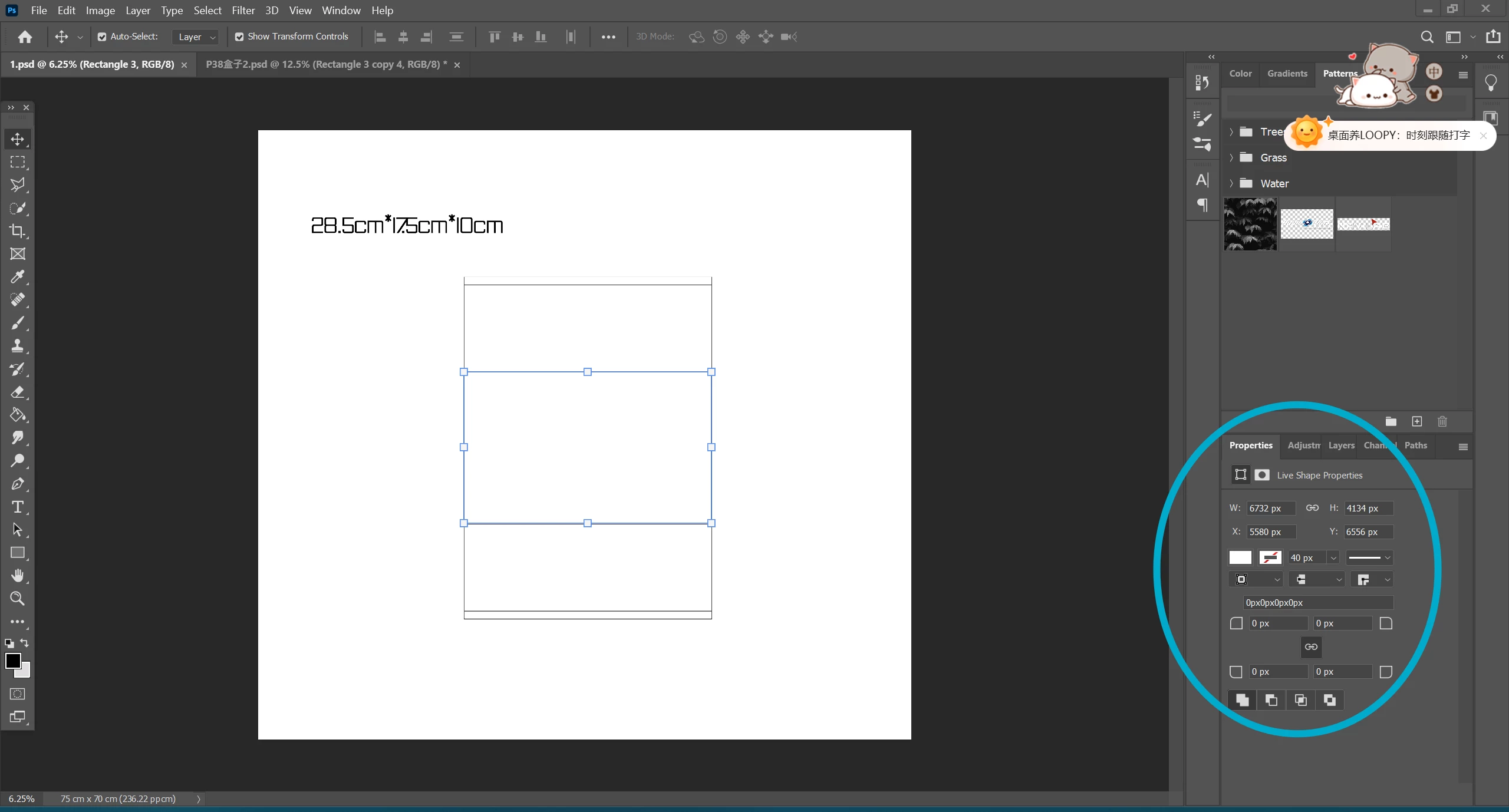
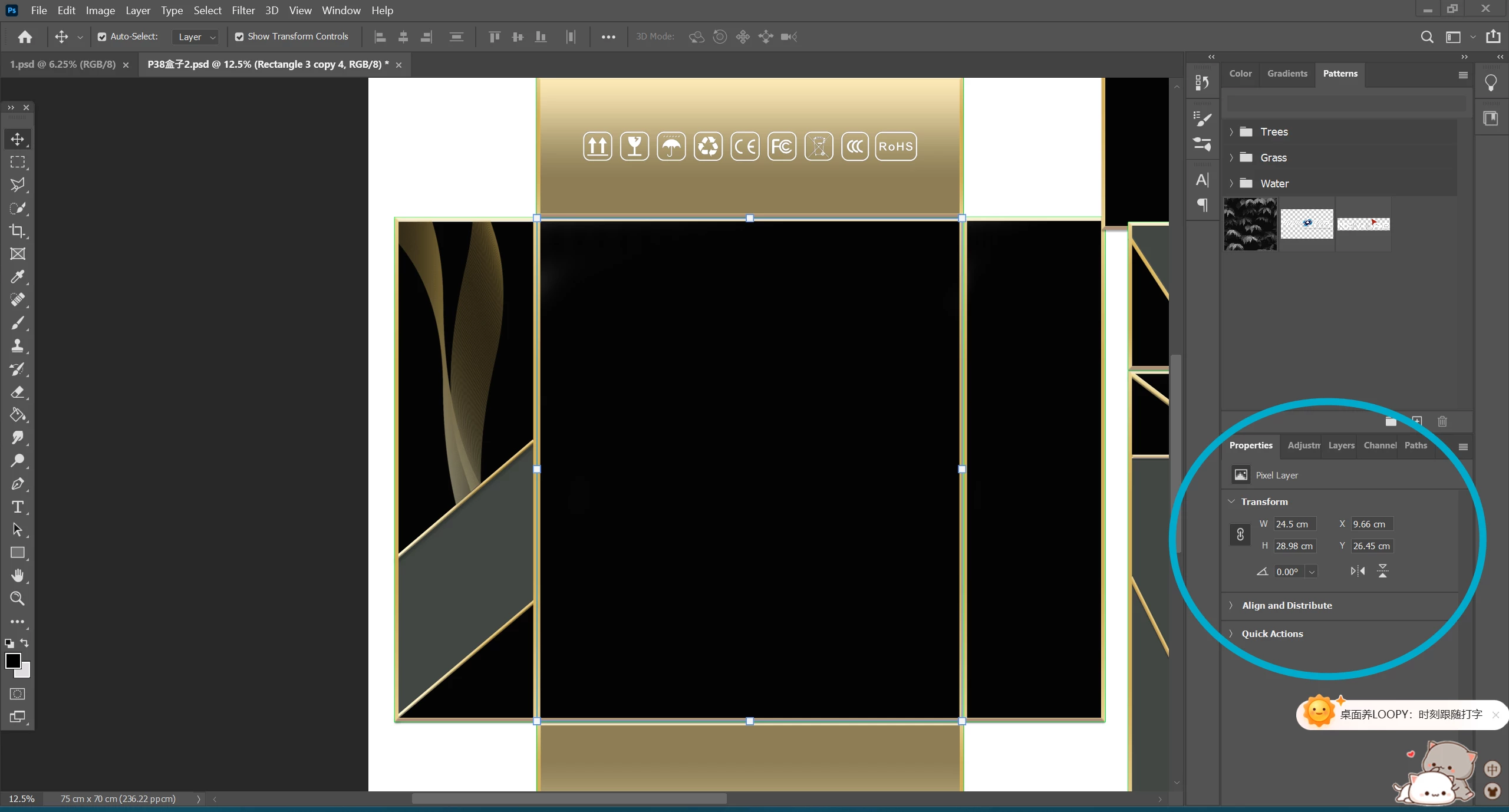
Hi, i've done pic 1 several months ago and i remember at the time it was easy to  make the rectangular using cm as measurement unit, but now i'm trying to make another rectangular and for the life of me i just couldn't make the same properties page as the same as before (pic 2). Can someone kindly teach me please, thanks.

2 replies

Trevor.Dennis
Community Expert
Community Expert
June 6, 2024

I like to box the shape I need with guides.

Drag a pair of guides to intersect at the top left corner, and drag the grid zero, zero point to the intersection (it will snap into position).


Create new guides for the width and height.  The New Guide dialog values reflect whatever unit you have set the rulers to.

Drag the shape or selection to fit the guides.  Either will snap perfectly into position.

Bojan Živković11378569
Community Expert
Community Expert
June 6, 2024

To change the measurement unit of Rulers to centimeters, press Ctrl + R to display the Rulers. Then, right-click on the ruler and select 'Centimeters'. To hide the ruler after changing the units, press Ctrl + R again.

Stephen Marsh
Community Expert
Community Expert
June 6, 2024

In addition, you can also right-click in the width and height field in the Properties panel and change the unit of measure without changing the main ruler units for the doc. Keep in mind that Photoshop works in pixels as the native unit, so depending on the document resolution some rounding of values may occur when translating metric to pixels which are based on 1/72 inch.

nana alderweireld
Participant
June 6, 2024

i did as you said and then when i clicked on the rectangle again, it changes to px again... 
when i edit pic 1, even if i keep clicking the rectangle, the properties layout still stays the same, the cm is still cm, it won't change to px, hence if you know how to directly change the whole properties layout to the one in pic1, please teach me, thanks again..