Answered

This topic has been closed for replies.
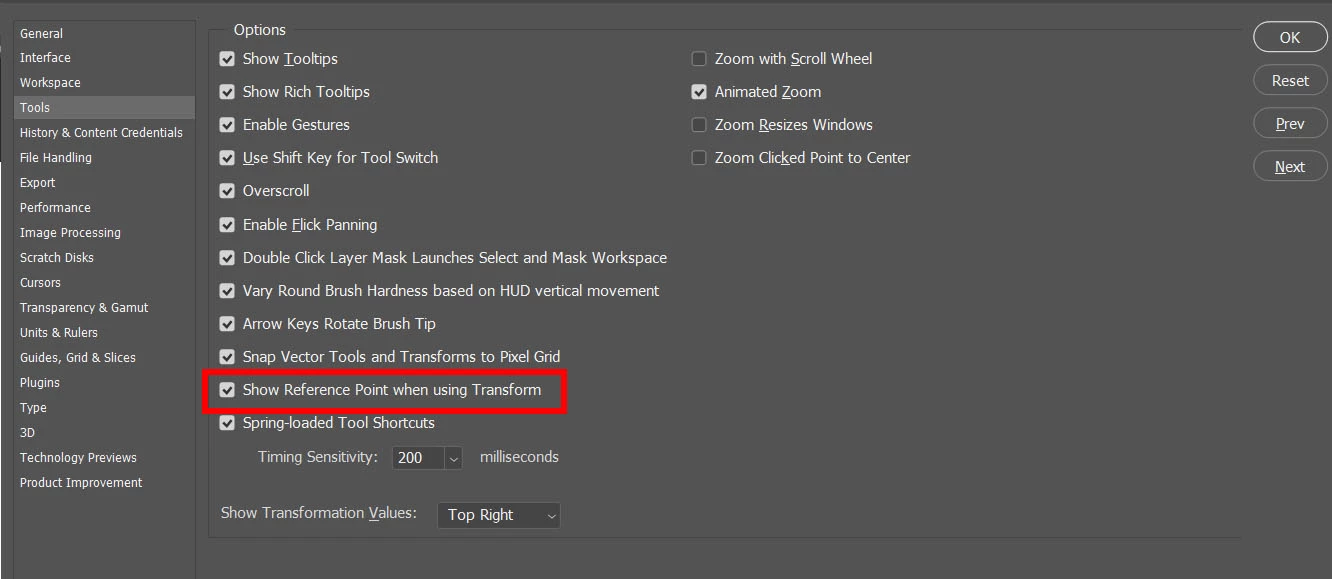
In the preferences, under tools, uncheck "Show reference point when transforming."
Just be away that if you turn this off, when you transform something, the center dot will not show up. I prefer to have it on.
Sign up
Already have an account? Login
To post, reply, or follow discussions, please sign in with your Adobe ID.
Sign inSign in to Adobe Community
To post, reply, or follow discussions, please sign in with your Adobe ID.
Sign inEnter your E-mail address. We'll send you an e-mail with instructions to reset your password.
 AdChoices