
Participant
November 11, 2022
Question

How to use "Free Transform Without Snap"

  • November 11, 2022
  • 3 replies
  • 613 views

Dear community members,


Please tell me how to free transform without snapping any points.

I already unchecked "Snap Vector..." in Preferences - Tools - Options menu.
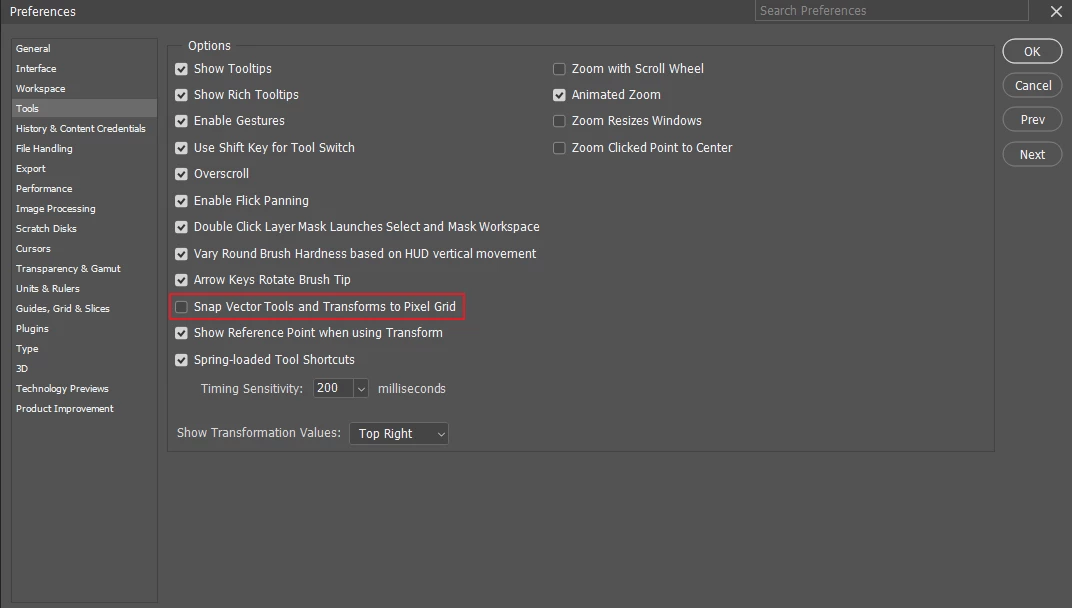
 

But transform always have snaps.

I want to do more free transformation without snaps like in old Photoshop.


Please tell me the solution for REALLY! FREE TRANSFORM SOLUTION.

 - My Photoshop version is 24.0.0.

This topic has been closed for replies.

3 replies

pixxxelschubser
Community Expert
Community Expert
November 11, 2022

Thank you for the videos. Maybe someone else will have something to say.


In my opinion, this is actually due to the interpolation. To be on the safe side, I'll ask again because this is actually of great importance for a solution:

Is this really the same size and also the same zoom level?

On the right side (the old version) the interpolation is also visible, but 3 - 4 times bigger.

Participant
November 11, 2022

Yes. previous video have different zoom level.
So, I had attached new video file to avoid confusion by zoom ratio.


There are same zoom level video.
Old version's moving is smooth and easily control to make hard edge image.
But new version's moving like snapping.
There is a snapping even when I keep moving the mouse.So, It is hard to make hard edge image.

pixxxelschubser
Community Expert
Community Expert
November 11, 2022

Nothing seems to snap.

What zoom level is this? IMHO it's just the interpolation that happens automatically when scaling to non-whole pixels.


Or am I not understanding your video correctly?

Participant
November 11, 2022

The new attached video file is a comparison between the new version and the old version of the free transform operation.
As you can see, the free transform in the old version is really free. (Clearly smooth work)

But new version photoshop's work have weird like snap or lagging.
So, It is hard to make clearly outline image.

pixxxelschubser
Community Expert
Community Expert
November 11, 2022

Does deactivating all items in the menu: View --> Align to ... help a bit?


Participant
November 11, 2022

I can't find "View - Align to..." menu.


I had attached movie file regarding my issue.

As you can see I unchecked "Snap Vector..." in the preferences menu, but free transform has snaps.