Known Participant
January 27, 2020
Answered

How to whiten a 3D texture?

  • January 27, 2020
  • 2 replies
  • 886 views

I purchased this anatomical model of a cranium:


[Link removed by moderator]


The seller advertises 2 renderings: stained brown and clean white. However, they only provide one set of textures.
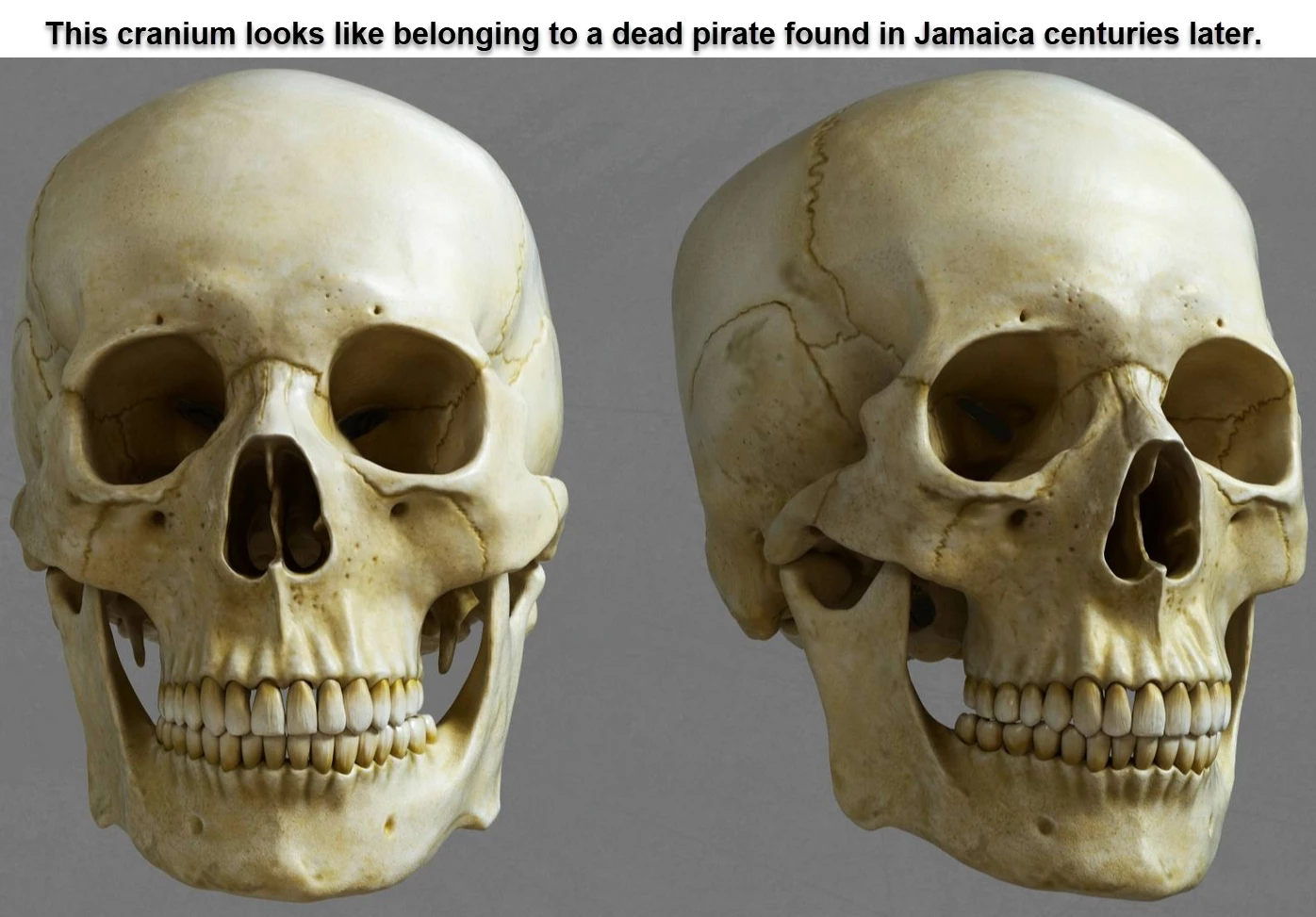
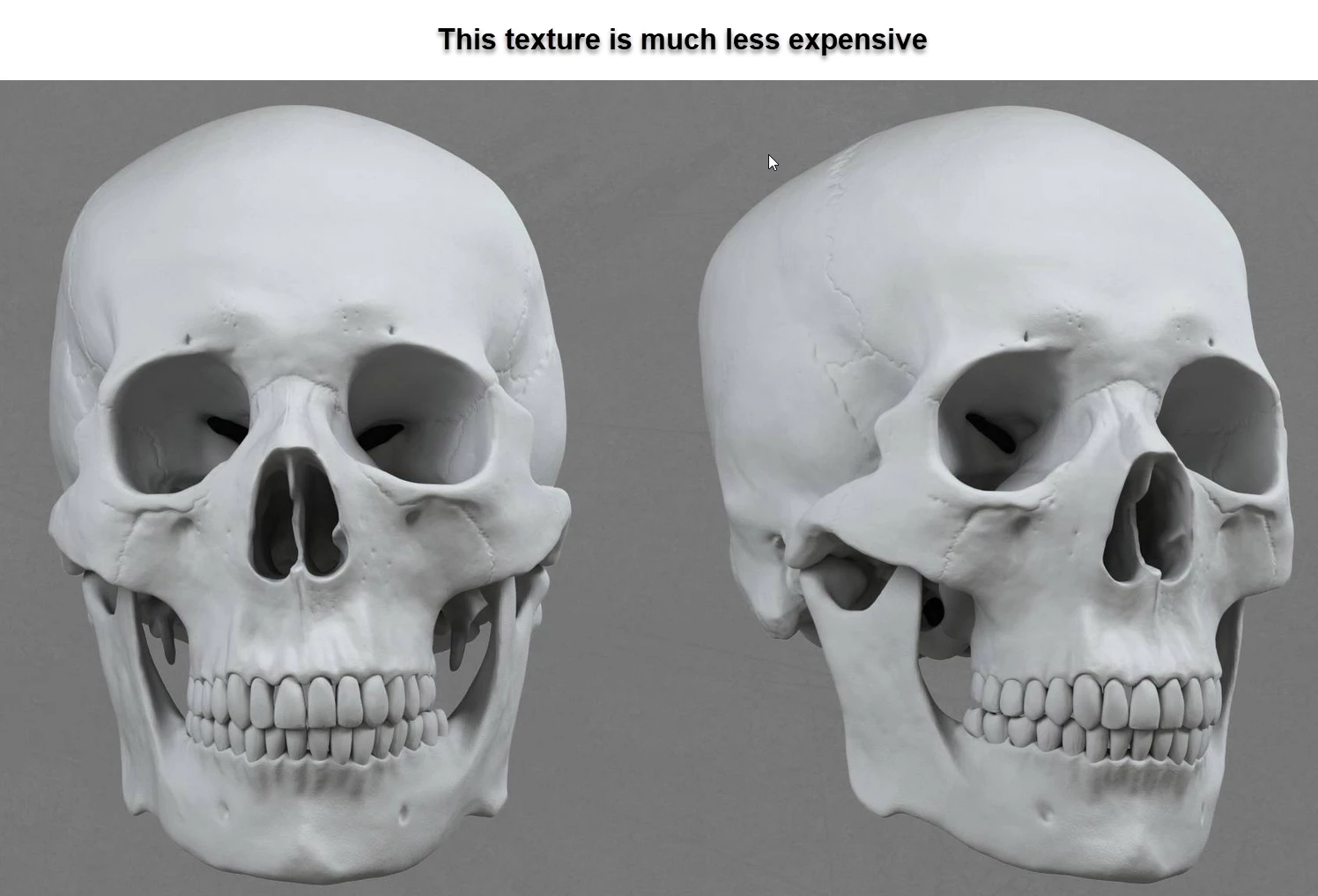


This is the main texture file that I am supposed to process, with my rudimentary knowledge of Photoshop:
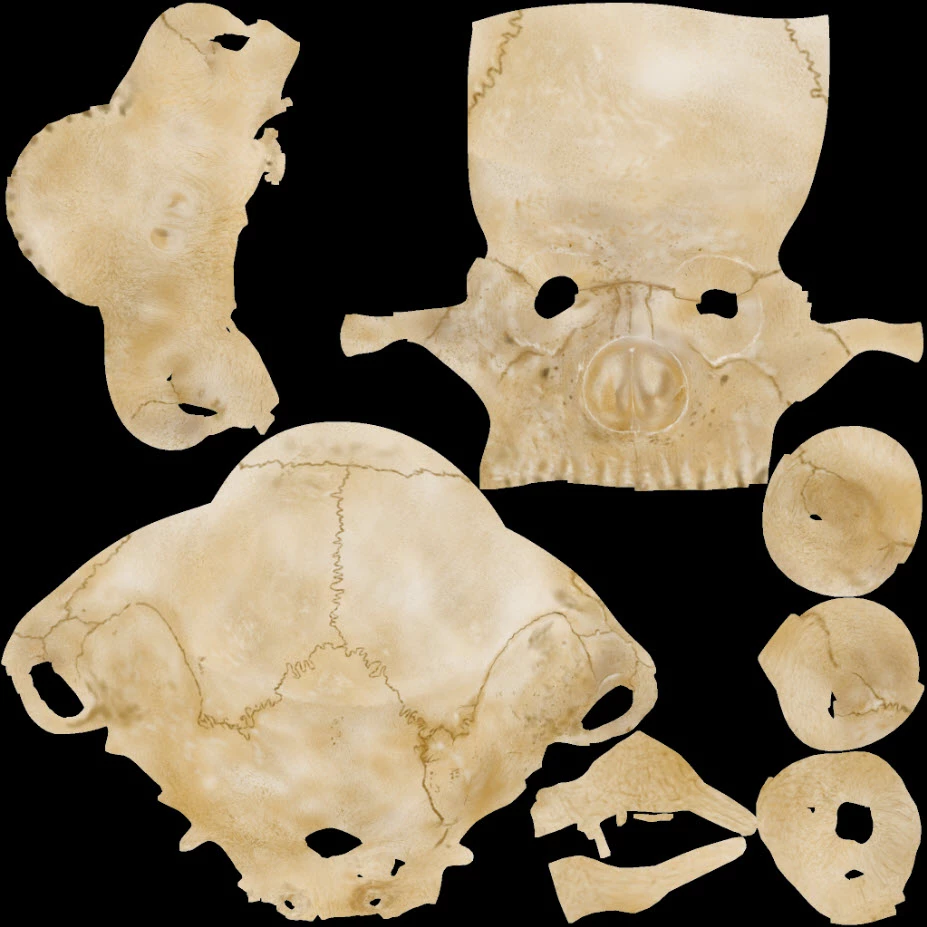


I don't even know where to start.

TIA,


-Ramon F. Herrera
JFK Numbers
This topic has been closed for replies.
Correct answer davescm

Hi

To turn the brown texture white :

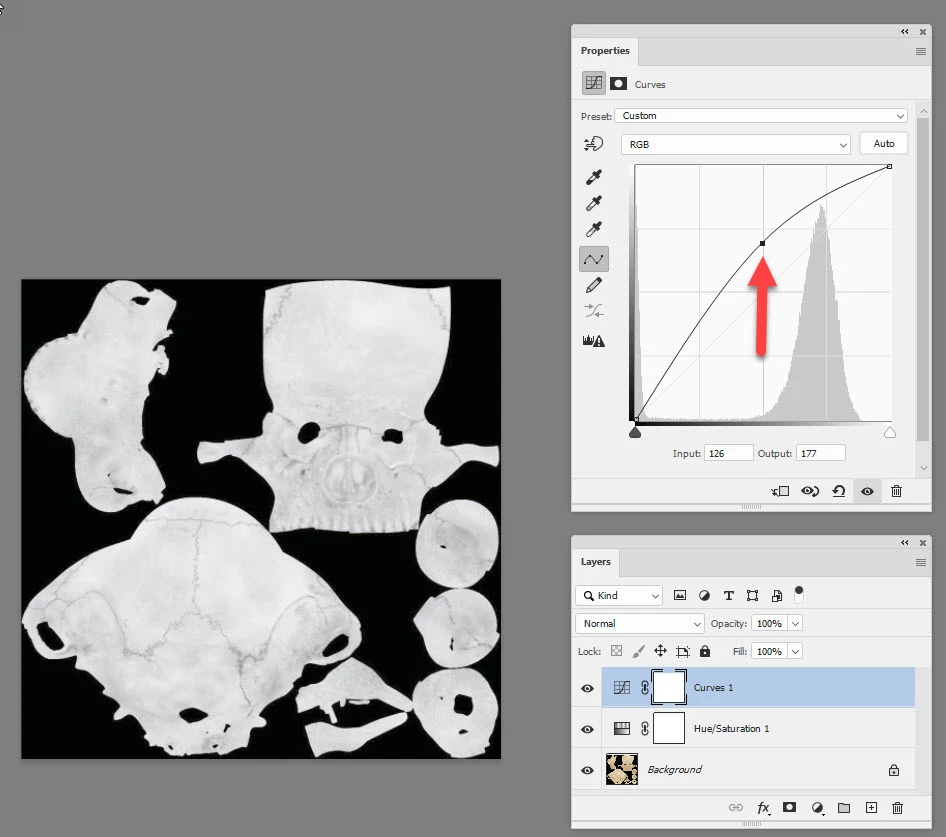
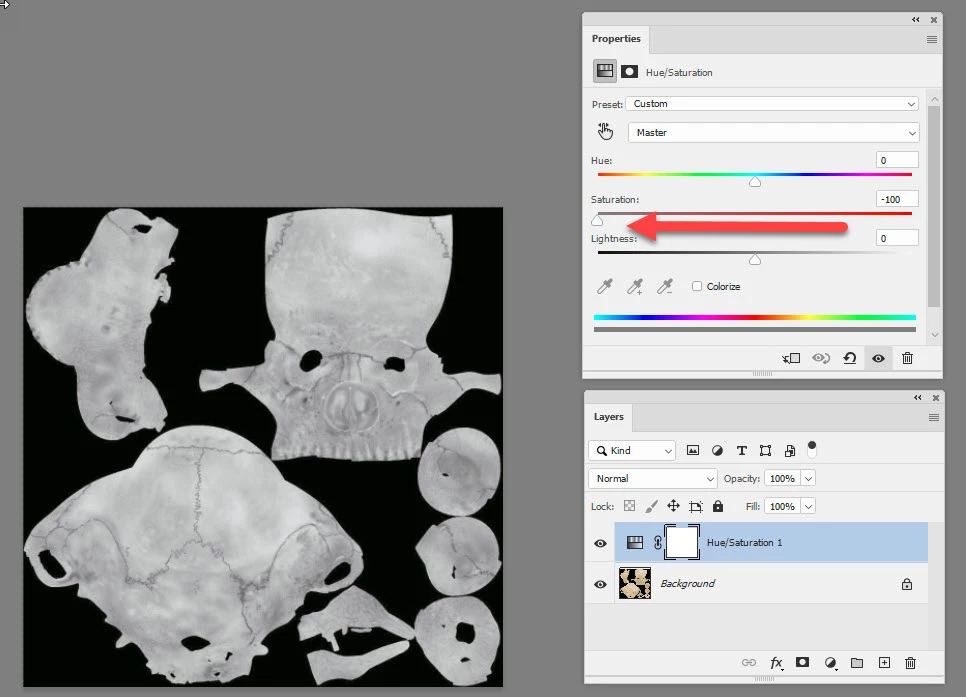
Add a Hue and saturation layer and reduce the saturation value to take out the colour


Then add a curve adjustment layer and pull up the curve to lighten without affecting the blacks or extreme whites


Then File>Export >Save for Web Legacy and export as a png /jpeg as required


If you wanted to increase the colour or darken the texture do the same but pull the sliders the other way

Dave


2 replies

Known Participant
January 28, 2020

[Dave wrote:] "Add a Hue and saturation layer"


Thanks!


-Ramon
JFK Numbers


davescm
Community Expert
davescmCommunity ExpertCorrect answer
Community Expert
January 27, 2020

Hi

To turn the brown texture white :

Add a Hue and saturation layer and reduce the saturation value to take out the colour


Then add a curve adjustment layer and pull up the curve to lighten without affecting the blacks or extreme whites


Then File>Export >Save for Web Legacy and export as a png /jpeg as required


If you wanted to increase the colour or darken the texture do the same but pull the sliders the other way

Dave