Answered
How would I place a white outline around this image before I add a background color?
How would I place a white outline around this image before I add a background color?


How would I place a white outline around this image before I add a background color?
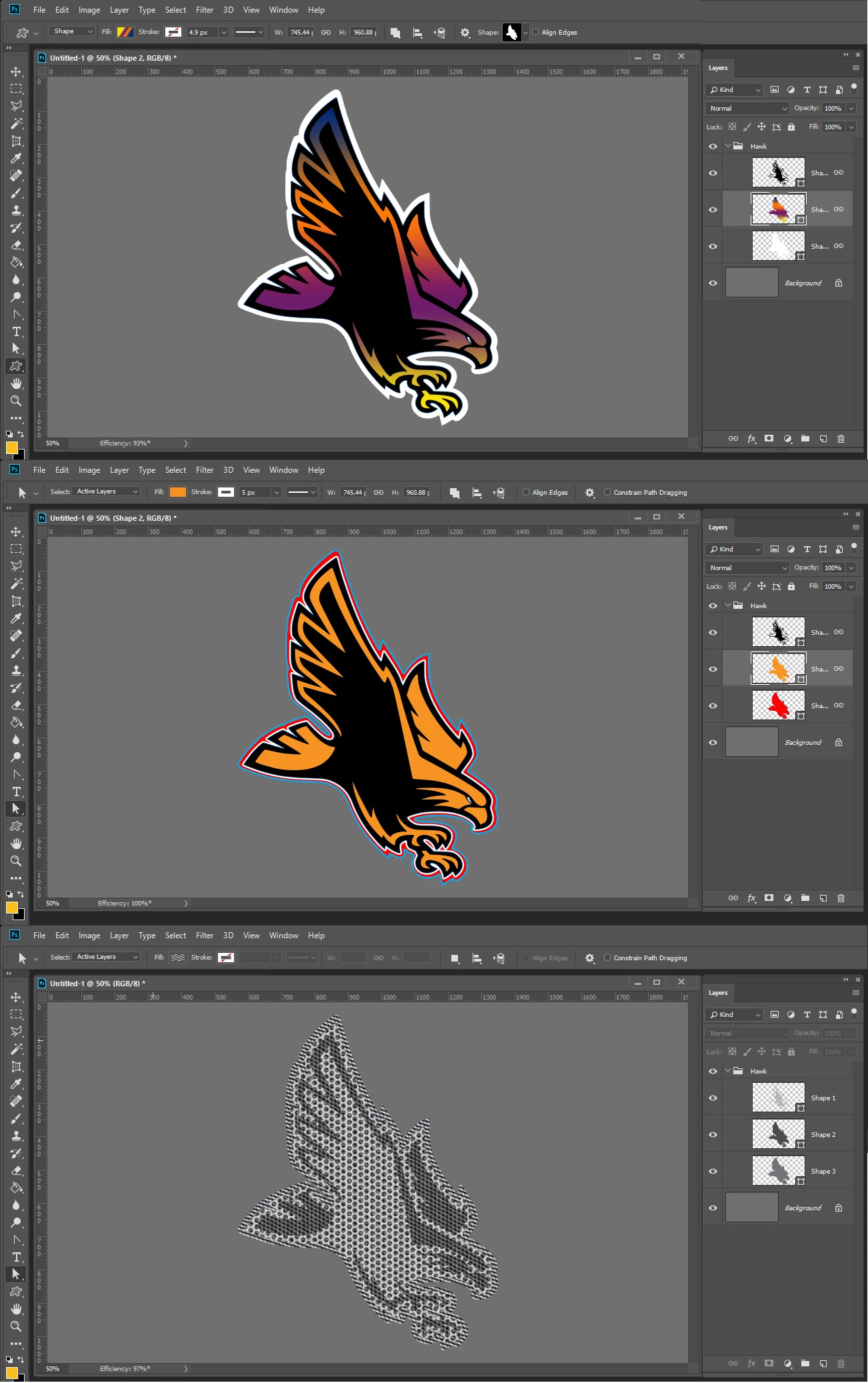
If you are gong to put this onto pictures or fliers in different Photoshop document sizes and resolution. You would want to have it in vector graphic. If you only use Photoshop you want three colors so the would require the stacked shape layers. I created a PSD file you can use to see how it works. Yog can always edit the three shapes toe improve their quality. You can download the PSD file HawkLogo.psdYou
It will look like the on a colored background

What is also good about stacking shapes if the custom shapes have similar geometry they are easy to align using Photoshop custom shape dialog. You can also edit the shape and change the fill to none, gradient or patten beside solid color. You can also add strokes. When you use patterns and strokes you can scale the pattern and size the stroke and have stroke options for how the stroke is done and where the stroke will be relative the shapes path. You can also add layer style to each layer to give the some depth...
Already have an account? Login
Enter your E-mail address. We'll send you an e-mail with instructions to reset your password.
 AdChoices