
allenr80353284
Participant
July 4, 2017
Answered

Huge file size for animation using Photoshop's timeline function

  • July 4, 2017
  • 3 replies
  • 3401 views

Hi there! I am working on an animation and am not even 20 seconds in yet. I have 3 rasterized solid color layers and 3 layers with animation in them. The animation is only 10 frames per second and there are no smart object layers. I have an audio file attached to the document that is 4 minutes long but is only 7.1 MB. My Document size is 1920 x 1080 and 72 DPI. All of this should make for a relatively small PSD size, which I am sure of because I have created many animations much longer and more complex than this at less than half the size, but this specific file is saving at around 700 MB. Attached is a screen cap of my work space if anyone will think that helps! Any suggestions?

(I am using Photoshop CC 2017)
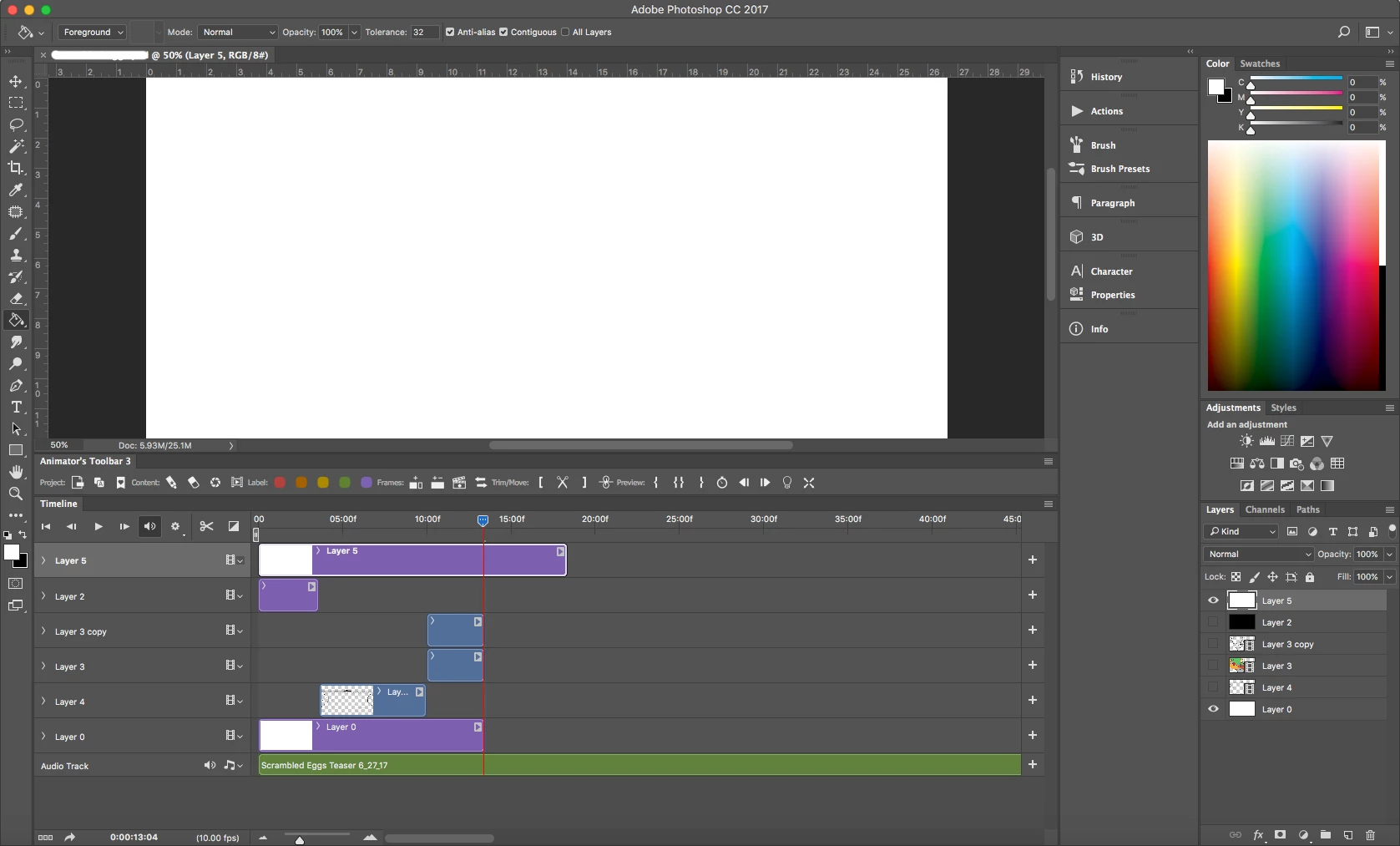
This topic has been closed for replies.
Correct answer allenr80353284

I found out the problem. I was doing some pretty intense zoomfor in and there was a bunch of linework and stuff outside of the canvas on photoshop that I could not see. When I pressed command+T to transform, the bounding box was gigantic, so I just had to Command+A to select all and then get rid of what was on the outside of the canvas!

3 replies

allenr80353284
allenr80353284AuthorCorrect answer
Participant
July 5, 2017

I found out the problem. I was doing some pretty intense zoomfor in and there was a bunch of linework and stuff outside of the canvas on photoshop that I could not see. When I pressed command+T to transform, the bounding box was gigantic, so I just had to Command+A to select all and then get rid of what was on the outside of the canvas!

JJMack
Community Expert
Community Expert
July 5, 2017

Duplicate your document and delete the video layers in the dupe save and see what the file size is. Make sure you are right about the videos are not embedded. three solid 1920x1080 layers should not be 700MB.  10FPS x 20sec = 200 frames 1920x1080. Uncompressed a frame would be around 6MB  200 Frames 1200MB.  A file would be compressed. I do not do videos so I have no idea of the size a video PSD work files would be. The would not be compress as well as video files.

700MB to my gut seems large. You need to file out what is causing the bulk of the data.

JJMack
JJMack
Community Expert
Community Expert
July 4, 2017

How big are the videos in the three video layers? I would thing your solid color layer would compress well and not require that much data.

JJMack
allenr80353284
Participant
July 4, 2017

The videos are not embedded or anything I am drawing each frame, so I am not sure what size each layer is.