Participant
October 19, 2019
Answered

I am new to printing from Photoshop anything larger than an 8x10.

  • October 19, 2019
  • 2 replies
  • 287 views

This probably belongs in another category, but I will start here.

I am new to printing from Photoshop anything larger than an 8x10.

I have a Canon ImagePro 1000 that I am trying to print a 16x20 on 17x22 paper.

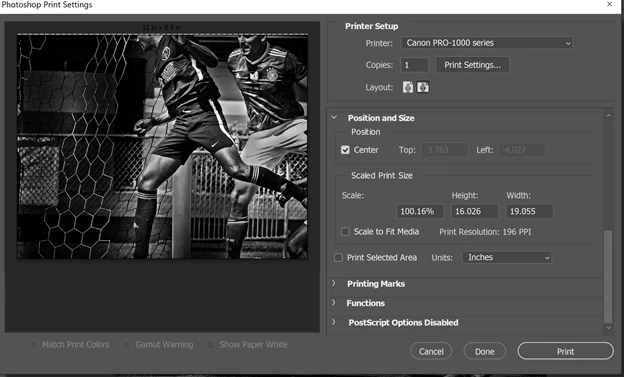
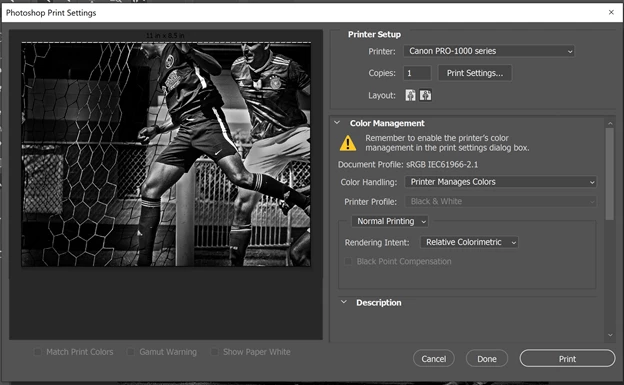
The only settings I have in Photoshop do not show anything like 16x20 or 17x22 that I am able to select for print size.

I am attaching screen shots of my settings that produced an 8x10 on a 17x22 sheet of paper.

Any help is greatly appreciated, especially is it is my error.

Thanks

Mark
 

This topic has been closed for replies.
Correct answer 3 Labs

Thanks everyone I noticed I was using Microsoft's driver not Canon's driver.

I made the change and 17x22 is there.

This issue is closed.

Thanks

Mark

2 replies

Per Berntsen
Community Expert
Community Expert
October 19, 2019

I'm not familiar with Canon printers, so you'll probably get better help from somebody who is.

But I'm guessing that there is some setting in the printer driver that you have overlooked, this printer should handle 17 x 22 paper.

3 LabsAuthorCorrect answer
Participant
October 19, 2019

Thanks everyone I noticed I was using Microsoft's driver not Canon's driver.

I made the change and 17x22 is there.

This issue is closed.

Thanks

Mark

Per Berntsen
Community Expert
Community Expert
October 19, 2019

Click Print Settings, which will take you to the printer driver, where you can set paper size to 16 x 20.

3 LabsAuthor
Participant
October 19, 2019

Hi Per,

Thanks for the reply.

I do not have a 16x20 or anything larger than tabloid showing under settings.

Sorry but I cannot take screen shot od dropdown box it closes on me.

Mark