
Participant
January 11, 2019
Question

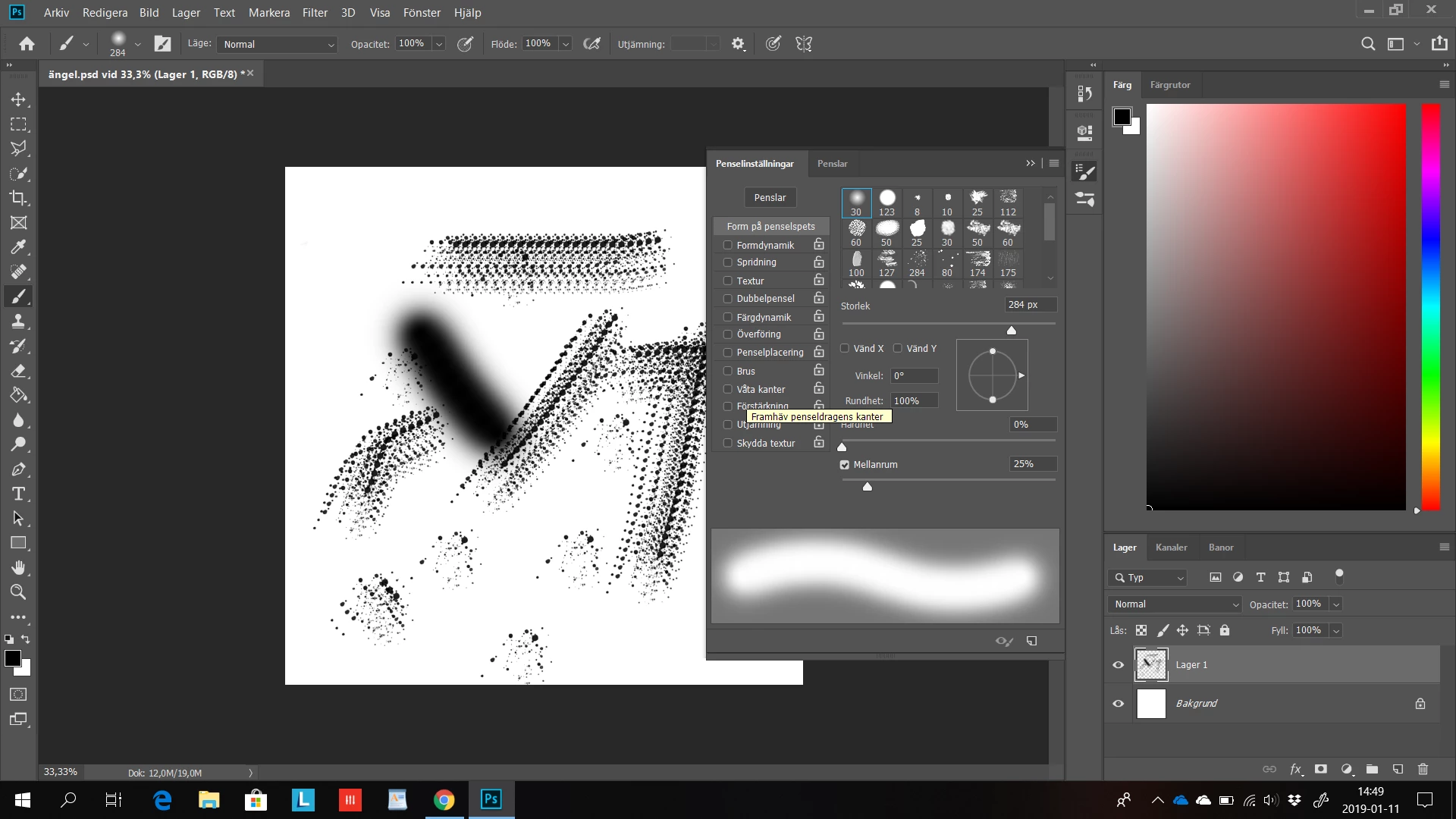
I can't access my brush settings
  • January 11, 2019
  • 1 reply
  • 352 views

I can check the boxes and I can click on the lock but I can't access the settings for each category, when I click on the name nothing happens, It's still marked at the top. I have some issues with my graphics on this computer, could that be the problem?

This topic has been closed for replies.

1 reply

January 11, 2019

emilj67747665  wrote

I have some issues with my graphics on this computer, could that be the problem?

Hi

It's possible, have you tried resetting Photoshop preferences

What exactly is the issue with your GPU, does it show up in the performance tab in preferences

Participant
January 11, 2019

No I did that and it's still the same issue, it happened after I created a custom brush, my graphics have been complaining sometimes after I did a factory reset, I have done it a second time but they are still complaining, sometimes programmes wont work, and when I do the usual to change settings to the high performance card i lose connection completely and must redownload the driver manually.

I can access like the upper half of the menu options but not the lower.