Inspiring
December 7, 2021
Answered

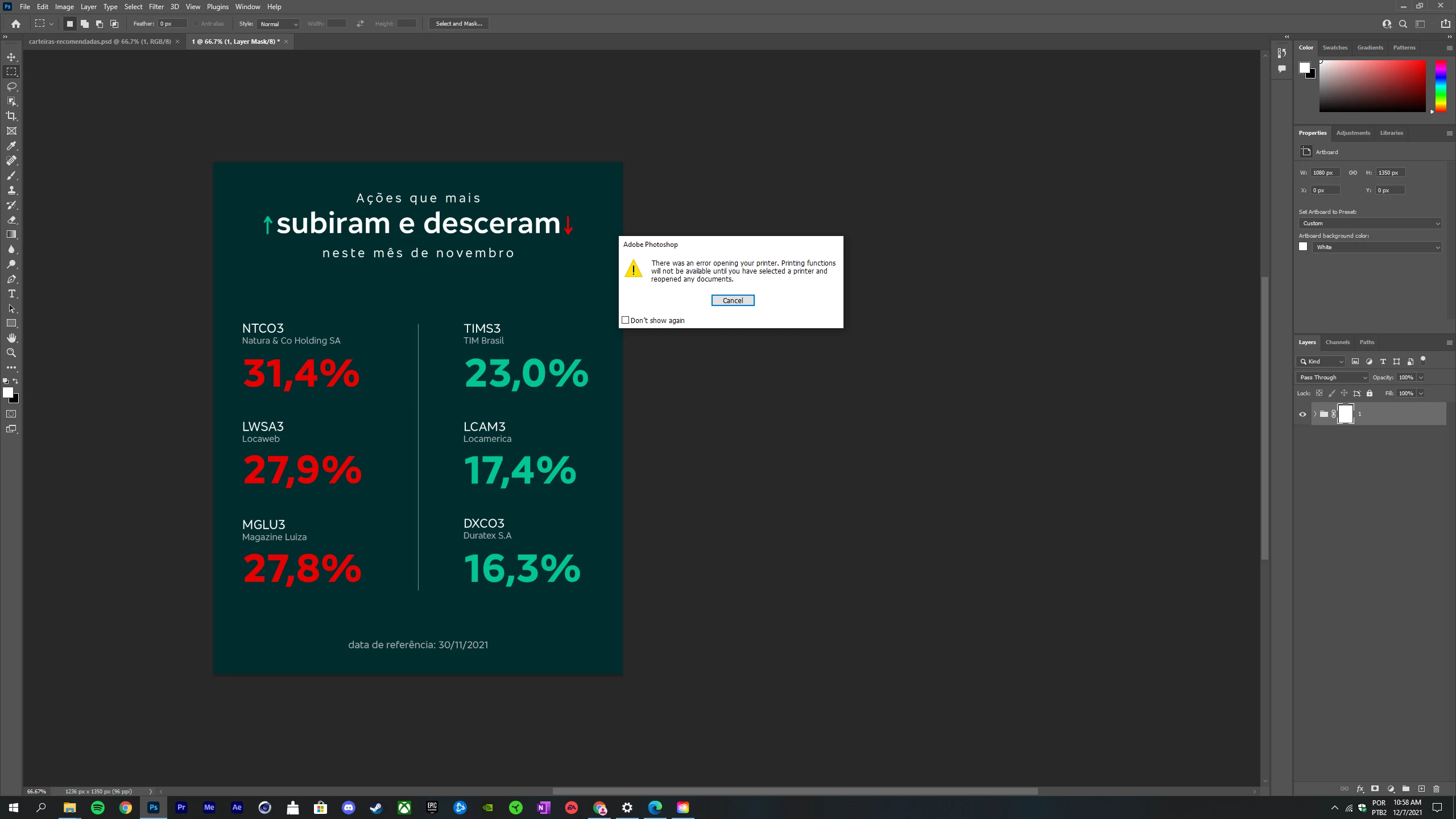
I can't export artboards to files because of a printer problem, but I don't have a printer.

  • December 7, 2021
  • 5 replies
  • 3202 views

It started today. I already re-installed the app. Installed other versions. Reseted the preferences and nothing can change that. Please help!



Correct answer Luiz _Otávio_CM

Well, just updating. I think it was a problem with Windows 10. I reseted my SSD and everything worked fine after that. 

5 replies

Legend
December 7, 2021

Sorry, I can't reproduce on Windows 10 or macOS.


Are you choosing PSD or PDF for file type?


In either case, can you go to "Turn windows features on or off" > Tick on box "Microsoft print to PDF" and try again to see if the problem persists?

Inspiring
December 8, 2021

Its inside a psd -> export -> export artboards to files -> and then when I select the artboard and click run the printer problem appears.


I did what you said ticking the box "microsoft print to pdf" and nothing. 


Man, I think I'm gonna format the whole SSD. This is so bizarre.

Luiz _Otávio_CMAuthorCorrect answer
Inspiring
December 11, 2021

Well, just updating. I think it was a problem with Windows 10. I reseted my SSD and everything worked fine after that. 

Inspiring
December 7, 2021

This doens't help at all. If this was in the case it would happen in six years there I use photoshop and just started today. I'm sorry, but this is clearly a bug.

jane-e
Community Expert
Community Expert
December 7, 2021

I can't export artboards to files because of a printer problem, but I don't have a printer.

By @Luiz _Otávio_CM


Not having a printer explains why you are getting an error message saying Photoshop can't open your printer and that you need to select one before reopening your documents.


You don't actually need to have a physical printer. In the past when I've been in locations without a printer, I've found it works to install a printer driver and select that as the printer. There are several links you can find using Google as to how to do this — search for "install printer driver without printer" or similar.


~ Jane

Inspiring
December 7, 2021

After these steps the printer problem appears and Photoshop always crashes:


PECourtejoie
Community Expert
Community Expert
December 7, 2021

Hi, it is the export to PDF? Please share the export settings you selected.