
Participant
December 30, 2024
Question

I can´t open cloud files if I have one already open

  • December 30, 2024
  • 1 reply
  • 338 views

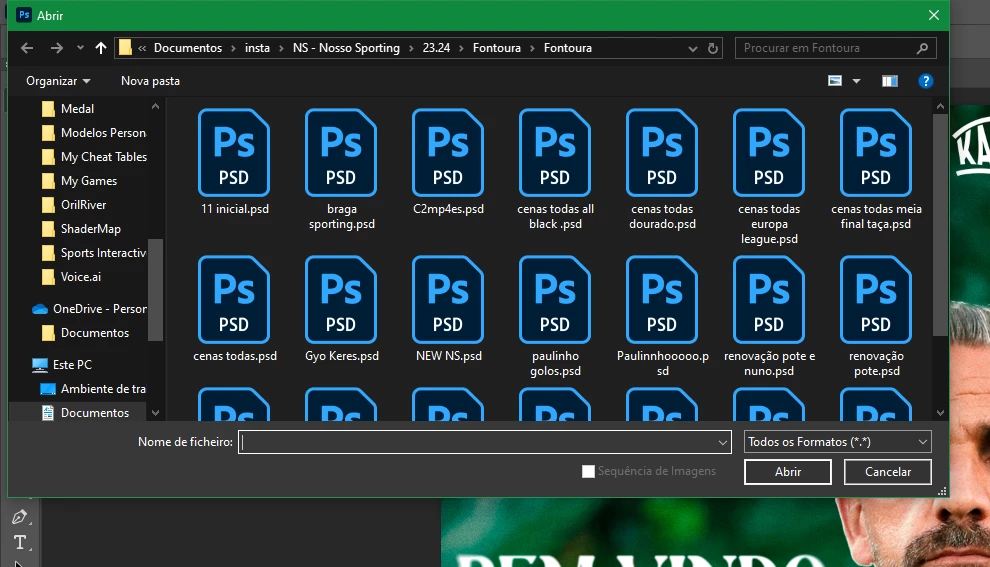
If I had already opened and psd file on my photoshop, I can´t access my Cloud Files to open another psd on my cloud, I just can open psd files saved on my pc, this just keep happening! I can solve by restoring my settings but, after sometime, this bug comeback and I have to be always restoring and putting my presets... 
1 reply

Sameer K
Community Manager
Community Manager
December 30, 2024

Hey, @. Welcome to the Photoshop Community. I'll help you figure this out. Please share a video & the system info from Photoshop Help > System info > Copy and paste into a text document > Upload and attach here. 


Does this happen with specific documents, after a particular action, or when using a tool? If we can identify specific steps, workflow, or triggers for this behavior, I'll move the thread to bugs. 


Is the Creative Cloud desktop app running in the background? Have you tried using Photoshop (beta)? Go to Creative Cloud > Apps section > Beta Apps tab. 


Awaiting to hear from you. Thanks! 

Sameer K

(Type '@' and type my name to mention me when you reply)

Participant
February 26, 2025

I also am getting this same issue, and I use Beta.

There is no open cloud documents after I have opened another PSD. It migh tbe because of the Your Files open screen is always ON if I CLOSE the PSD, there is the cloud strart screen.
Maybe there is a glitch where the starting screen thinks its open so the save to cloud documents button is not showing.

Participant
February 26, 2025

But if I restart the program, its fine for a while again.