Hiisi
Participating Frequently
January 17, 2018
Question

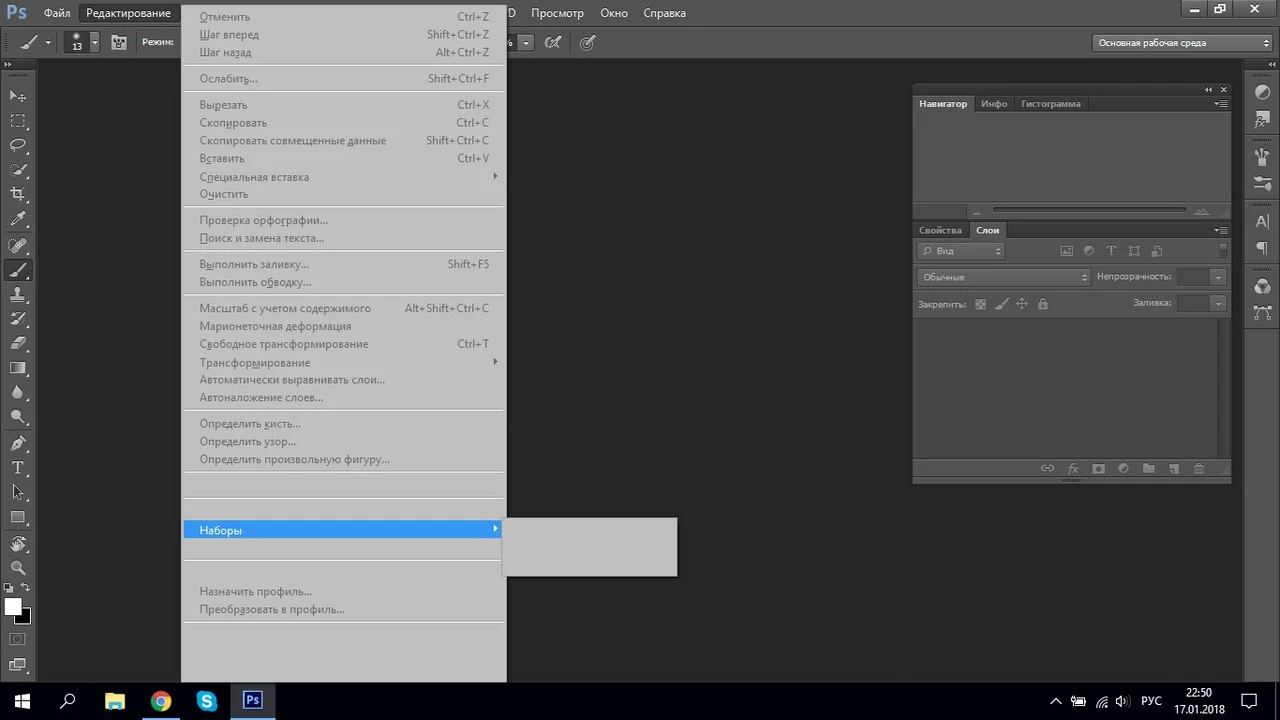
I can't see my menu. It's gray

  • January 17, 2018
  • 5 replies
  • 927 views

Hello, please tell me why I have a gray menu bar?

    This topic has been closed for replies.

    5 replies

    priyankas72354167
    Adobe Employee
    Adobe Employee
    January 19, 2018

    Hi

    Could you please share the system info which you are using ?

    Regargs

    Priyanka

    Grigor Poghosyan
    Participating Frequently
    January 18, 2018

    You can not use 99% of menu options when no projects opened. Just use ctrl+n combination on Windows and cmd+n combination in Apple products. Just in case, if you want you can change interface colors, right-clicking on this icon then choose interface options and in the appearance section choose the color that you want.

    priyankas72354167
    Adobe Employee
    Adobe Employee
    January 18, 2018

    Hi

    Right click on Windows icon at the bottom left

    Click on Run

    Type %appdata%

    Adobe > Adobe Photoshop > Adobe Photoshop Settings

    Rename the Adobe Phtotoshop Settings to Adobe Phtotoshop Settingsold

    Restart Photoshop

    Also Uncheck the GPU in PS

    Open Photoshop > Edit > Preferences > Performance > Uncheck GPU

    Restart Photoshop

    Regards

    Priyanka

    Hiisi
    HiisiAuthor
    Participating Frequently
    January 18, 2018

    I did everything you said, but it did not help. Alas.

    PaulSalazar
    Inspiring
    January 18, 2018

    Hello,

    Some options are unlocked when you are working in a file.

    To create a new file, just click "New..." in file menu or keyboard shortcut, Ctrl+N (Win) / Command+N (Mac)

    Regards

    Hiisi
    HiisiAuthor
    Participating Frequently
    January 18, 2018

    So, it doesn't help..

    Peru Bob
    Community Expert
    Community Expert
    January 18, 2018

    Did it, but did not help


    Try updating or rolling back your video driver directly from the card manufacturer's site.

    Silkrooster
    Legend
    January 18, 2018

    One thing I can see is you don't have a document open which would make most of the menu's gray. Since I can not read you language, I am not sure what should be there.

    Try creating a blank document then see what menu's are grey. Ctrl-n on windows or cmd-n on mac. Then choose the default document.

    Hiisi
    HiisiAuthor
    Participating Frequently
    January 18, 2018

    I tried, but did not help