
Participant
July 28, 2020
Answered

I cant find the home screen button (on top left) Photoshop 21.2.1

  • July 28, 2020
  • 1 reply
  • 2741 views

I cant find the home screen button (on top left) in Photoshop 21.2.1

and YES, I checked the settings for disabling / enabling it, there is no option 
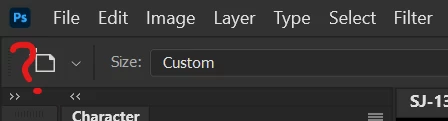


here are my "general" settings:
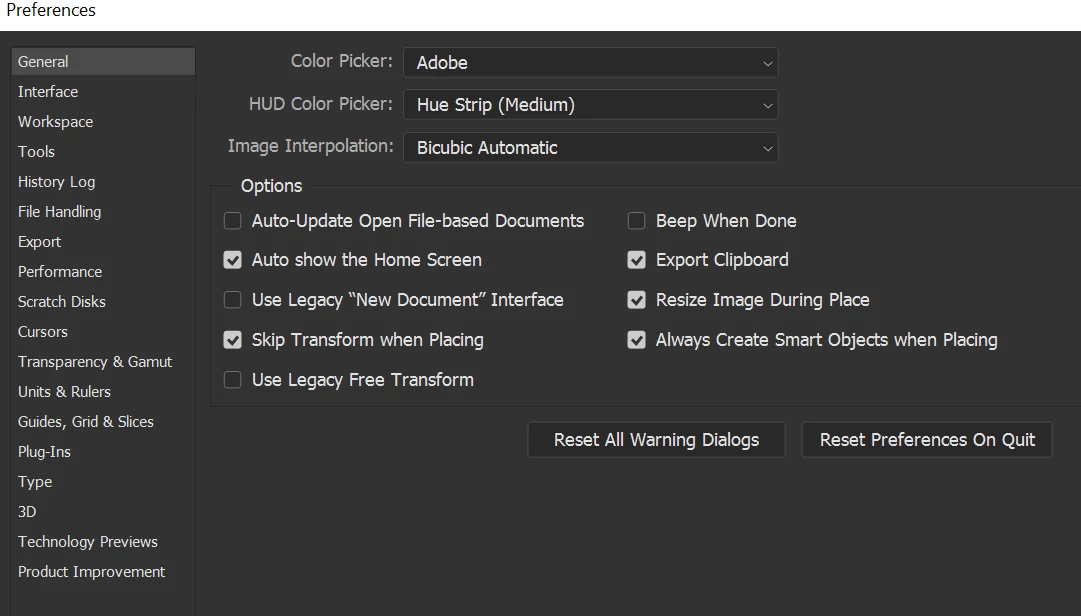
This topic has been closed for replies.
Correct answer lambiloon

Hi try to reset your preferences hope it help you.....regards

1 reply

lambiloon
Community Expert
lambiloonCommunity ExpertCorrect answer
Community Expert
July 28, 2020

Hi try to reset your preferences hope it help you.....regards

Ali Sajjad / Graphic Design Trainer / Freelancer / Adobe Certified Professional
Participant
July 28, 2020

it worked, thank you.. but i have a lot of personalized preferences and I lost all of it, now i have to change them again (even panels) 

can you determine the cause of this issue? so I dont have to reset preferences to solve that again

thank you again!

lambiloon
Community Expert
Community Expert
July 28, 2020

due to update, I think it happens try to save a workspace in your name it will help you....regards

Ali Sajjad / Graphic Design Trainer / Freelancer / Adobe Certified Professional