
i cant Free Transform cutout selections?
Hello i am new here and to PhotoShop so i have been having a major difficulty with free transform on selections so i will use the pen tool and then cut something like a face out of an image i right click hit the make a selection button then click okay then i hit ctrl shift i and i go to hit delete to get ride of everything except my cutout and i get the "could not complete your request because the smart object is not directly editable" i found a fix for this and you rasterize the layer so i do that then delete my backround and i have my cut out but i am not able to resize it or anything to make it smaller here is a picture for example this was just something i could cut out quick but do you see what i mean? when i go to free transform it just resizes my cutout line not my image and there is no point in moving the line and clicking on the picture so PLEASE HELP on this it is severely annoying 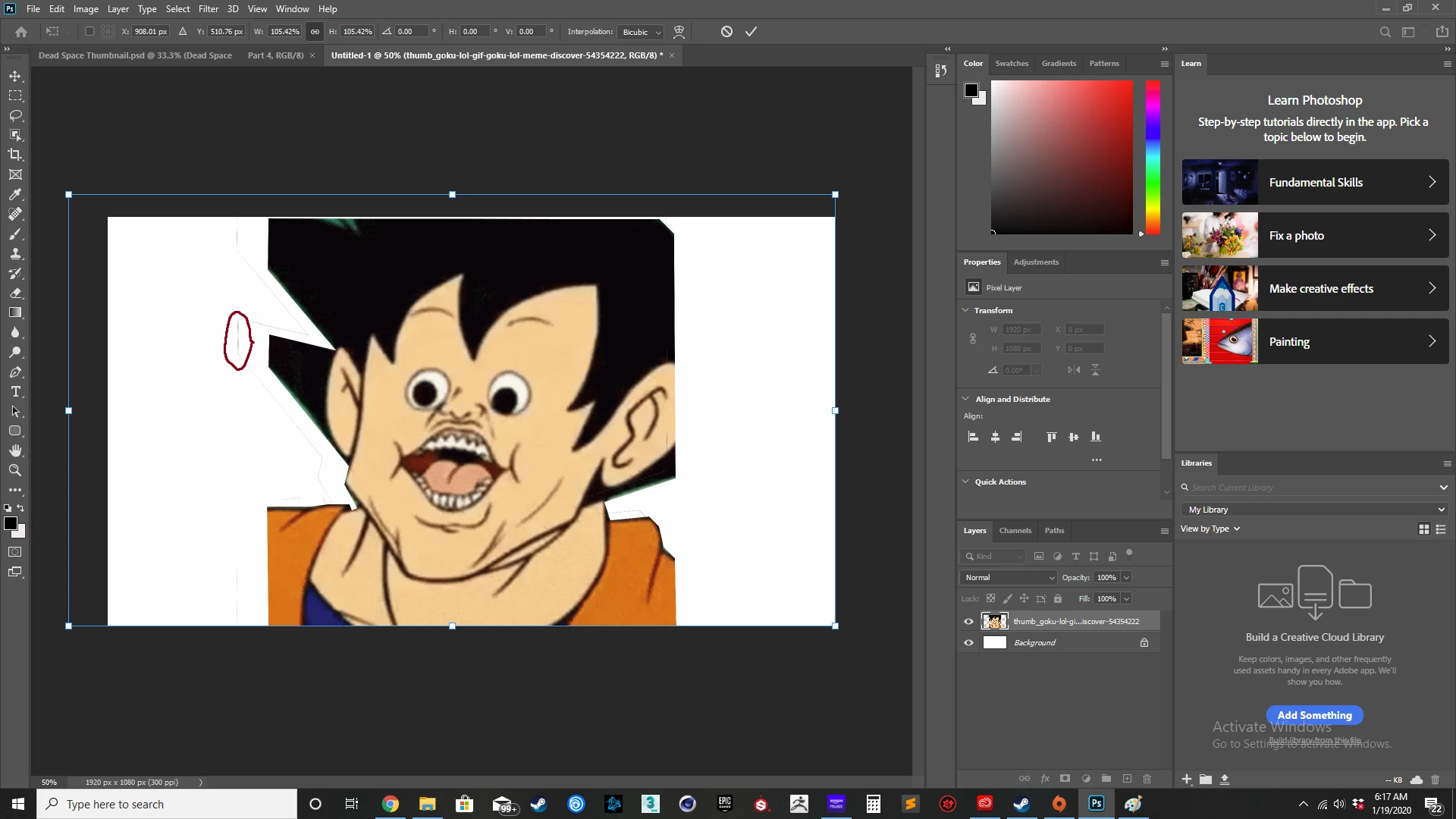
 AdChoices