
kimberlyc12704314
Participant
August 3, 2022
Question

I didn't keep preferences when uninstalling and reinstalling and all my brushes are gone.

  • August 3, 2022
  • 1 reply
  • 554 views

A brush i loved disappeared - I don't know how.  On a forum it said to uninstall and reinstall.  I opted NOT to keep preferences - thinking it would revert - stupid!


Now ALL my brushes that I use are gone - i got them from different places, no idea where now.


Can this be resored in any way?  I backed up files 2 weeks ago to hard drive but would that incude photoshop 2022 brushes??


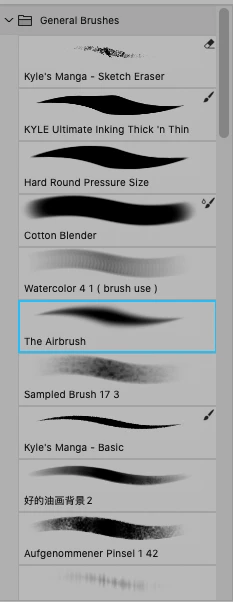
Thanks so much if you can help. I have is a screenshot of a few of brushes i use most
This topic has been closed for replies.

1 reply

D Fosse
Community Expert
Community Expert
August 3, 2022

Not what you want to hear, but custom brushes are saved in Photoshop preferences unless you save them out yourself for safekeeping. You can save them out to any location you want.


Resetting/deleting preferences restores the application to out-of-the-box factory state. It's standard troubleshooting practice that can cure many problems, but the standard advice is to always save out brushes, actions and anything you want to keep, or can't easily set up again.