Copy link to clipboard
Copied
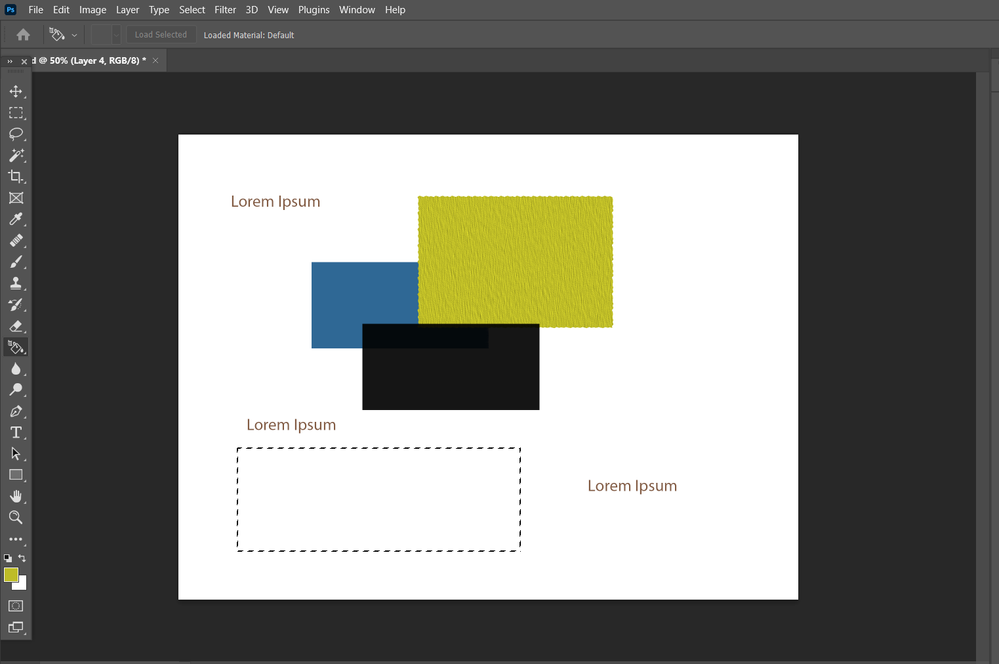
I'm trying to learn photoshop. and I was experimenting with it and I am not sure why color fill is not working? but the pattern is working here,
when I keep my cursor on the rectangle it shows a disabled symbol and also I can't understand why layer 3 (yellow) hides below layer 2 (black)
Views
Translate
Report
Same as your other post: Without any info what layer is actually selected and all that nobody vcan tell you much. cropping out the layers palette when it is critical to many things in PS is realyl not that useful.
Mylenium
Votes
Can you include the layers panel in your screenshot so we can have a better idea what is going on?
@Mylenium : I see you got that idea in just as I posted, so I'll wait as well.
never-displayed
Get ready! An upgraded Adobe Community experience is coming in January.






 2
Replies
2
Replies


 AdChoices