



Lynnette7
Inspiring
July 19, 2023
Answered

I feel dumb because I can't figure this out :)
  • July 19, 2023
  • 2 replies
  • 639 views

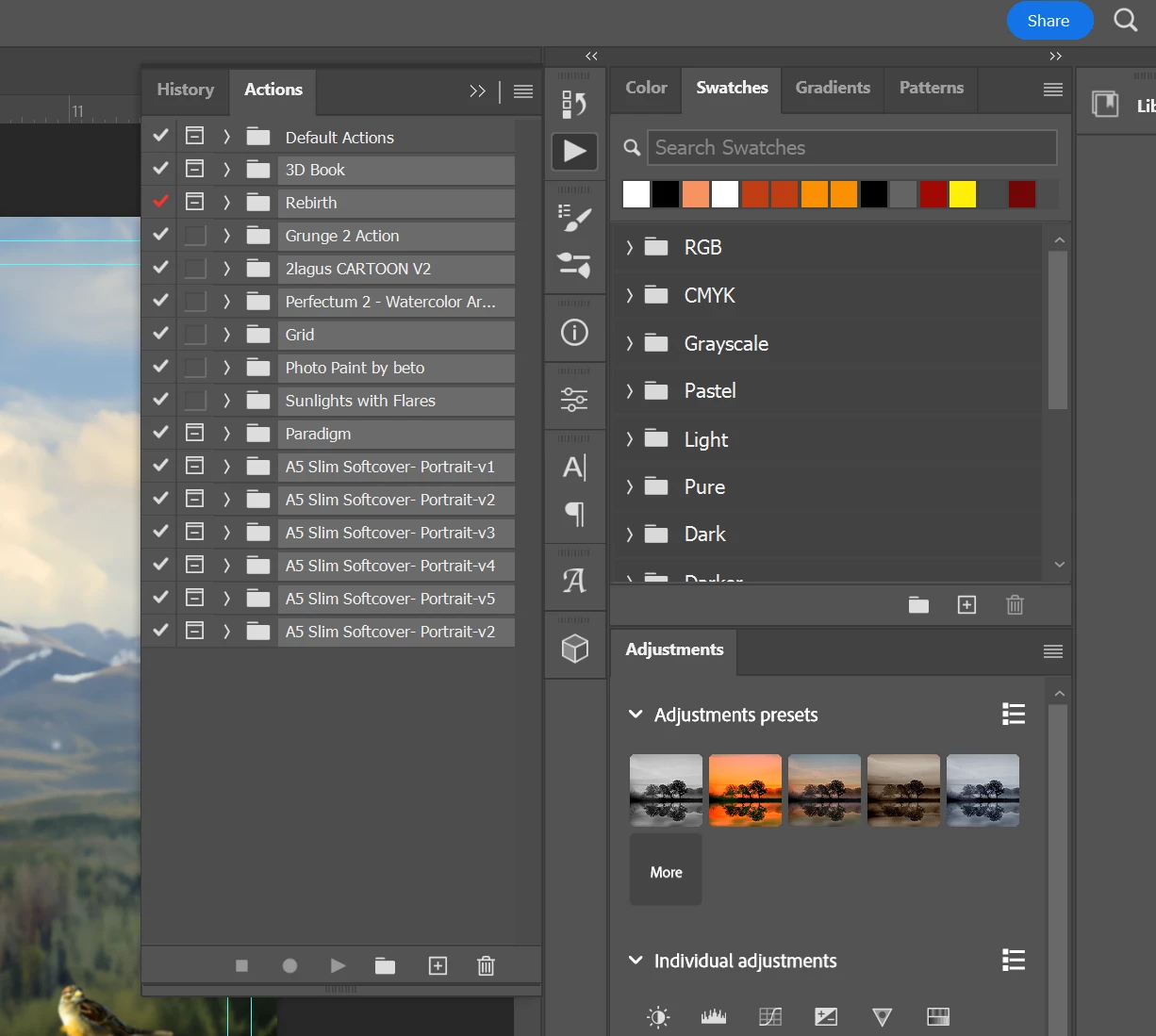
See these light gray highlighted actions? I'm trying to migrate them into Photoshop Beta, but I can't find them. They are not in the normal C:/Program Files/Adobe/Photoshop 2023/Presets/Actions folder. 


Any ideas for me where these actions might be? I did search the Adobe folder for .atn, and none of these files were returned. I don't get that. But Explorer is acting wonky today. (shocking)


Also adding that I can find them (most of them) in their original folders (where I saved them after purchasing them.) But I thought once they were installed that they should also show up in the actions folder. The reason I don't want to install from their download folders is because I have edited and saved new steps to some of these, and I want them to be imported with those recordings so I don't have to do it again.

This topic has been closed for replies.
Correct answer D Fosse

If you just "Load Actions" from the fly-out menu, they will just be stored in the general preferences. You can normally not extract them from there, unless you save them out (again from the menu).


If you have the original .atn files, use those. If not, save them out.


You should always save out actions for safekeeping. If you need to reset preferences, for instance, unsaved actions are lost.

2 replies

D Fosse
Community Expert
D FosseCommunity ExpertCorrect answer
Community Expert
July 19, 2023

If you just "Load Actions" from the fly-out menu, they will just be stored in the general preferences. You can normally not extract them from there, unless you save them out (again from the menu).


If you have the original .atn files, use those. If not, save them out.


You should always save out actions for safekeeping. If you need to reset preferences, for instance, unsaved actions are lost.

Lynnette7
Lynnette7Author
Inspiring
July 19, 2023

Thanks for your response! I didn't realize that I needed to save them into a folder. I've always just let PS migrate everything for me. 

Sameer K
Community Manager
Community Manager
July 19, 2023

Hey @Lynnette7. You're close to the solution. I'll clarify this for you.


You already have the Actions grouped. In the Actions panel > select one of the Action groups> three lines (hamburger menu) > Save Actions > Save an .ATN file at your desired location.


You can try this with a bunch of actions too. I only had the defaults at the moment.

Once exported, open Photoshop (Beta), go to the same menu & select Load Actions to import these actions into beta.


Let me know if this helps. Thanks!
Sameer K

Lynnette7
Lynnette7Author
Inspiring
July 19, 2023

Thank you so much! It seems like an extra couple of steps that shouldn't be necessary, but thanks so much for helping me figure it out!