

Answered
I have to click TWICE to select a tool! (Photoshop 2020/MacOS)
In previous versions of Photoshop I could select any tool with a single click.
But since I updated to PS 2020, switching tools requires TWO clicks - the first click makes the flyout menu appear, and the flyout will NOT disappear until you click on a tool in the flyout:
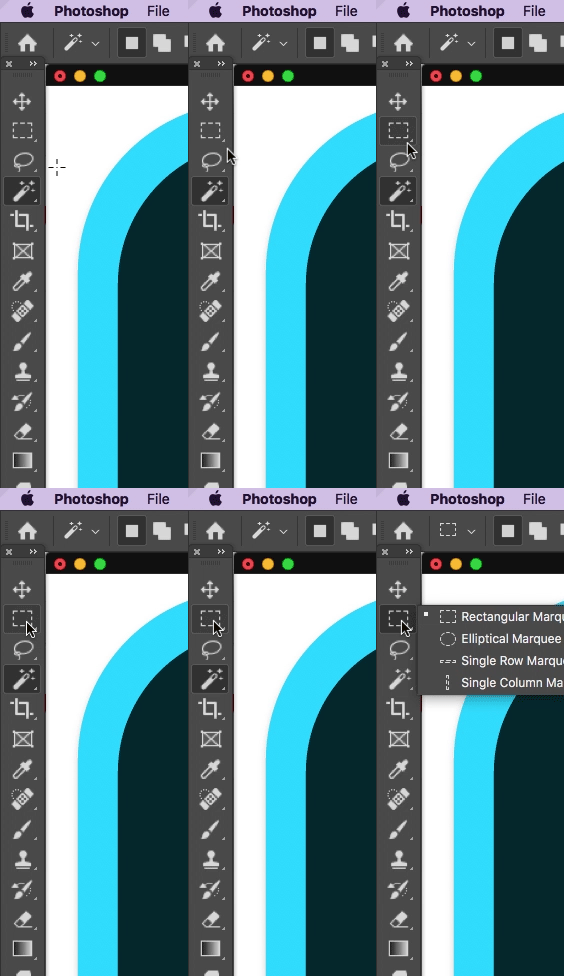
This happens with both left-clicks and right-clicks, btw.
Is there any way to restore the behavior where only a single click is necessary to select a tool?
---
Photoshop 21.0.0, MacOS High Sierra
 AdChoices