Participant
February 22, 2021
Question

I’m having trouble with pen

  • February 22, 2021
  • 2 replies
  • 270 views

When I click the sheet with the pencil or brush this happens:
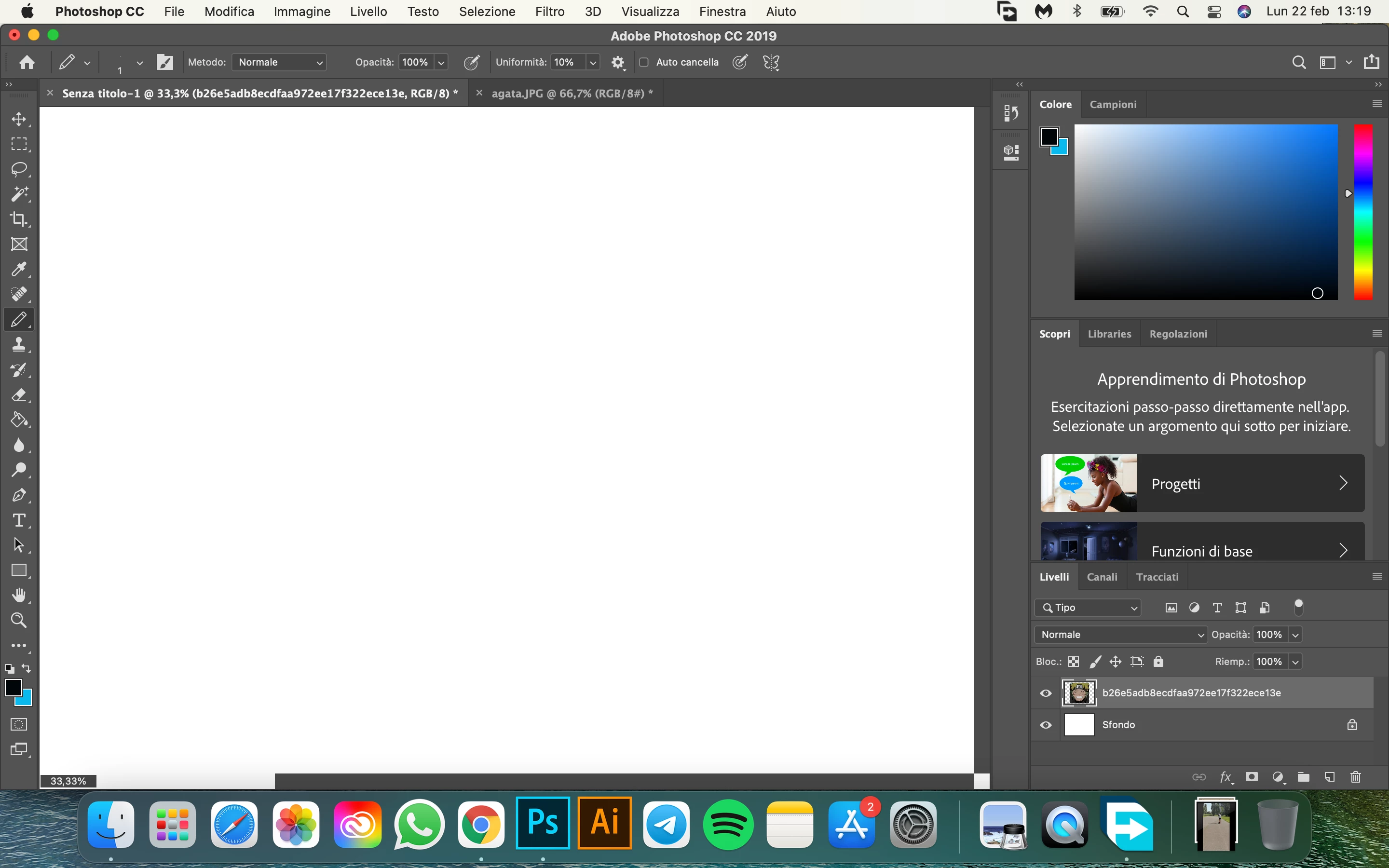

This topic has been closed for replies.

2 replies

AxelMatt
Community Expert
Community Expert
February 22, 2021

Please give us more informations including the following :

Adobe product and version number

Operating system and version number

The full text of any error message (s)

What you were doing when the problem occurred

Screenshots of the problem and/or error messages

Computer hardware, such as CPU; GPU; the amount of RAM; etc


To insert screenshots, please use the "Insert Photos" icon in the toolbar, so that we don't have to download them.


Thanks. The above info will help us in trying to solve your problem.

My System: Intel i7-8700K - 64GB RAM - NVidia Geforce RTX 3060 - Windows 11 Pro 25H2 -- LR-Classic 15 - Photoshop 27 - Nik Collection 8 - PureRAW 6 - Topaz Photo AI
Participant
February 23, 2021

Adobe Photoshop CC 2019

MacOS Big Sur 11.1

there are no error warnings

I wanted to draw with the pencil too

the screenshot is already there

chip M1, 8GB of RAM

AxelMatt
Community Expert
Community Expert
February 23, 2021

Photoshop isn't officialy released for MacOS Big Sur.

Please install the latest version, PhotoShop CC 2021 (version 22..2) and try again.


My System: Intel i7-8700K - 64GB RAM - NVidia Geforce RTX 3060 - Windows 11 Pro 25H2 -- LR-Classic 15 - Photoshop 27 - Nik Collection 8 - PureRAW 6 - Topaz Photo AI
lambiloon
Community Expert
Community Expert
February 22, 2021

Hi, try to reset your preferences maybe it helps you...regards

Ali Sajjad / Graphic Design Trainer / Freelancer / Adobe Certified Professional
Participant
February 22, 2021

unfortunately did not work