I've decided that you can shooting yourself in the foot by being too organised when using Photoshop. Thw workspace I use for 95% of my Photoshop work has very few pop-outs in its custom toolbar because I have plenty of screen space so I like to make life easier for myself. I do have the Curvature Pen tool but have never used it.

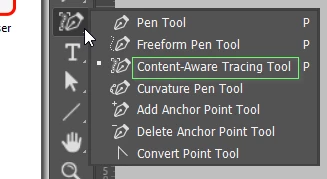
Just to be sure, I switched to Essentials. That means hitting F6 for me — F5 takes me back to the above workspace. So I was surprised to see how many Pen tool options there were, and I had no idea what Content-Aware Tracing Tool was. When was that introduced? I naturally gave it a go and blimmin heck it's clever. I'm guessing it's another Adobe Sensei tool which would mean that it uses magic.
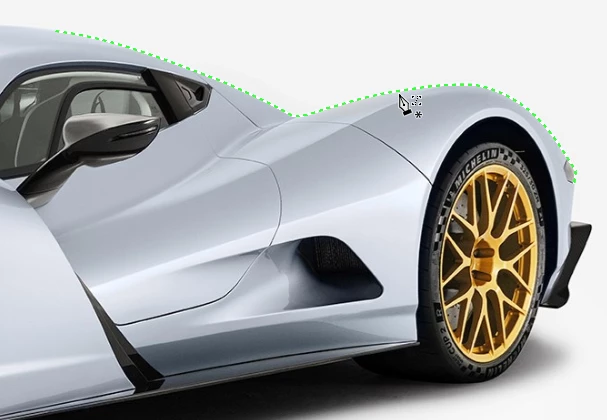
It's not perfect. You can see it has got it right on this high contrast interface.
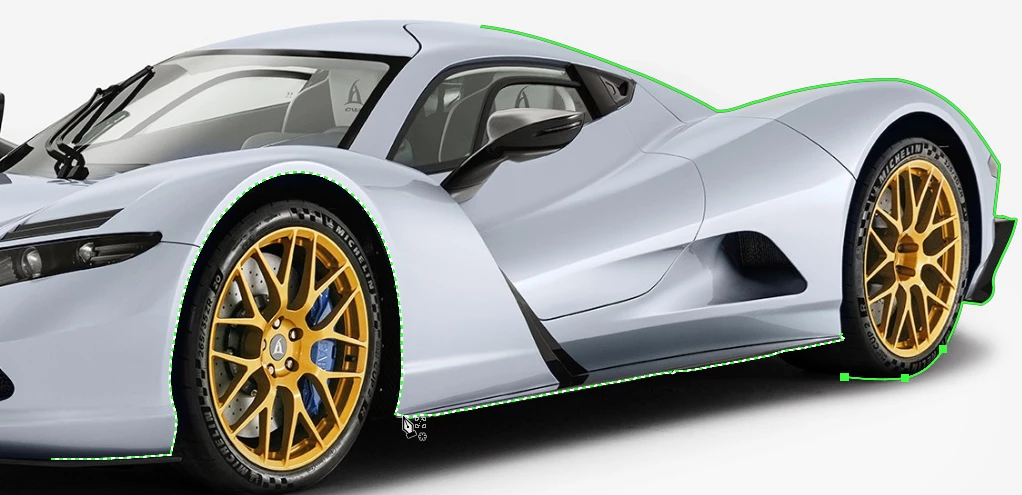
But when I committed to the first segment and moved on (pressing the Shift key as usual) I could not get it to include the front wheel. It is still absolutely usable though, and is definitely going to save you time.
@hen5FD8 Can you give us an example of the lines you want to create? Can you give us a screen shot of the image and describe where and how you would like the roads drawn? There are are options, but to give you best advice, we would do better if we had more information.

 AdChoices