
Known Participant
April 28, 2021
Answered

Image becomes pixelated when I import it from Illustrator

  • April 28, 2021
  • 2 replies
  • 1672 views

Hello, 

I have this photo , i convert it to vector using Illustrator
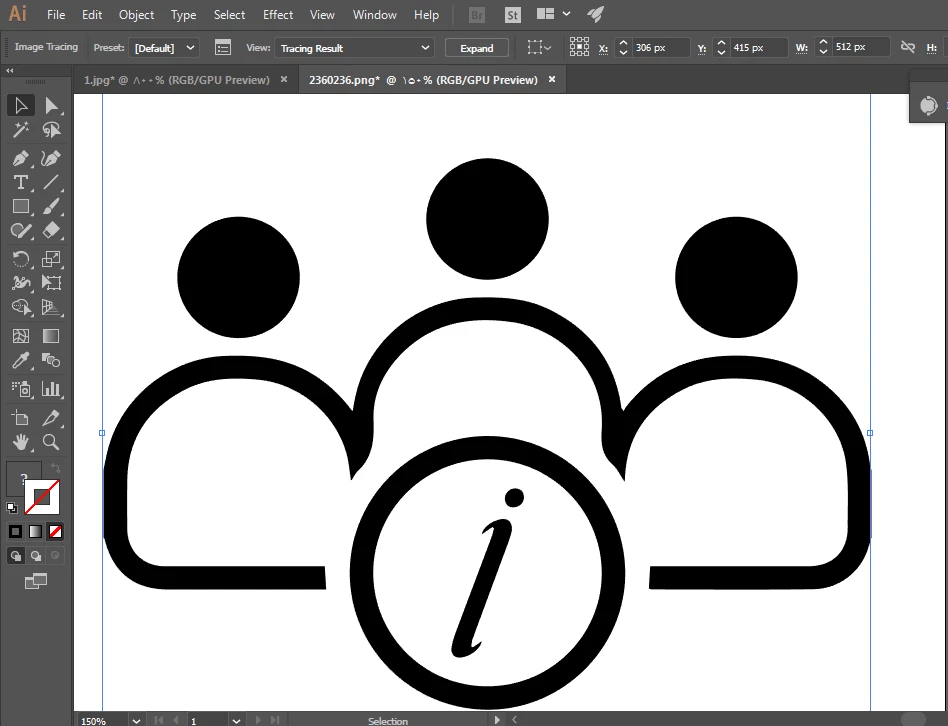
 

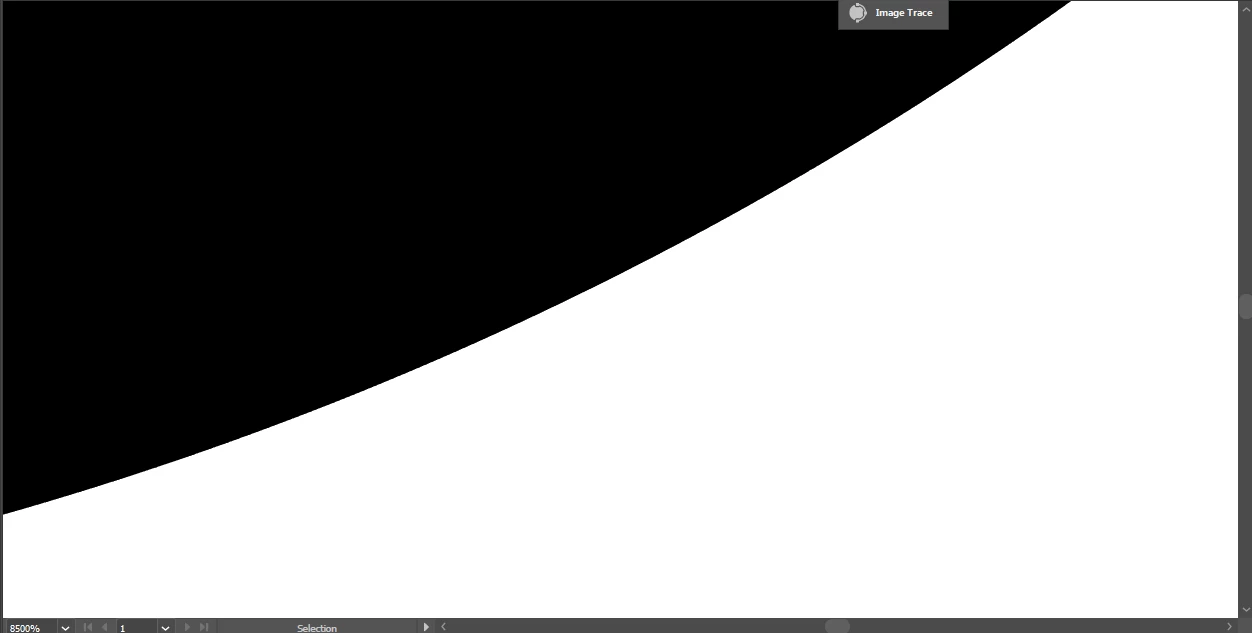
as u see every thing well even when i zoom it until 8500% !
 

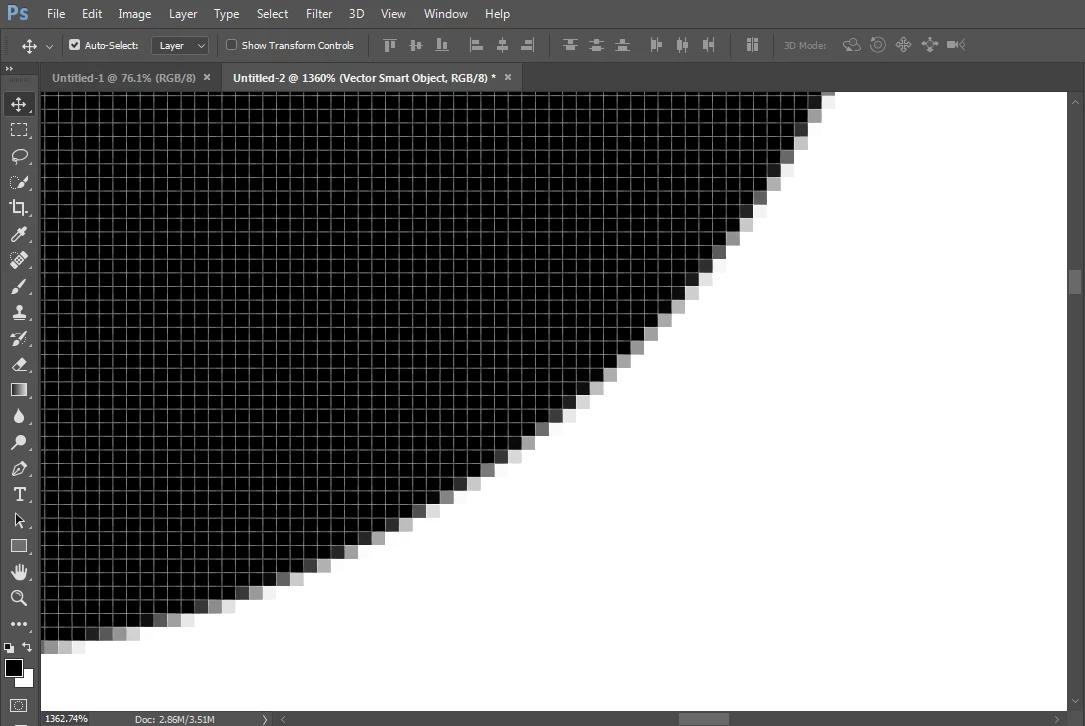
my issue is when i import it to photoshop it  become Pixelated when i zooming it 1360% and more !!
 

Any ideas guys,
I would be grateful for any help

This topic has been closed for replies.
Correct answer c.pfaffenbichler

Vector Smart Objects output as pixels, that’s it. 

You could use Shape Layers instead, those can be output as vector data in pdf. 


As for the necessary resolution for large prints you could check out 

http://www.northlight-images.co.uk/what-print-resolution-works-for-what-viewing-distance/

https://www.digitalphotopro.com/images/stories/2011/dec/printing/12-lg.jpg

2 replies

jane-e
Community Expert
Community Expert
April 29, 2021

@hisoka.95 wrote:

I have this photo , i convert it to vector using Illustrator


Hi

It's not vector in Illustrator until you click Expand. Right now it's still a Live Tracing Object and can still be modified.

~ Jane


c.pfaffenbichler
Community Expert
Community Expert
April 29, 2021

»when i import it to photoshop it  become Pixelated when i zooming it 1360% and more«

What did you expect instead? 


Photoshop is a pixel oriented image editing program so the images are made up of pixels. 

If you increase their disply they can become noticable because one image pixel may need to get represented by more than one screen pixel. 


Photoshop can, under certain circumstances (Shape Layers, Type Layers output in svg, pdf, …) create vector output but it has to display as pixels. 

hisoka.95Author
Known Participant
April 29, 2021

Well, I understood you ,

but I am wondering if I can print it in large sizes like (e.g) building size ,

Would it be of poor quality if it was printed in large sizes,  for example like a building size.


Do Must I have to export it to a PDF file using Photoshop or Illustrator,
To keep it quality as possible and print it in large sizes without affecting its quality...


Greetings...

c.pfaffenbichler
Community Expert
c.pfaffenbichlerCommunity ExpertCorrect answer
Community Expert
April 29, 2021

Vector Smart Objects output as pixels, that’s it. 

You could use Shape Layers instead, those can be output as vector data in pdf. 


As for the necessary resolution for large prints you could check out 

http://www.northlight-images.co.uk/what-print-resolution-works-for-what-viewing-distance/

https://www.digitalphotopro.com/images/stories/2011/dec/printing/12-lg.jpg