
NezoElyk
Participant
October 30, 2020
Question

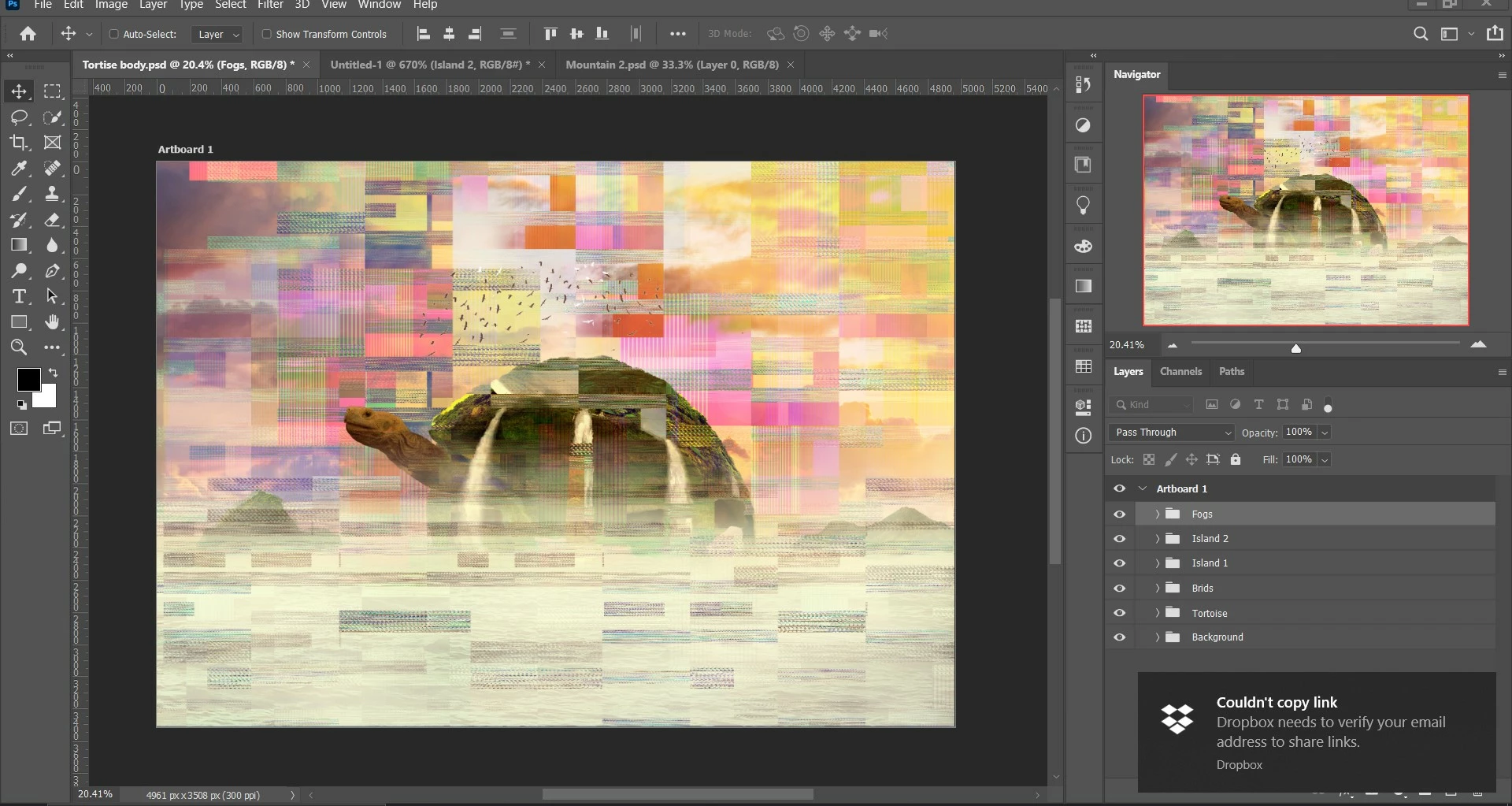
Image becomes very artifact-like glitches after resizing image within Photoshop.

  • October 30, 2020
  • 1 reply
  • 388 views

A student of mine showed me this issue when working on her assignment, but I am unfamiliar with this problem as it is one of the first encounters for me.

The only information I got so far from asking my student was: This happened when she resized her artwork through the Image>Image Size...

Wonder if anyone had similar issues, and want to know what caused it.
This topic has been closed for replies.

1 reply

mglush
Community Expert
Community Expert
October 30, 2020

Hi!

Can you tell us what version of Photoshop she is using? And, what platform she is working on -- Mac or Windows?

Thanks,

Michelle

NezoElyk
NezoElykAuthor
Participant
October 30, 2020

Hey mglush,

I've gotten to know that she's not using the latest CC2021, but CC2020.
She's also using a Windows machine for her Photoshop.

Hope the additional information helps.

mglush
Community Expert
Community Expert
November 5, 2020

Hi!


Do you know if she has tried to turn off her Graphics Processor Card? Here is a doc that will walk her through the steps: https://helpx.adobe.com/photoshop/kb/known-issues.html#ProgramErroropeningfiles


Here is more information on the GP: https://helpx.adobe.com/photoshop/kb/photoshop-cc-gpu-card-faq.html


If it is not the GPC, and she still has the problem, she can turn it back on and we can continue troubleshooting. If it turns out to be then maybe there is a software or firmware update for her card. But first things first...


Let us know if it works!

Michelle