Known Participant
December 6, 2017
Answered

Image & Canvas sizes won't 'stick'. They keep reverting

  • December 6, 2017
  • 1 reply
  • 728 views

Hi All,

Do any of you know why this is happening?

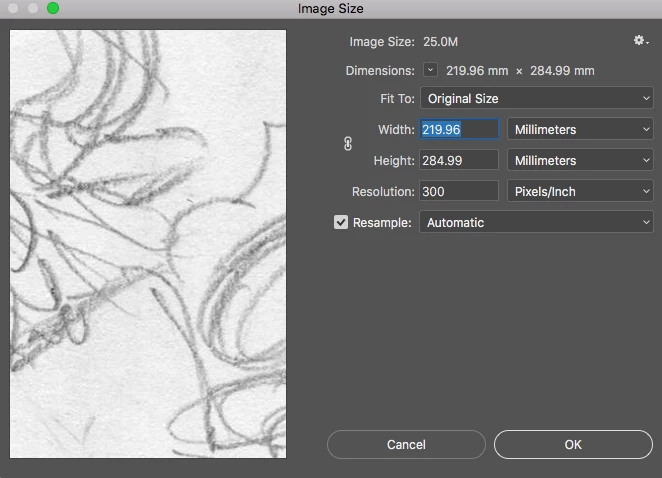
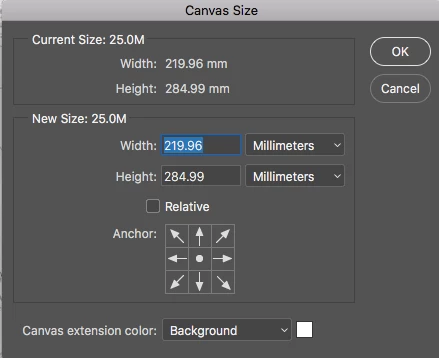
I set up a document at 220 x 285 mm but when I check the image and canvas sizes, afterwards, they’re different!

I try changing them in image size and canvas size, but they still revert back. Very annoying and weird!

My Unit Sizes/rulers in Preferences are set to Millimetres. Does it have anything to do with the image resolution (surely irrelevant) being set to Pixels per inch?

Thanks

John
This topic has been closed for replies.
Correct answer davescm

Photoshop works in pixels. So the nearest document size to 285mm in whole pixel numbers (you have set 300 pixels /inch) is 3366 which takes up 284.988mm

Dave

1 reply

davescm
Community Expert
davescmCommunity ExpertCorrect answer
Community Expert
December 6, 2017

Photoshop works in pixels. So the nearest document size to 285mm in whole pixel numbers (you have set 300 pixels /inch) is 3366 which takes up 284.988mm

Dave

Known Participant
December 6, 2017

Ah, so it'll never be precisely what I set?

And if so, when it goes to print, with the placed Photoshop image set at exactly 220 x 280 mm in InDesign -- it'll be such a small distortion as to be neglible/undetectable?

davescm
Community Expert
Community Expert
December 7, 2017

That makes sense, Dave.

It's funny that I've never noticed this before. Unless it's a new thing in Photoshop, in that they show us a more honest/realistic measurement than previously.


If you normally work in inches you wouldn't see it - as, when you set a value in pixels per inch, it works out exactly to the inch in whole pixels. So that may be the difference. You can of course set resolution in pixels/cm

Dave