
Known Participant
June 30, 2021
Question

Image looks completely different when it opens in Camera Raw

  • June 30, 2021
  • 12 replies
  • 22961 views

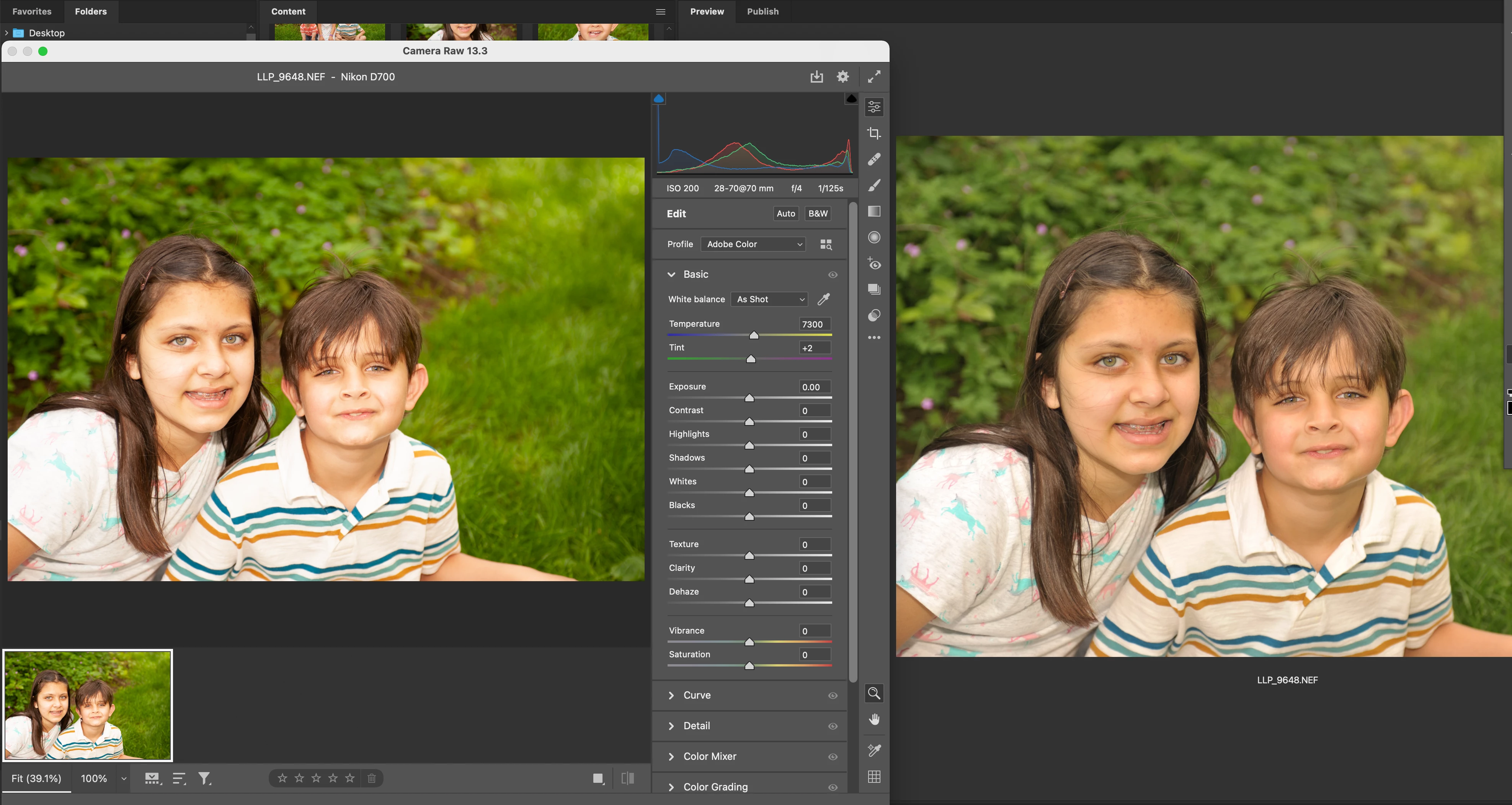
Can anyone help me understand why my image looks completely different in camera raw? I'm fine with how it's shot, then I open it, it opens in camera raw, and looks terrible!! All blown out and contrasty!! And that's the way it stays when I open it in Photoshop. What's going on? I'm attaching a sample... Camera Raw is on the Left, Bridge view (and how it looked on the back of my camera), is on the Right.

Shooting with a Nikon D700 and using the latest versions of PS and CR. Thanks!
12 replies

Community Expert
June 30, 2021

Hi, I agree with mglush, I think the issue is due to a profile mismatch.

Please check your color setting and color workflow:

https://helpx.adobe.com/photoshop/using/color-settings.html

Known Participant
June 30, 2021

Known Participant
June 30, 2021

My camera says it's set to sRGB... so I'm not sure why the Embedded Profile says Adobe RGB. I'm confused...


mglush
Community Expert
June 30, 2021

Hi!

What are you shooting in your Nikon--sRGB? It looks like the profile in your picture is Adobe Color and that could be the difference in what you looking at.


Here is an article by Julianne Kost on the Camera Raw profiles that might be helpful: https://jkost.com/blog/2018/04/adobe-camera-raw-april-update-raw-and-creative-profiles.html


Also, here is a help doc about Camera Raw profiles that you might find interesting: https://helpx.adobe.com/in/camera-raw/using/adjust-color-rendering-camera-camera.html


Let us know if these help to solve the issue, or if you have any additional questions.

Michelle

Known Participant
June 30, 2021

It's not a camera issue. And yes, I always shoot in sRGB. The image looks fine on the back of the camera as well as in Bridge. It's not until I open it (it automatially opens in Camera Raw), that it looks blown out and basically, just awful.

Thanks for your feedback...