Jiweeon
Known Participant
October 29, 2021
Answered

Image Processor Pro not working CC 2022

  • October 29, 2021
  • 9 replies
  • 9487 views

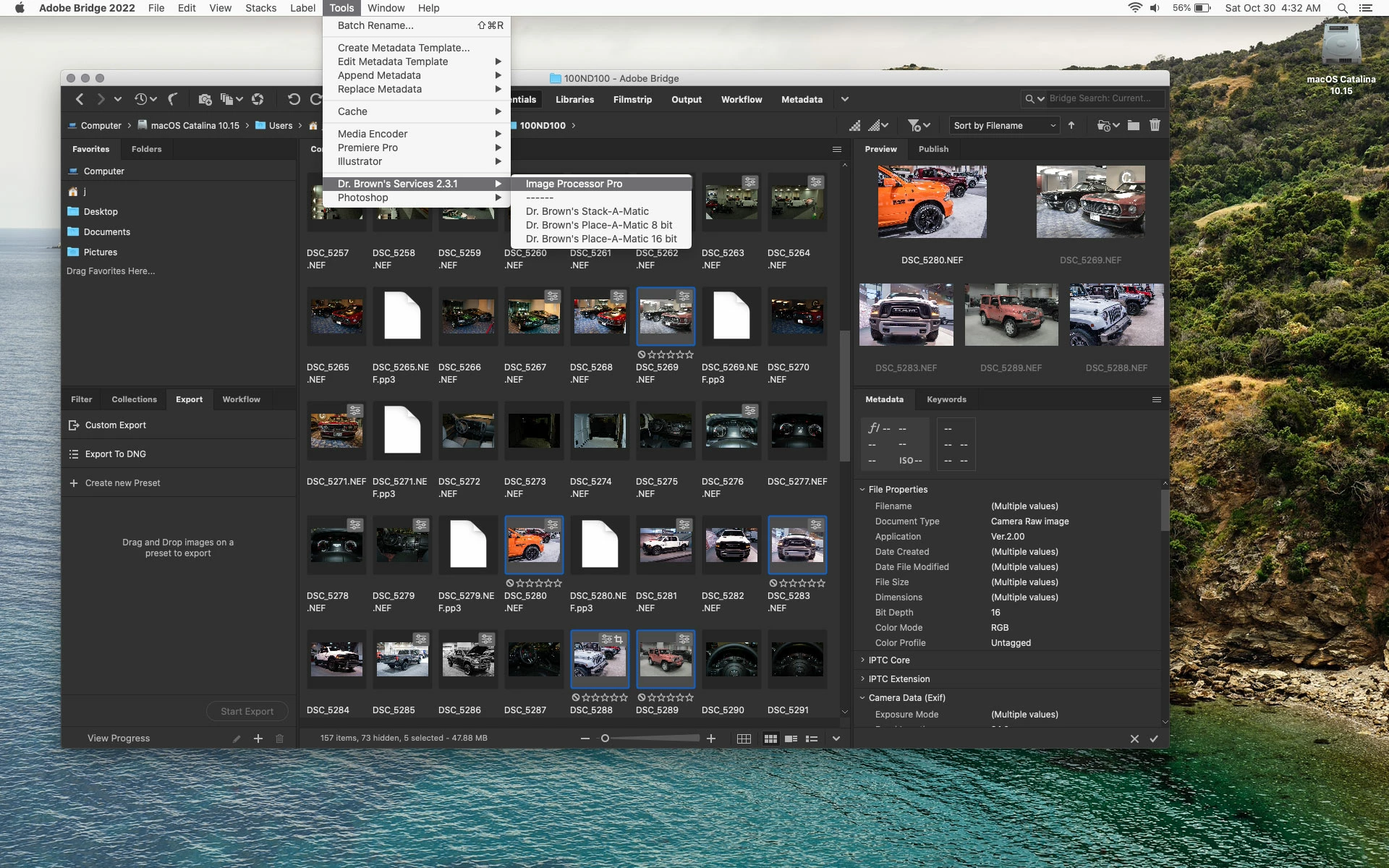
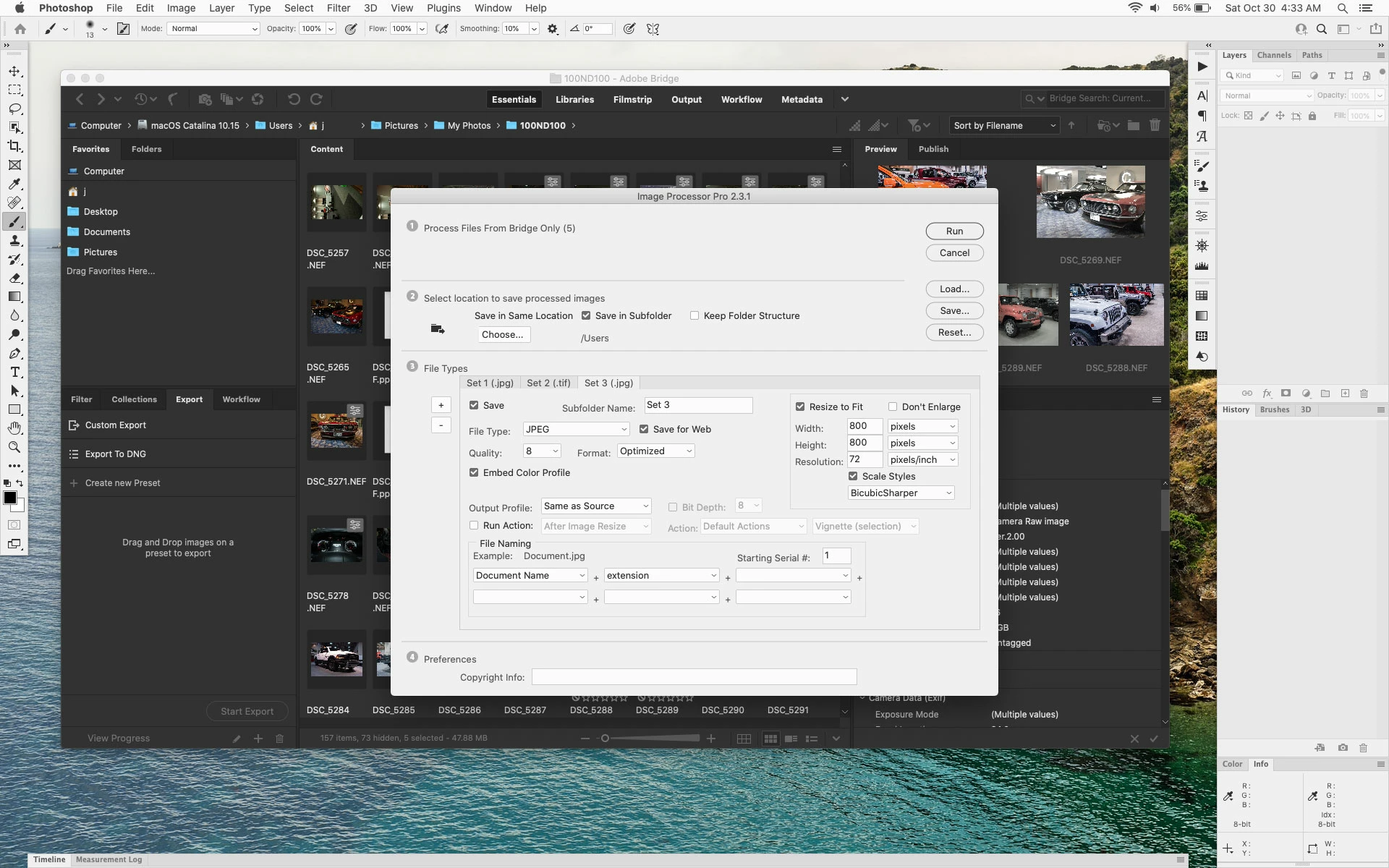
Without surprise, Dr. Brown's Image Processor Pro is not working with the new 2022 update. Why Photoshop doesn't just make his plugin apart of their applications is beyond me.


I installed the Services_Installer_2.3.1 the same way I did for 2021, but it is not working with 2022. Anyone else running into the same problem!? 


Here is the installation I attempted:

  1. Download Dr Brown's original service pack here
  2. Manual install of Image Processor in Presets/Scripts (per Dr. Brown's installation).
  3. Manual install of /Library/Application\ Support/Adobe/StartupC/Adobe\ Photoshop/Dr Brown Services.jsx (ROOT! not USER!)
  4. Manual install of /Library/Application\ Support/Adobe/Startup\ Scripts\ CC/Adobe\ Bridge\ CC\ 2018/Dr\ Brown\ Services.jsx (ROOT! not USER!)
  5. Restart computer


This topic has been closed for replies.
Correct answer Jeff Arola

What exactly is not working? The script itself or it's not showing up or....?


The location to put Dr Brown Services.jsx should be

Macintosh HD/Library/Application Support/Adobe/Startup Scripts CC/Adobe Bridge 2022

(the Dr Brown Services.jsx doesn't go in the Photoshop folder)


Anyhow, it seems to work here with Photoshop 2022 and Bridge 2022 running on macOS Catalina 10.15.7.


9 replies

Participant
August 19, 2023

FYI - Deleting the Image Processor Pro.xml as described below fixed an error message "TypeError: undefined is not an object" when trying to run in Ventura 13.5 and PS 23.


JJiweeon
Participant
September 13, 2023

"Type Error: Undefined is not an object" is the exact error message I'm getting with Ventura 13.4. Where do I locate the Image Processor Pro.xml so that I can delete it?

Jeff Arola
Community Expert
Community Expert
September 13, 2023

defaultz46,


Look in

Macintosh HD/Users/UserName/Library/Application Support


or


Click on your desktop, click on the Go menu while holding down the Option key and click on Library.


thomas_bredenfeld
Community Expert
Community Expert
July 4, 2023

Just FYI: version 3.2. beta 5 works fine in bridge and photoshop 2023

Known Participant
February 17, 2022

Like others, Image Processor Pro is not fully launching from Bridge 2022. Error message says something about a window constructor, and the following info:

File: /Library/Application Support/Adobe/Startup Scripts CC/Adobe Bridge 2022/Image Processor Pro.jsx

Line: 6483

Error Name: ReferenceError

Error Number: 22

Line: (6474)    // Return: The palette window

Line: (6475)    //

Line: (6476)    psxui.createProgressPalette = function(title, min, max,

Line: (6477)                                           parent, useCancel, msg) {

Line: (6478)      var opts = {

Line: (6479)        closeButton: false,

Line: (6480)        maximizeButton: false,

Line: (6481)        minimizeButton: false

Line: (6482)      };

Line: (6483) >>   var win = new Window('palette', title, undefined, opts);

Line: (6484)      win.bar = win.add('progressbar', undefined, min, max);

Line: (6485)      if (msg) {

Line: (6486)        win.msg = win.add('statictext');

Line: (6487)        win.msg.text = msg;

Line: (6488)      }

Line: (6489)      win.bar.preferredSize = [500, 20];

Line: (6490)    

Line: (6491)      win.parentWin = undefined;

Line: (6492)      win.recenter = false;

Line: (6493)      win.isDone = false;


[Image Processor Pro.jsx]

exec()

exceptionMessage([Error:ReferenceError: Window does not have a constructor])


Any observations are helpful.

Thank you.

Note...when I tried to post, "invalid HTML" was removed. I don't know what that means, except it may have changed the error message.

Legend
February 17, 2022

Please don't paraphrase error messages, give exact words, entire message. Screen shot is good. 

ivann89717222
Participant
November 23, 2021

Image Processor Pro not working in Photoshop CC 2022. I follow manual installation as I did for Ps CC 2021 but in 2022 Image Processor Pro not works.  I find it in menu, the window runs but when I start the process for a series of image, only first image try to open but save nothing and stop immediatly after open the first image.

Earth Oliver
Legend
November 23, 2021

I've just installed and tested and it's working fine here in OSX. Are you running it from Photoshop or from Bridge?

ivann89717222
Participant
November 23, 2021

I tried to run them both ways, nothing run.


Earth Oliver
Legend
November 7, 2021

i've been begging Adobe for a decade to make this tool part of the default installation, replacing the regular IP. Sorry to say that they don't seem interested in adding this incredibly useful tool to Ps.

designere12844135
Participant
November 9, 2021

I would be more then happy. Its really not easy to get this tool running. Still strunggling also since the update to 22.

Jiweeon
JiweeonAuthor
Known Participant
November 4, 2021

Thank you! This worked.. I must have I placed the Dr Brown Services.jsx in the scripts folder in the wrong Library. Working great now, appreciate the help! 


Legend
October 31, 2021
Inspiring
October 30, 2021

Hi Jiweon, "but it is not working with 2022", can you upload some screenshot?

######Raizen 7, 40Gb Ram, RTX 3060, Win 11 -- All of Software in the world are just tools. Buy it if it works for you :)
Jeff Arola
Community Expert
Jeff ArolaCommunity ExpertCorrect answer
Community Expert
October 30, 2021

What exactly is not working? The script itself or it's not showing up or....?


The location to put Dr Brown Services.jsx should be

Macintosh HD/Library/Application Support/Adobe/Startup Scripts CC/Adobe Bridge 2022

(the Dr Brown Services.jsx doesn't go in the Photoshop folder)


Anyhow, it seems to work here with Photoshop 2022 and Bridge 2022 running on macOS Catalina 10.15.7.


Jiweeon
JiweeonAuthor
Known Participant
November 6, 2021

Hey again, 


I may have spoke too soon, everything seems to be working normally, but the saved files for Image Processor Pro are no where to be found. The designated folder is empty after running the script. It seems to be running each file and looks like it's saving out of Photoshop, but no final files are actually created anywhere. 


Any clue what might be causing this problem?

Jeff Arola
Community Expert
Community Expert
November 6, 2021

What version of macOS are you using?


Did you try using the newest Image Processor Pro version that @J453 linked to?

https://sourceforge.net/projects/ps-scripts/files/Image%20Processor%20Pro/v3_2%20betas/