Participant
June 26, 2022
Answered

Image Processor works fine but gives a script alert, it also gave different output with same script
  • June 26, 2022
  • 4 replies
  • 1308 views


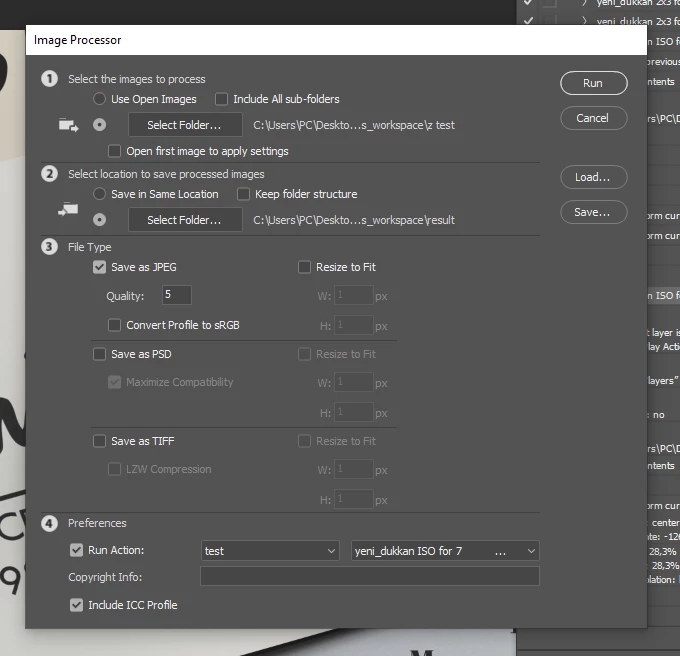
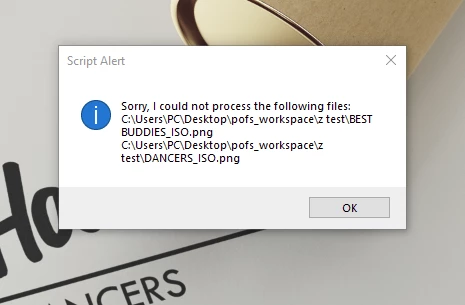
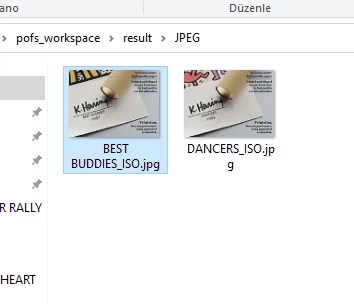
Image Processor takes the images, apply the action and succesfully save the files in the correct folder. But for some reason, it gives me a Script Alert saying "Sorry: I could not process the following files: <input image file names and paths>" as you could see from the pictures too. Is it something that I should worry about? I want to automatize my work but I don't want to risk any mistakes. Also, I ran the same script a couple times and once, only one file was saved when it had to save both of them, which was just unexpected for me. I did the same thing once again and both files were saved. I'm kind of confused, what should I do?

This topic has been closed for replies.
Correct answer pofdzm25021178jkk3

Oh, nevermind, the reason it didn't save that last four ones was because the scratch disks were full.

4 replies

pofdzm25021178jkk3AuthorCorrect answer
Participant
June 29, 2022

Oh, nevermind, the reason it didn't save that last four ones was because the scratch disks were full.

Participant
June 29, 2022

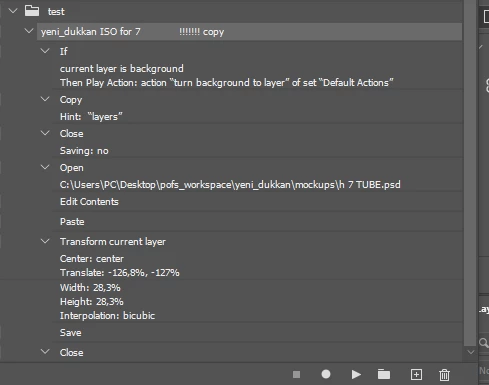
Here, I did the third try with this script. The first two try was also clones of it only opening different mockup files.

Participant
June 29, 2022

Hello @CShubert , I'm copying an image then pasting it inside a mockup file. No, my action seperately opens the file, pastes the content, then saves the file and close it. Also, a new update, I tried it three times, with 10 input images but it only gave an output of 26 images instead of 30. In the third try, it didn't save 4 of the images. Yes, it still gives the error after it's done.

CShubert
Community Manager
Community Manager
June 29, 2022

Hi @pofdzm25021178jkk3, the team has asked for some more info.


  1.  What are you trying to paste? File type, content, etc? In your scripts we see the pasting step, trying to clarrify what is being pasted.
  2. If the content is from a different file, is that file OPEN when running the script?


Thank you,