
Participant
June 14, 2020
Question

Image to custom watercolor

  • June 14, 2020
  • 4 replies
  • 1211 views

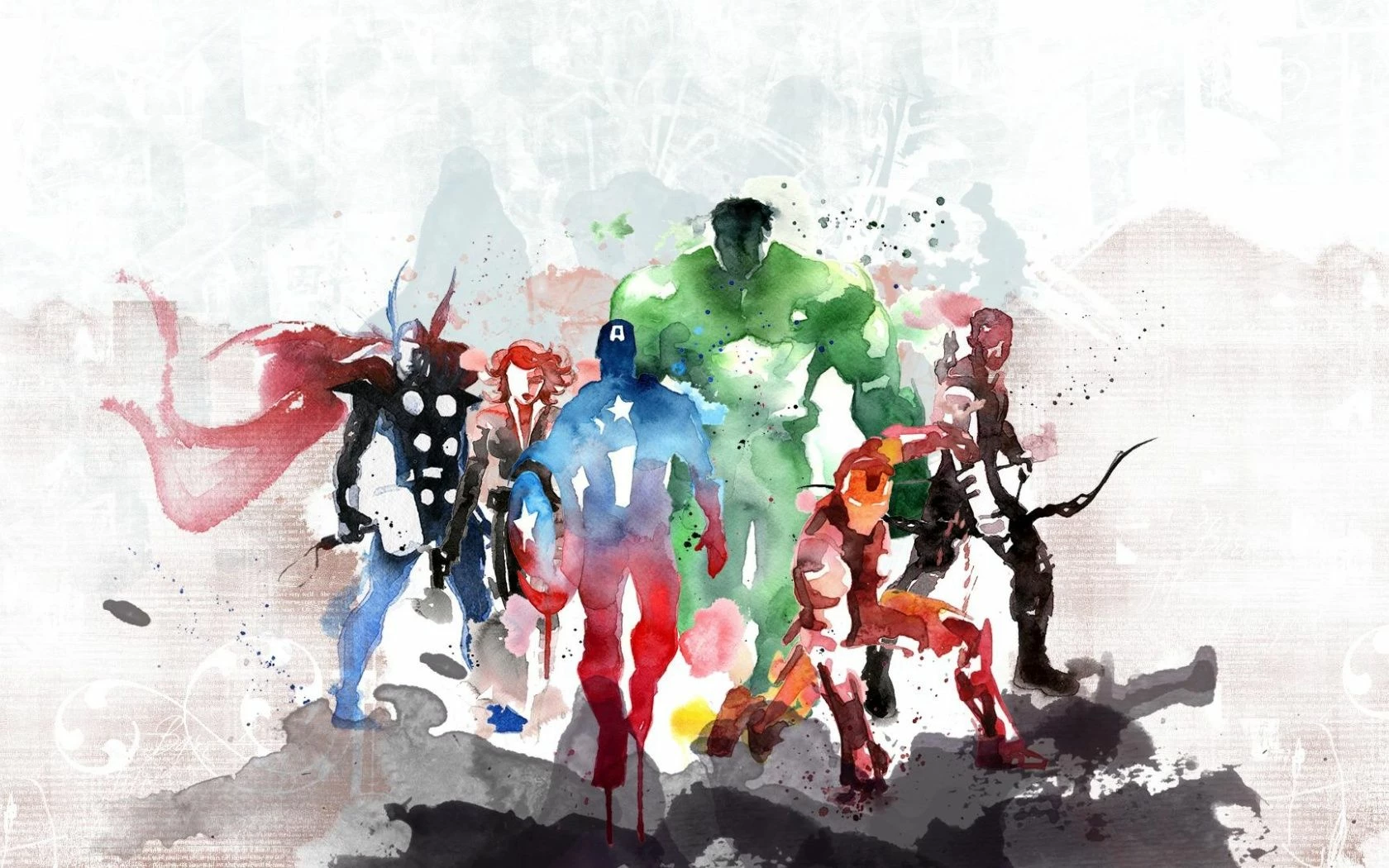
I saw this image and was wondering if it's possible to make it in photoshop. But I wanted to try and make it from a scene from a movie that I screen shot and imported into photoshop cc. If this is possible can someone explain or point me to a tutorial? Thank you
This topic has been closed for replies.

4 replies

c.pfaffenbichler
Community Expert
Community Expert
June 14, 2020

When trying to »randomize« the edges of an originally sharp illustration neutral Clouds with certain Blend Modes atop a blurred Smart Object can be useful. 

KShinabery212
Community Expert
Community Expert
June 14, 2020

Theoretically, you could make this in Photoshop or Adobe Fresco.

Fresco actually has watercolor brushes that act as if you were painting on paper.

I would then recommend creating each character in separate layers as well as the foreground and background.

After creating each character in its own layer, you could then place them however you like.  Then just clean up the parts that you do not want to be shown.  Possibly adjust the opacity as well.

Let's connect on LinkedIn. https://www.linkedin.com/in/kshinabery/
Trevor.Dennis
Community Expert
Community Expert
June 14, 2020

Hi Jason.  I doubt that your image was produced with Photoshop.  You can have a go of course, but it would be fairly complex.  You'd need to split the image into separate layers by colour, and composite the image together by ordering the layers. 


This shows the untouched original on the left.

The green area was selected and copied to a new layer, and made into a Smart Object.

(What the SO does is let you experiment with filters and go back and fine tune.)

I actually used the Water Colour filter here, along with some Gaussian blur

Then I placed the original above it and set it to Lighten and reduced its opacity.

You can see that I tried to make the effect patchy by using render > clouds in a layer mask, and unlinking the mask so I could make the cloud effect smaller.  It has some effect but not enough at thisa scale.

You can also see a 'Glow' effect in the Smart Object list.  This was from Topaz Glow and looked quite good, but that is a third party plug-in.

I hope this mnight have helped a wee bit, but you'd do a lot better printing out a B&W line drawing and asking your five year old to colour it in with water colour paint.


KShinabery212
Community Expert
Community Expert
June 14, 2020

I do not think it is impossible to do in Photoshop. 

People use Photoshop to pain all the time.  You will find all kinds of artwork painted using Photoshop on ArtStation for example.


However, I think Adobe Fresco would enable someone to really recreate it.

Let's connect on LinkedIn. https://www.linkedin.com/in/kshinabery/
lambiloon
Community Expert
Community Expert
June 14, 2020

Hi this is watercolor style painting in photoshop no one can explain you here because it a process but check following link may be you can find something....regards


https://www.youtube.com/results?search_query=watercolor+painting+in+photoshop+cc

Ali Sajjad / Graphic Design Trainer / Freelancer / Adobe Certified Professional