
hamiltak
Participant
November 30, 2018
Answered

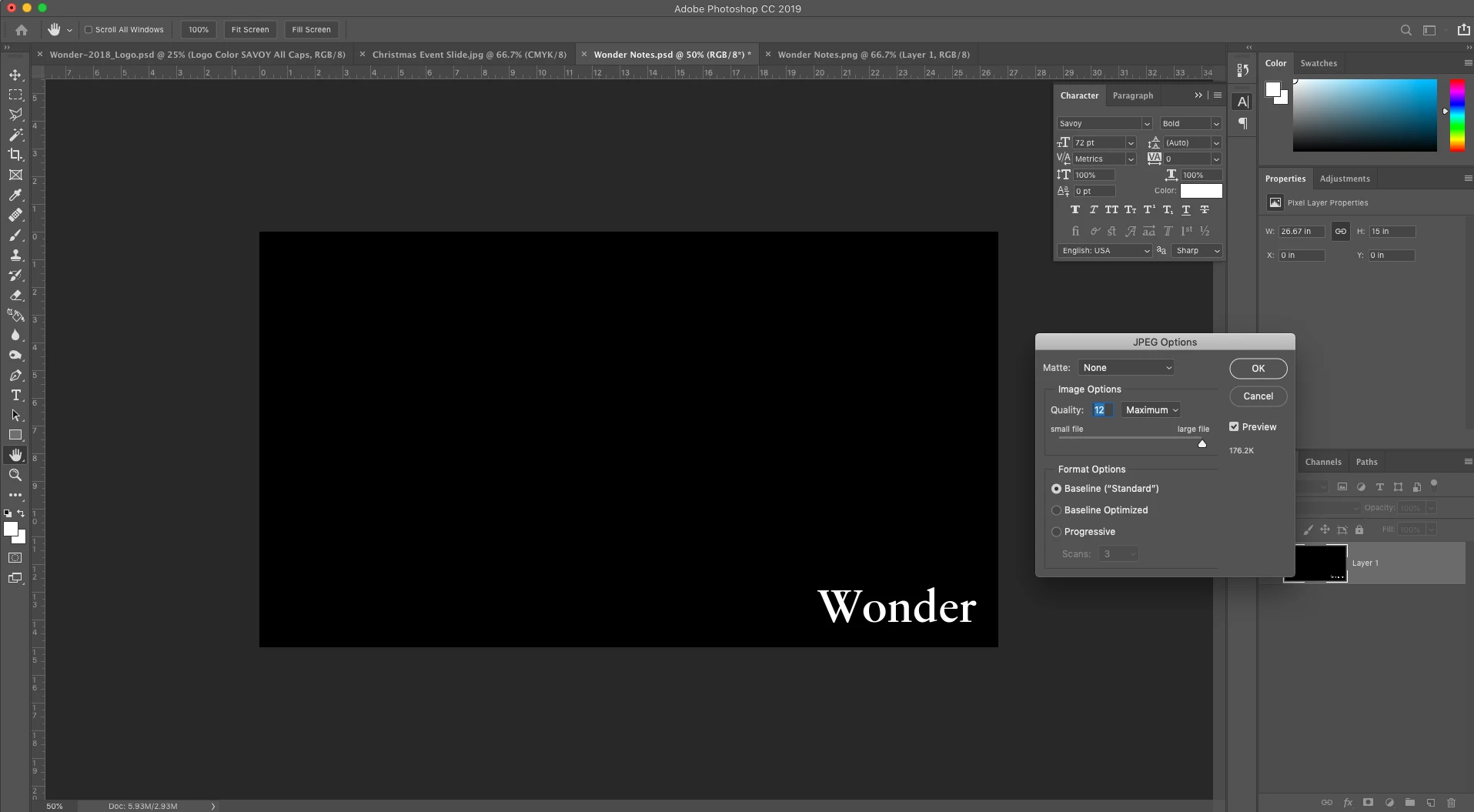
Image turns black when saving as .jpeg

  • November 30, 2018
  • 3 replies
  • 16298 views

Hello,

I am trying to save a file to a .jpeg, but when I do, the background is turning black. The layer is a solid color with lighting effects. I have rasterized the layer to try to solve the problem, but it is still happening. Also happened when I saved it as a .png. I have done this before updating to 2019, and it hasn't ever been a problem. Please help!

    This topic has been closed for replies.
    Correct answer Bob_Hallam

    Uninstall and Re-install PS CC.

    3 replies

    Bob_Hallam
    Bob_HallamCorrect answer
    Legend
    November 30, 2018

    Uninstall and Re-install PS CC.

    ICC programmer and developer, Photographer, artist and color management expert, Print standards and process expert.
    Inspiring
    December 28, 2018

    the same problem, unstalling/installing is not working for me

    December 28, 2018

    Offered possible solutions have no effect on my system.


    Try applying the lighting effect as a smart object

    hamiltak
    hamiltakAuthor
    Participant
    November 30, 2018

    I also tried changing to Legacy Composting under Preferences, and that didn't work.

    Bob_Hallam
    Legend
    November 30, 2018

    What is the bit depth of your image?

    ICC programmer and developer, Photographer, artist and color management expert, Print standards and process expert.
    hamiltak
    hamiltakAuthor
    Participant
    November 30, 2018

    8 bit