
November 16, 2016
Question

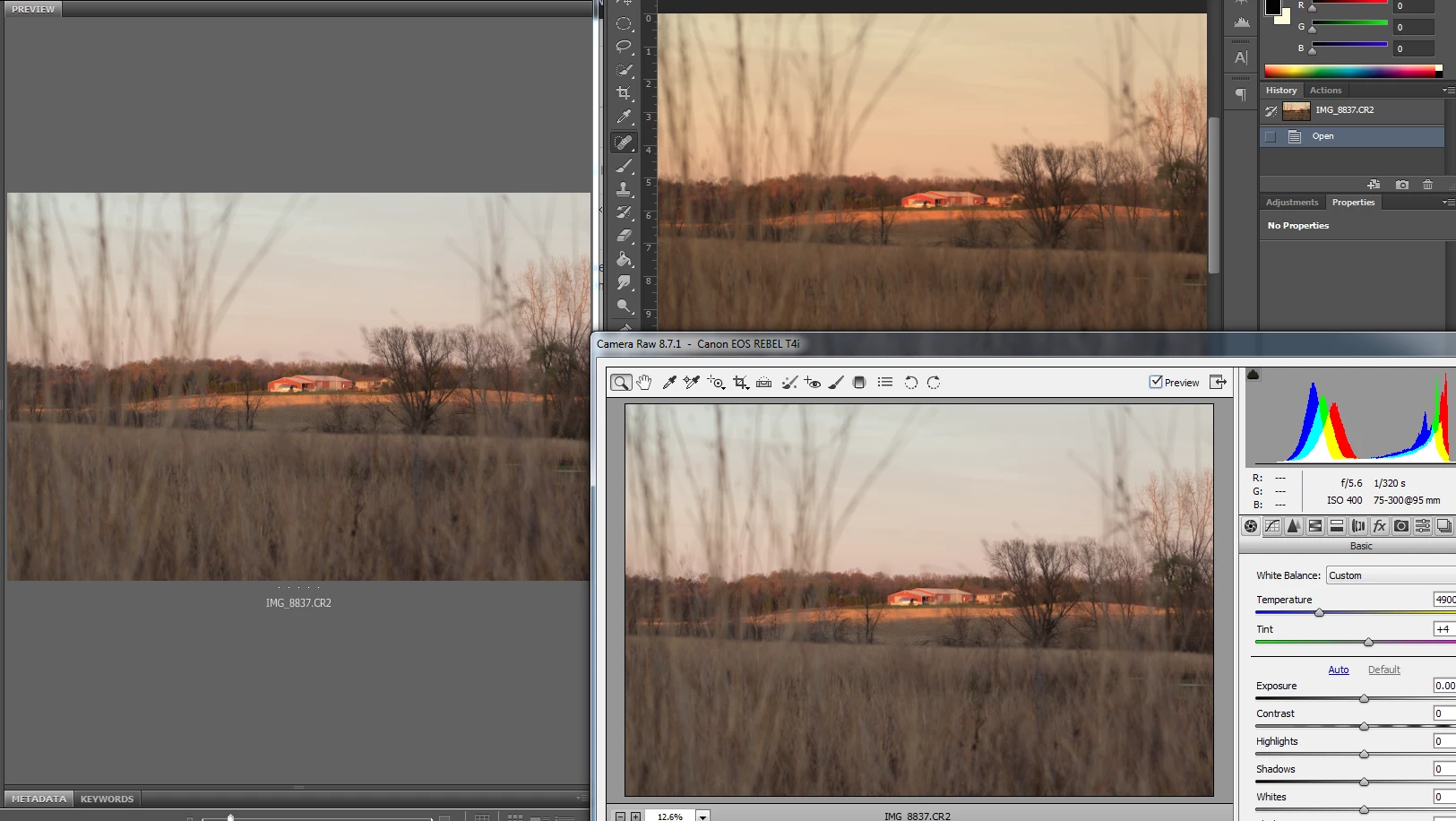
Image warmth changes upon opening

  • November 16, 2016
  • 1 reply
  • 780 views

So I haven't gone to edit anything in a while and I finally got out to shoot over the weekend. I got home and started going through my photos. I found one that I wanted to edit and when I open the file in Photoshop it's warmth is totally different than it is in Bridge or in the Camera Raw settings. I have never had this issue before and I always shoot in raw. I haven't done any editing to the photo in Photoshop and I didn't change anything in the Raw editor and it isn't running through any type of preset.
This topic has been closed for replies.

1 reply

D Fosse
Community Expert
Community Expert
November 16, 2016

It's a defective display profile, most likely distributed through Windows Update.

All color managed applications should always display absolutely identically. That's the whole point of color management. But a defective monitor profile can often affect applications differently.

Ideally you should use a calibrator to make a new monitor profile, but if you don't have one, use sRGB IEC61966-2.1 for now. This is set up in Windows Control Panel > Color Management > Devices. Important: relaunch Photoshop when done - it needs to load the new profile at application startup.

November 16, 2016

Thank you. That did the trick.

D Fosse
Community Expert
Community Expert
November 16, 2016

That did the trick.

Yes, it usually does.

I am always amazed at how many of these bogus profiles are pushed upon unsuspecting users through Windows Update. Why can't they get it right - don't they test these things? Couldn't they just modify a standard sRGB profile so that it basically worked at least, instead of taking the trouble to build these hopeless kludges? <sigh>