
Participant
November 7, 2016
Answered

Images appear pixelated at certain zoom percentages

  • November 7, 2016
  • 6 replies
  • 38329 views

I'm having a frustrating problem on my Windows 10 PC where images are appearing pixelated at specific zooms, like 16.67%, 33.33%, 66.67% . . . This wasn't happening a few days ago, but here we are now.

I tried updating to Photoshop CC 2017, toggling the "Use Graphics Processor" option in preferences, and updating Windows. Nothing has helped!
This topic has been closed for replies.
Correct answer gener7

A few ideas before we go to graphics drivers:

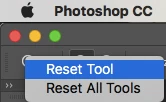
Reset your Zoom Tool by right clicking on it in the Options bar.

In Preferences > Performance: Cache levels and Tile Size  4/128k

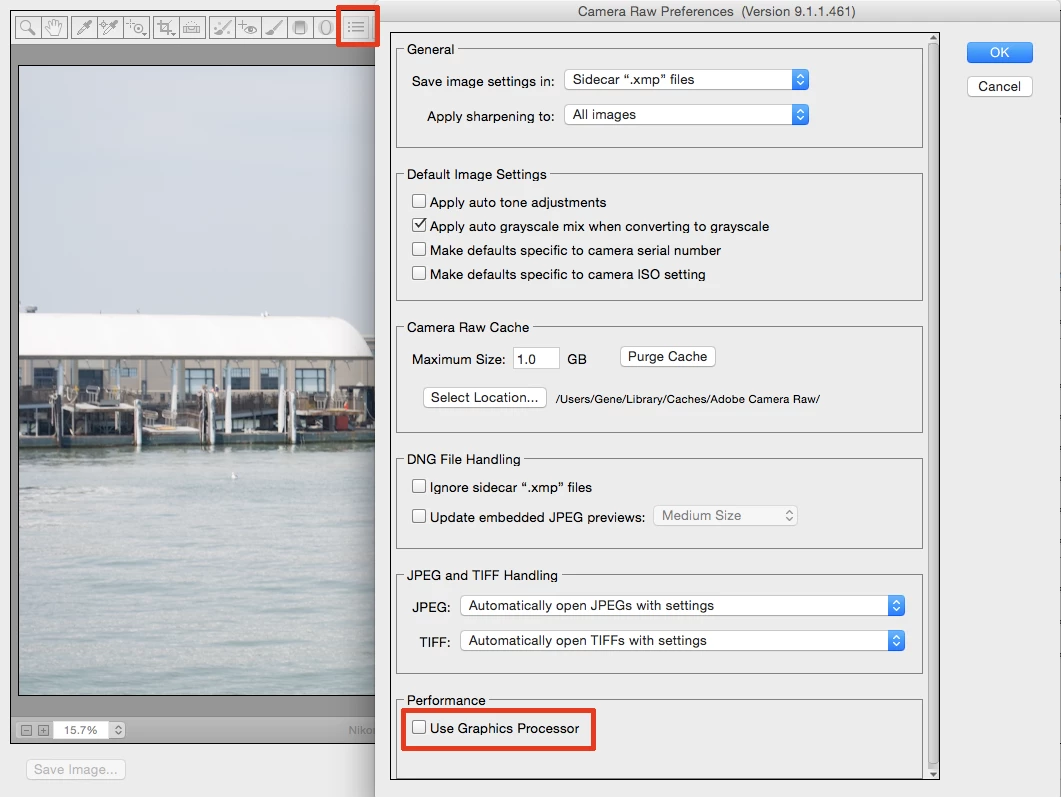
Sometimes Adobe Camera Raw's GPU function causes problems. Uncheck that.

6 replies

Participant
November 29, 2021

Hello, 


I have a similar problem. When I zoom after 470% my image is totally differente, as you can see. 


I hope that somebody could help me.

Participant
June 20, 2021

Did you find a solution?

I got the same problem

Participant
March 26, 2023

Just increase the cache levels on Preferences>Performance

Participant
May 26, 2024

I tried but my cache levels are already in 4... how much more can i increase?

Participant
November 1, 2017

Go to Edit>Preferences>Performance

Check the allowed memory usage and increase the cache tile size. That worked for me anyway,

JJMack
Community Expert
Community Expert
November 7, 2016

That is rule Number ONE.

JJMack
gener7
Community Expert
Community Expert
November 7, 2016

Anytime "something was not happening before, but is now", I'd suggest a Preferences reset.

Participant
November 7, 2016

Good suggestion, unfortunately it didn't fix the problem this time

gener7
Community Expert
gener7Community ExpertCorrect answer
Community Expert
November 7, 2016

A few ideas before we go to graphics drivers:

Reset your Zoom Tool by right clicking on it in the Options bar.

In Preferences > Performance: Cache levels and Tile Size  4/128k

Sometimes Adobe Camera Raw's GPU function causes problems. Uncheck that.

JJMack
Community Expert
Community Expert
November 7, 2016

Yes Photoshop scale an image quickly when you zoom for performance.  Some zoom percentages look very poor.  You not looking at your image. You are look at a quickly scaled image a quick preview of your what you image looks like.  The only time you are viewing your actual image is when you view the images actual pixels zoom 100%.  Judge your image when you are actually viewing you image. Some image look worse than others

JJMack