nb46967238
Known Participant
October 3, 2018
Question

Images created in PS then saved are slightly smaller when printed

  • October 3, 2018
  • 2 replies
  • 5961 views

Hello all, thanks for taking a minute to read about my issues...cancel some subscriptions!...amiright?!  haha...ok, sorry, bad joke.

I'm kinda numb-brained at this point.

So, let me preface this by saying I've been using Photoshop for over 15 years.   I'm not saying that this issue not my fault, just saying that I've probably created, exported and printed thousands upon thousands of image files.  So, please believe me when I say I'm at a loss as to what it is I could be doing to mess this up.

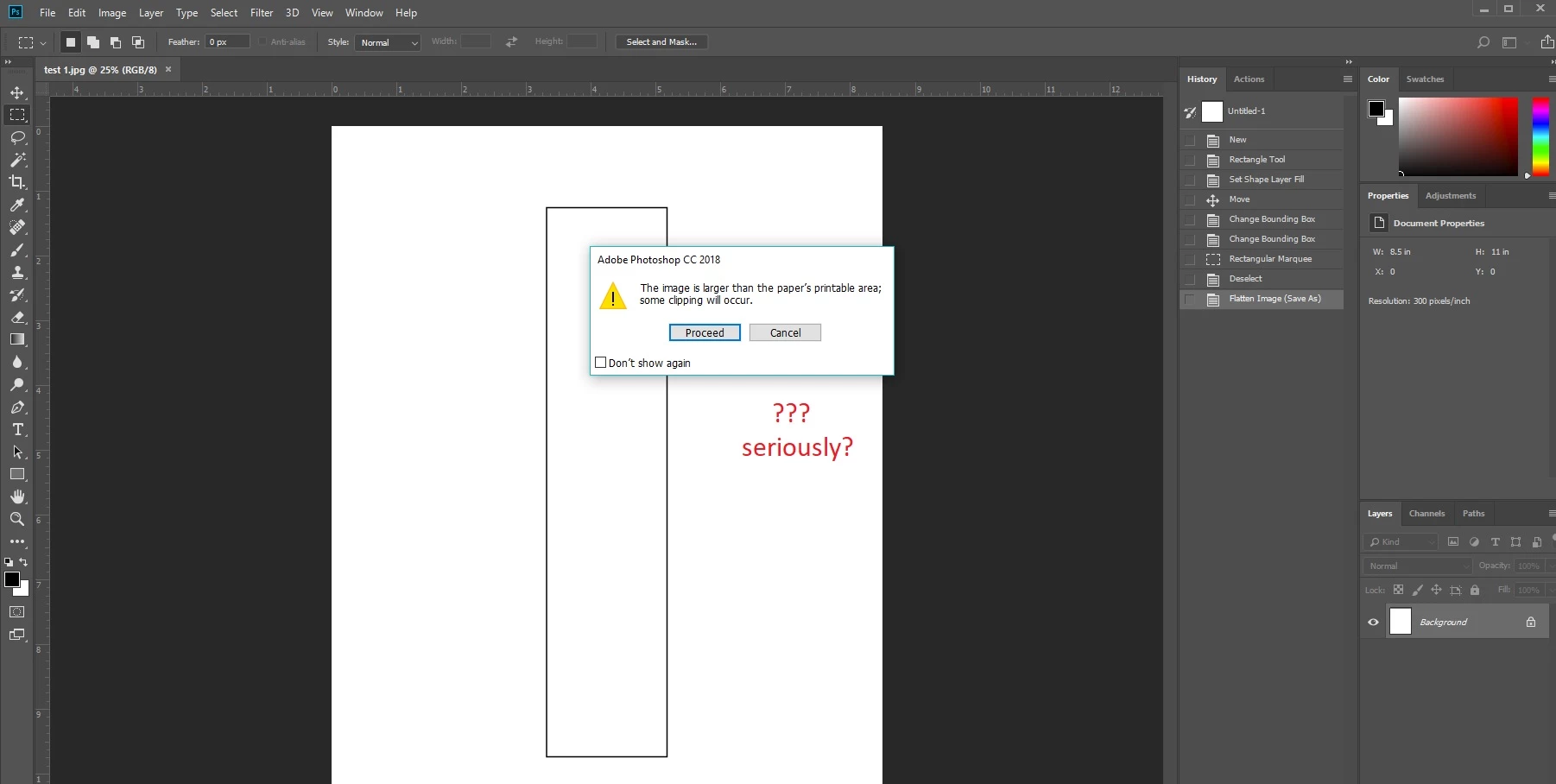
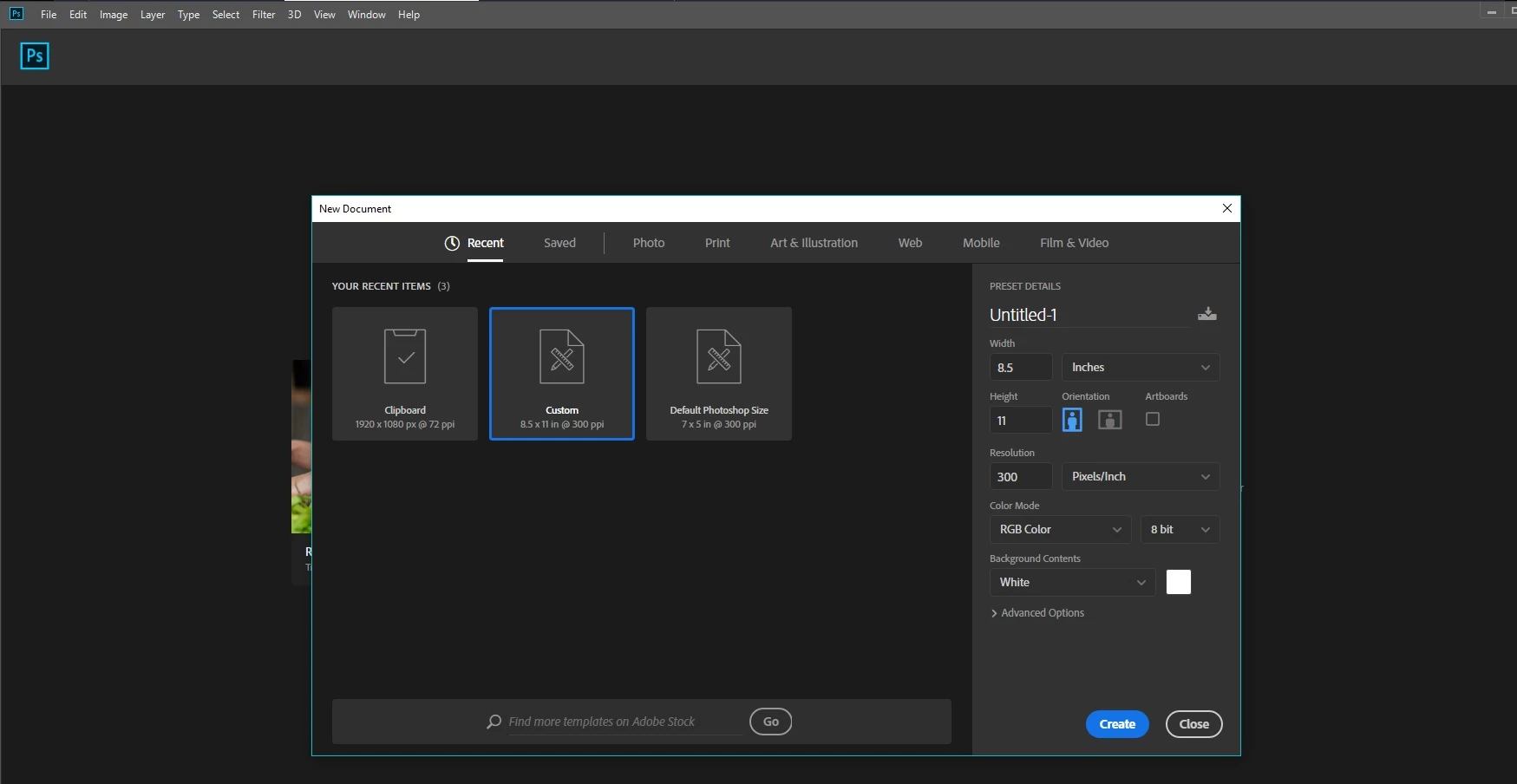
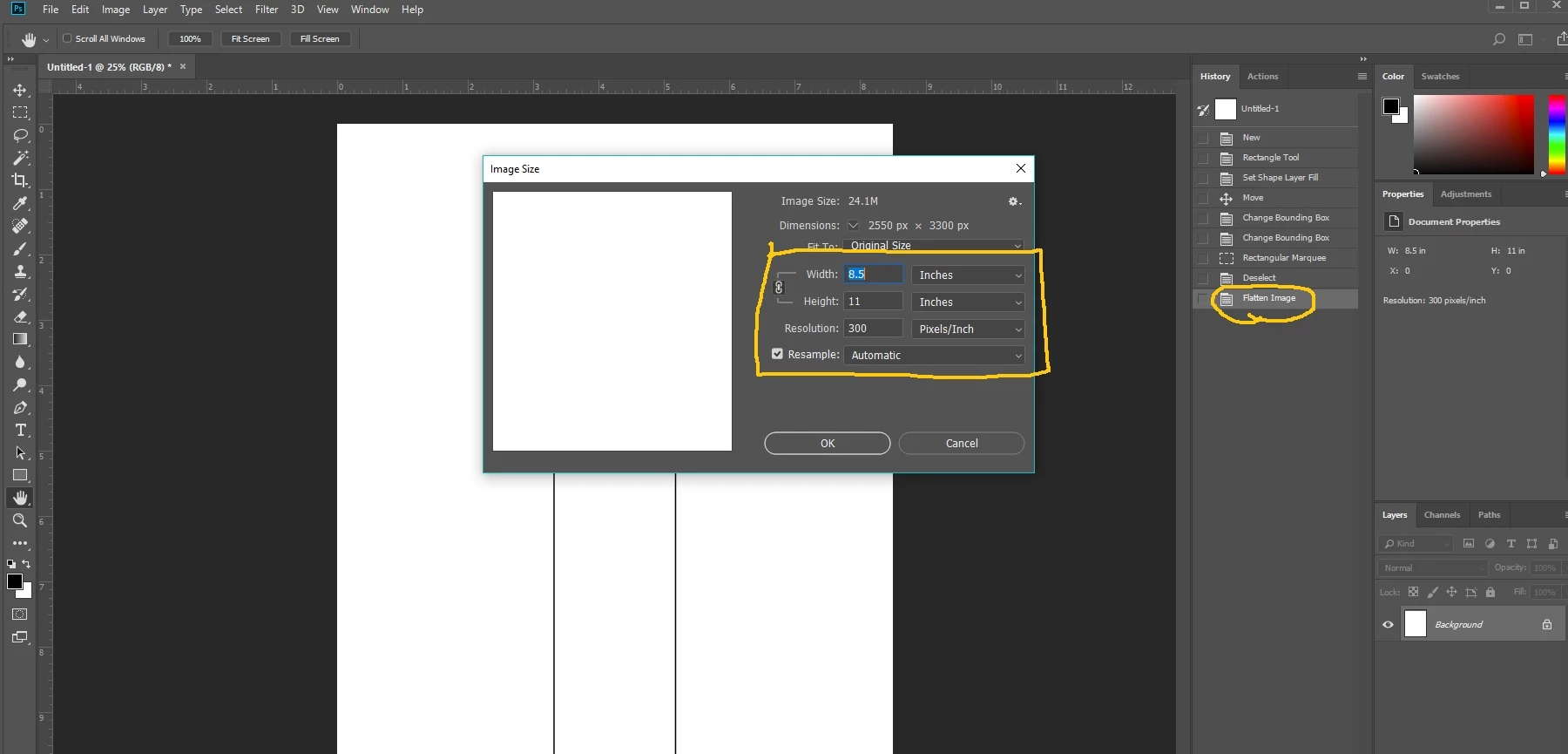
For a class I am teaching, I need to give my students a printable template file.   I created a new PS file (8.5" x 11", portrait orientation, 300dpi, white background) then made a template with the rectangle tool.
I need a rectangle that is 1.88" wide by 8.5" tall.
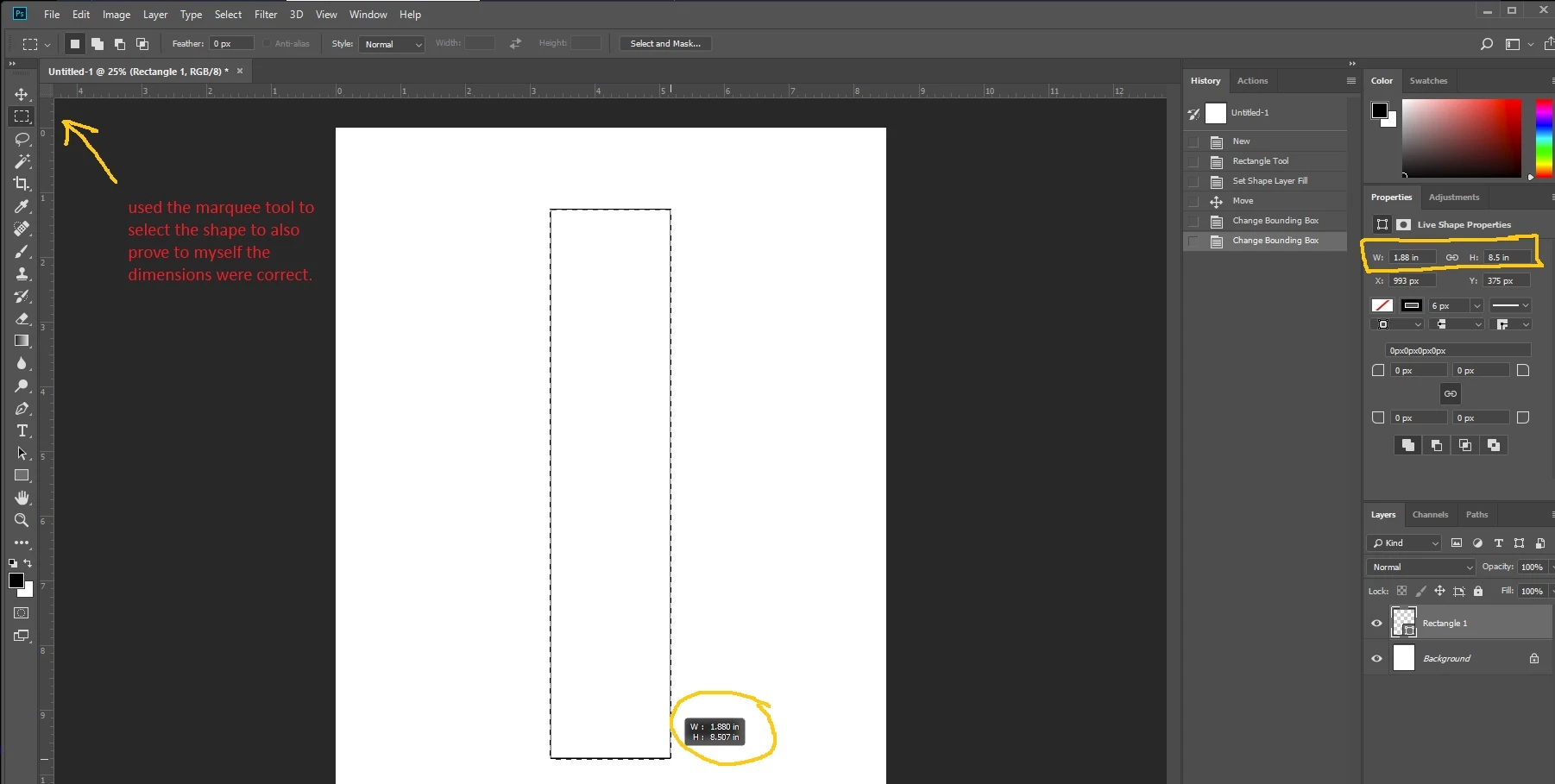
Checked the image size again...
Saved the jpeg, quality @ 12, baseline "standard" (also tried "optimized", no change in result)

Printed from photoshop, and it prints out in the correct size...an Adobe tech remotely futzed around and finally got it to print out okay from PS. 

So far that part is okay on my desktop, as of this afternoon.  (my laptop that I just downloaded PS to today will not print correctly)
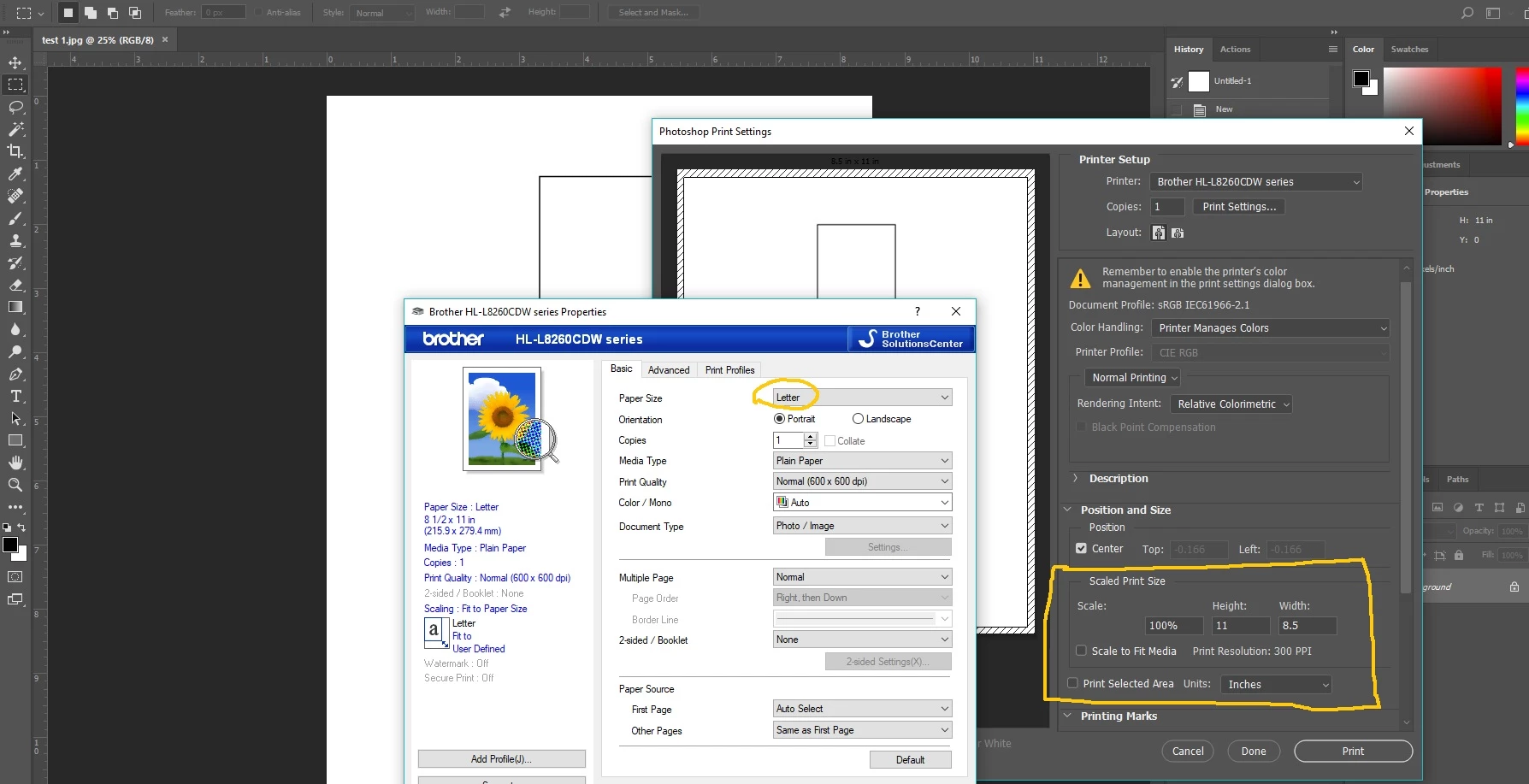
...but....if you try to just right click>print from the saved file on my desktop (and also friends to whom I sent it)
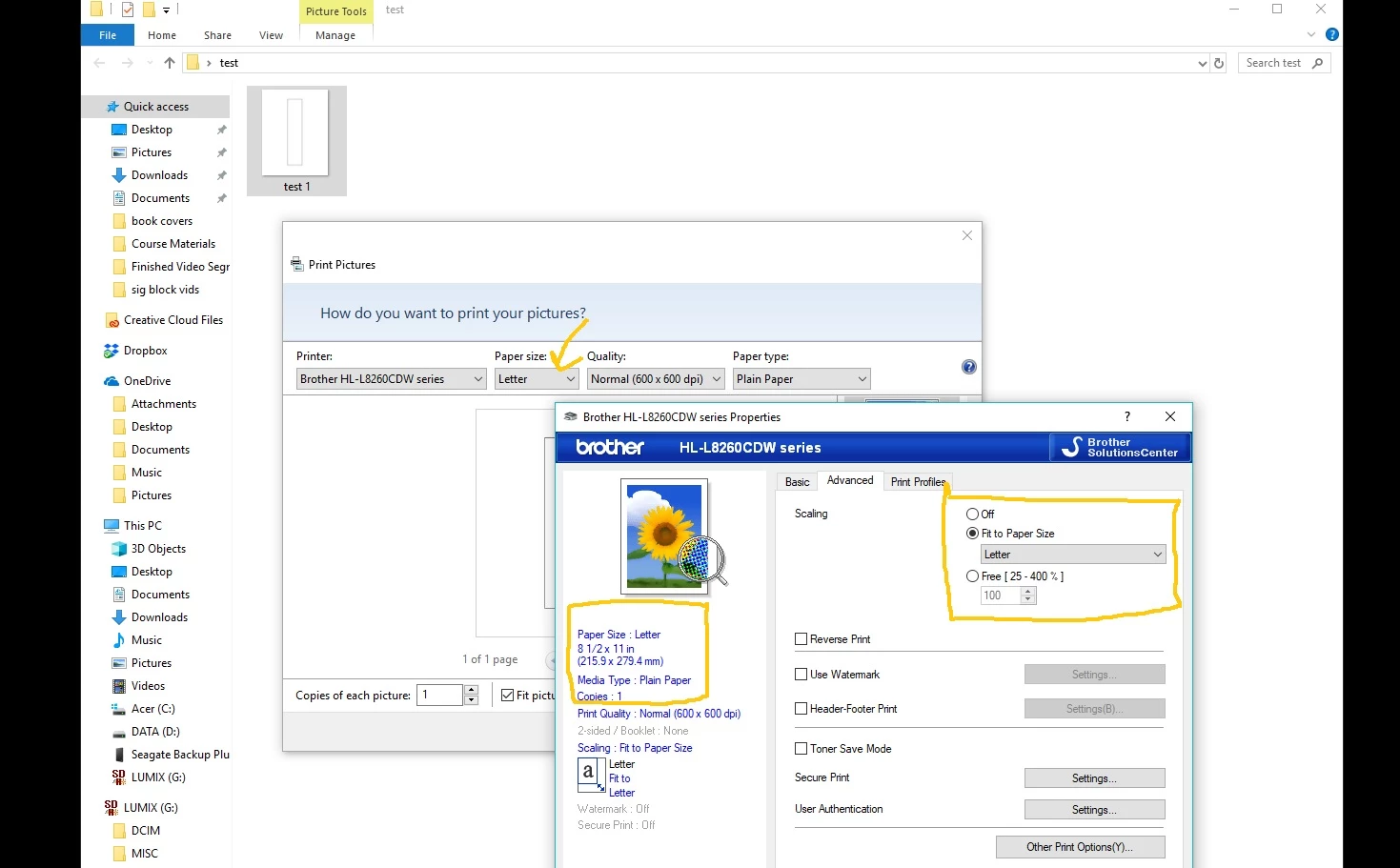
we get this still.....
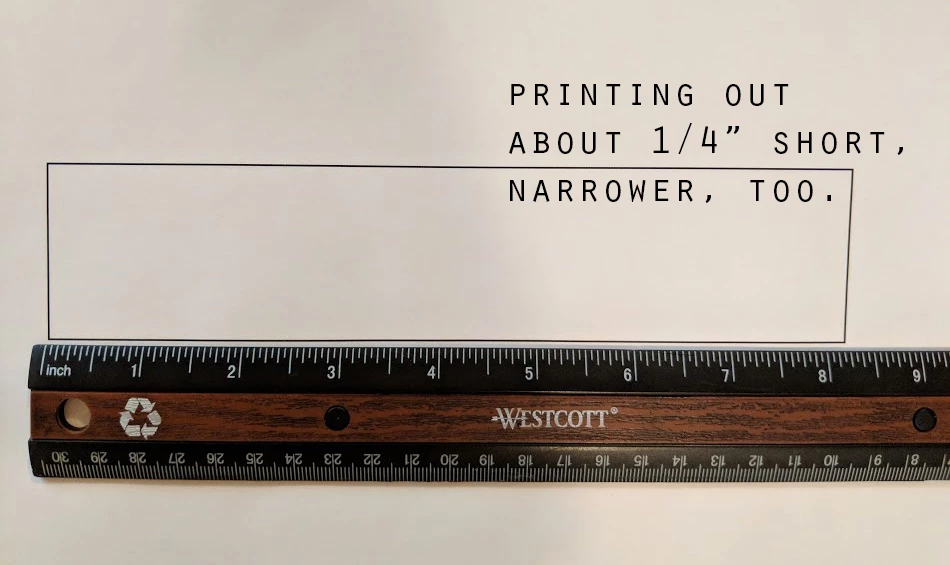
I know this is a Photoshop export/save problem because I can create the same size rectangle in Publisher and it prints out perfectly.  But, if I try to print the exported PS file (or if a friend tries to print from their printer) we get this slightly smaller image.

This glitch began earlier this spring, but I was so busy I just ignored it.  Well, now I need images to print at the size they were created at.  I have over 3500 students worldwide, so as you can imagine, I really need to figure this out.

Is it a Windows+PS problem?  Just PS? 

The Adobe tech could not get the exported file to print correctly either, so he just said it must be my printer....*sigh, I thought we went through that...* 

That was disheartening to say the least.   So any clues would be greatly appreciated.

Thanks guys

-nik

2 replies

Mike_Gondek10189183
Community Expert
Community Expert
October 3, 2018

Print with scaling off.

nb46967238
Known Participant
October 3, 2018

thanks Mike!   tried that...like 10 times

I think I've gone through a ream of paper with printing in every single option I (and the Adobe tech) could think of. =/

nb46967238
Known Participant
October 3, 2018

p.s...  I have two printers and neither one (nor my friend's printers) can print the saved jpeg files with the correct dimensions

Theresa J
Community Expert
Community Expert
October 3, 2018

I believe the issue is with the print driver, not Photoshop. I’m not familiar with the Brother printer but am guessing that there are margins around the page size that the printer can’t image on. The printer reads the size of your Photoshop document, not the contents of it. So if it sees the file is 8.5 x 11, it assumes that there is content on that file all the way to the edges. In order to print all of that content on the letter size sheet, it scales it down to fit within the non printing borders. Somewhere in the Brother print dialog you will find a scale setting. I don’t see it in your screen capture, but I am sure it’s there somewhere. Find the scale setting in the print dialog (not Photoshop’s print dialog) and make sure it is set to 100%.

nb46967238
Known Participant
October 3, 2018

Good morning, Theresa, thanks for your time!

However, I am not sure that is the answer.   I sent the file out to friends who have all kinds of printers and they also get the same shortened result.

The scale is on the Advanced tab...I've tried all three in different ways to make sure we are printing at 100%.  Drivers are up to date.

From Photoshop, if using "User Defined" parameters set to 8.5x11", the print will come out the right size.  If using the exact same printer user definition from the same file, but SAVED on my desktop, using the same printer, the image prints short.

The problem seems to lie in the saved file, not the printer.  Like I mentioned above, Adobe could not get the saved files to print properly either.

nb46967238
Known Participant
October 3, 2018

You still don't seem to get Theresa's point. Forget the rectangle. The problem is your 8.5 x 11 file, which is too big for your paper. So your printer driver tells Photoshop it's too big - because it is.

Even if the paper is 8.5 x 11, that's still not enough, because there are unprintable margins on all sides.

This isn't empty space outside your rectangle. It's a full image, it just happens to consist of white pixels. But they're pixels just the same.


hello D!

ok...so this is the way I've always made a file to print onto a standard US sized paper.  Never had an issue until recently.

What size file should I create to place the templates on so that they will be the correct size when saved and printed by me or anyone else?