MahaB82A
August 13, 2023
Question

Imbedding a custom made shape

  • August 13, 2023
  • 1 reply
  • 259 views

I have a PNG folder icon. Is it possible to include this as a tailor-made shape in the shape panel?



This topic has been closed for replies.

1 reply

Leslie Moak Murray
Community Expert
Community Expert
August 13, 2023

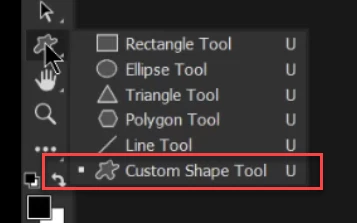
Make it into a path (outline it with the Pen Tool) and go Edit>Define Custom Shape. It will now be in your Shapes. To define a Custom Shape, the object must be outlined with the pen tool and converted to paths.

pixxxelschubser
Community Expert
Community Expert
August 13, 2023

I suspect @MahaB82A wants to use the multi-coloured shape. That is not possible this way.


As already mentioned several times: Create your shape in Illustrator.
Then select and copy everything


Switch to Photoshop and --> Paste (in the dialogue select --> Layers)


You get: a grouped layer set with the coloured vector shapes
