

Import Presets not Working
Hello folks
Background..
I am trying to install my preference files onto photoshop on a differnt machine, I want to do this without manually moving my preference files in AppData as this is not compatible in situations where Appdata has been locked to the user on a work machine.
In particular i'm trying to install a custom workspace.
Methodology....
I 'installed' the .psw using edit/presets/'export/import presets'
Then I opened the folder I stored them in, added them to the import column and pressed import presets.
I then restarted photoshop just in case that makes a difference.
The Problem...
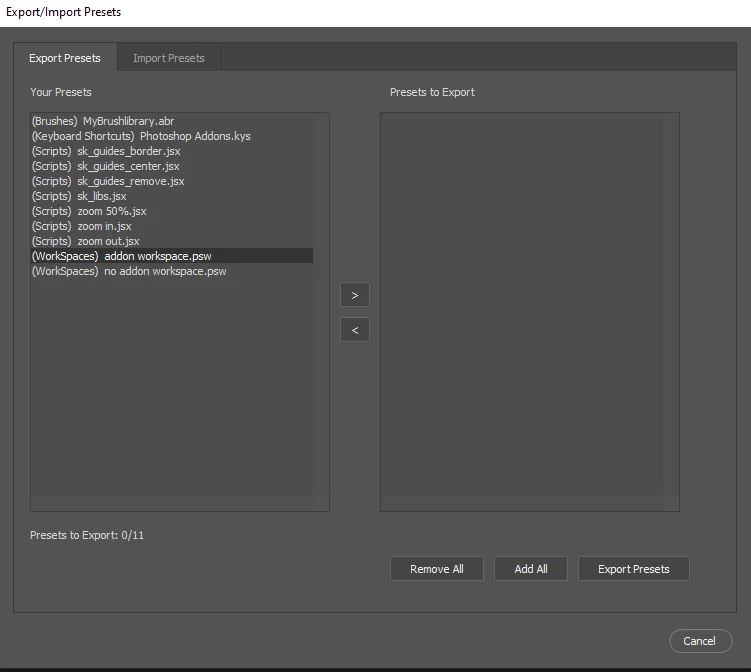
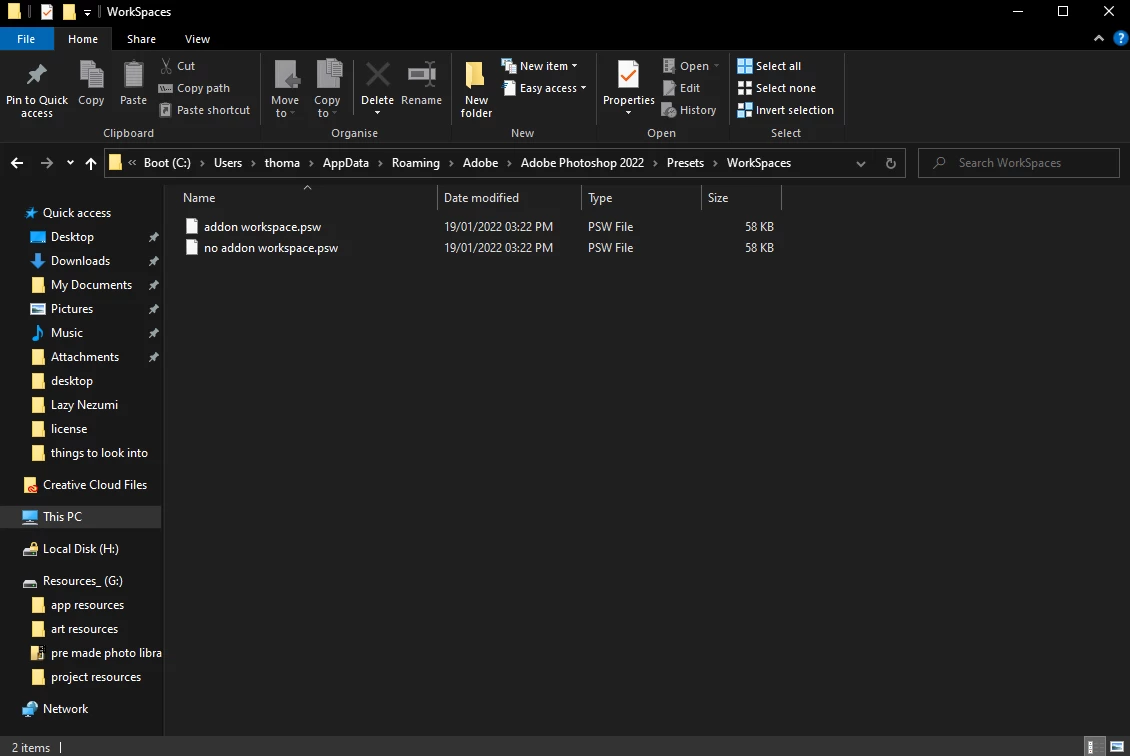
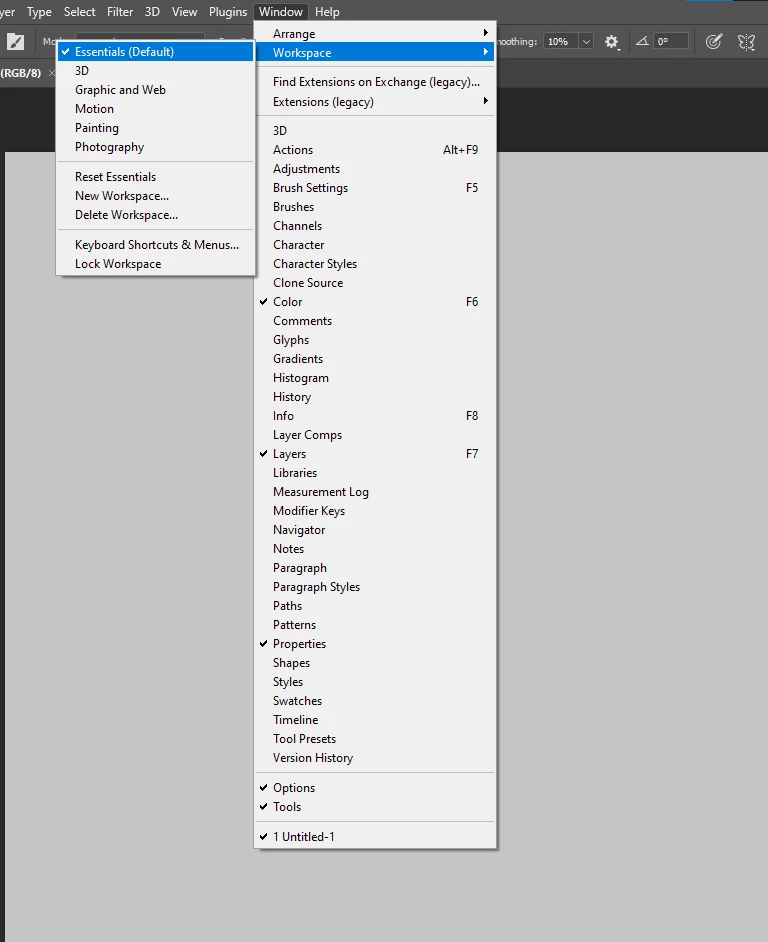
So then the funky outcome... it appears to have been placed where it was meant to be placed, as it shows up in the export column of the import/export window as well as appearing in the Workspaces folder of photoshops presets folder but does not actually load in the workspaces menu (window/workspaces).
see images bellow.
Im wondering if its sending it too the wrong folder as photoshop seems to have the same presets folder in its program directory as well as appdata, however I don't know how I would check which directory its actully useing for settings.
I have tried using import/export on multiple versions of photoshop (2019 and 2022) and both have this issue. The preferences originally came from a 2021 version.
It would make my day if someone could tell me what is likely to be going on here. Im sure I must not be alone.
Thanks In Advanced
Thomas
 AdChoices