

Question
Impossible to keep color in Save for Web dialog in Photoshop
I cannot get the same colors in save for web as it is in photoshop. I already tried to search for the problem, but most users are having different issues.
I exported the image from another tool in sRGB 8-Bit into Photoshop.
After editing and trying to save my picture the colors look totally different:
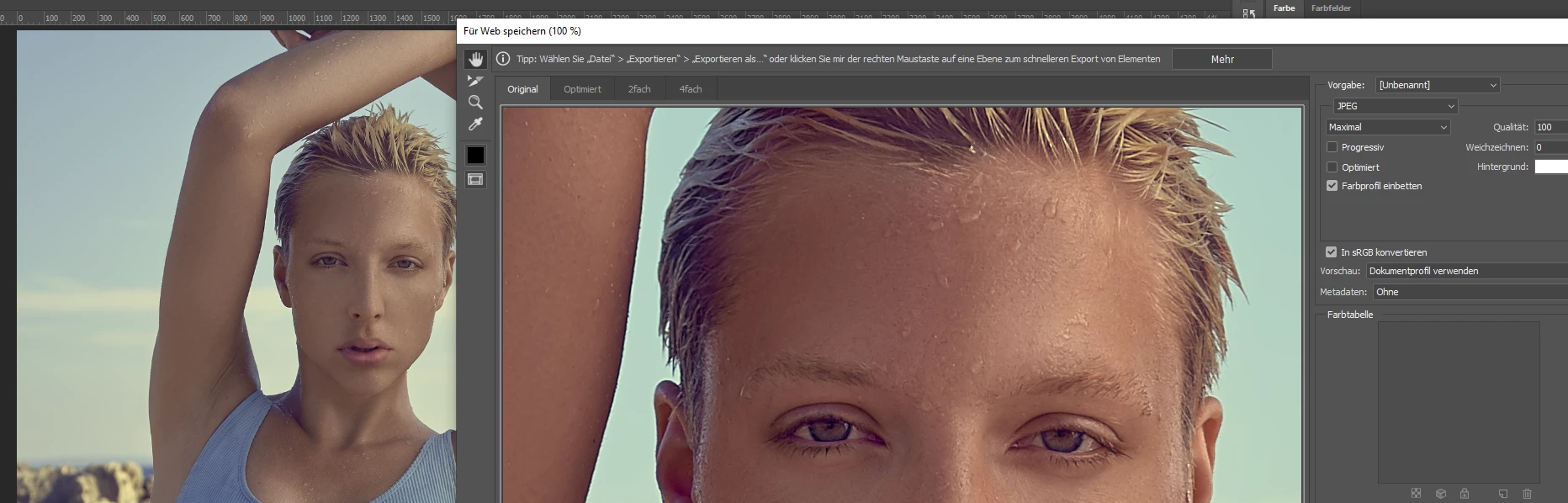
As you can see it already looks different in the "original" tab. Shouldn't it be there the same as displayed in my Editing window?
Tried to save it as PNG / JPG - sRGB / not sRGB. And I just cannot make it look the same... Any idea why this happens?
Message was edited by: Sahil Chawla
 AdChoices