
gtsolid
Known Participant
December 23, 2016
Answered

improving a bad quality light effect

  • December 23, 2016
  • 3 replies
  • 666 views

Hi,

In my workshop there is a bad photographic contour. The high glass wall causes me some trouble.

this is the example:
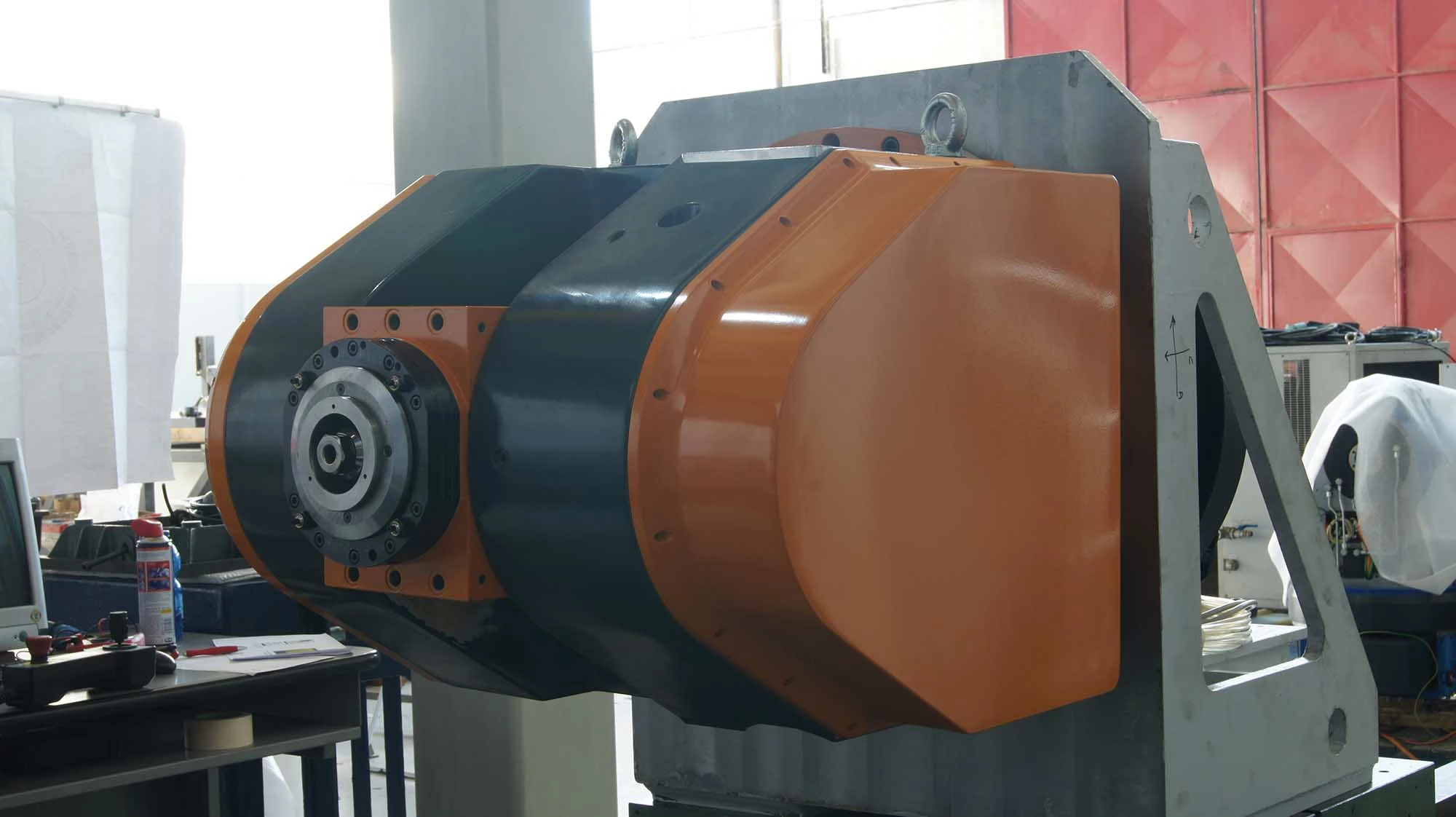
There is a sort of white for into this milling head.

what should I do?

    This topic has been closed for replies.
    Correct answer davescm

    The camera raw filter is good for this.

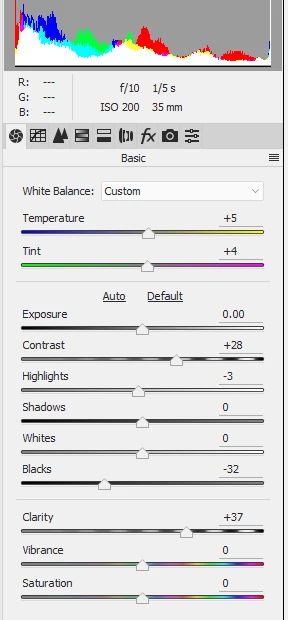
    Hold down the alt key whilst moving the black slider to the left so that you just get the start of black clipping in very dark areas. Increase the contrast and clarity and finally in the fx tab move the de-haze slider to the right slightly
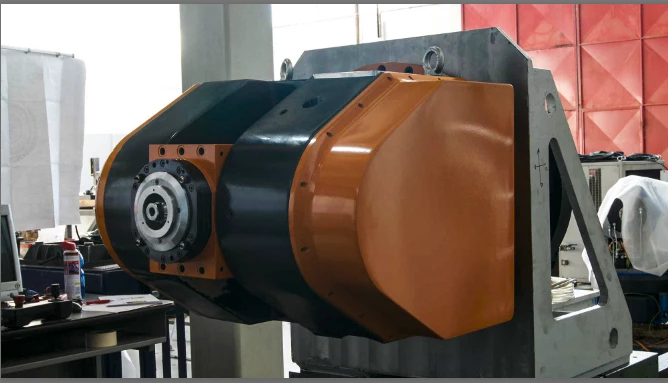
    The impact of the flare was worse at the top of the machine than the bottom so a bit more dehaze on a local brush helped
    Dave

    3 replies

    gtsolid
    gtsolidAuthor
    Known Participant
    December 27, 2016

    i receive this error when i try to open the .jpg as "raw image"

    i english: i cannot open the file because i don't have the module to analyze the current file format

    davescm
    Community Expert
    Community Expert
    December 27, 2016

    Do not open as Photoshop raw file - that is a different thing altogether

    I used Camera Raw as a filter which came in in CC2015.

    However in CS6 you should still be able to open your jpeg in Camera Raw by using Bridge.  Right click the image in Bridge and then from the menu choose "Open in camera raw".  Your version will not give you access to the dehaze filter but contrast and clarity should still be available.

    Dave

    gtsolid
    gtsolidAuthor
    Known Participant
    December 30, 2016

    i can't see this option in bridge:

    Trevor.Dennis
    Community Expert
    Community Expert
    December 23, 2016

    We have a chain of large shops in New Zealand and Australia called The Warehouse which sells black Polar Fleece for a ridiculous NZ$5 each.  I have about eight of them now.  They are used for everything from flagging out unwanted glare, to covering up my gear, to subtracting light in studio set ups, to hiding the gear in the back of my truck.

    With a box of bulldog clips and some pins, you can quickly put them up in a trice, so no need to let glare mess up your shots.

    davescm
    Community Expert
    davescmCommunity ExpertCorrect answer
    Community Expert
    December 23, 2016

    The camera raw filter is good for this.

    Hold down the alt key whilst moving the black slider to the left so that you just get the start of black clipping in very dark areas. Increase the contrast and clarity and finally in the fx tab move the de-haze slider to the right slightly

    The impact of the flare was worse at the top of the machine than the bottom so a bit more dehaze on a local brush helped

    Dave