
loganr81219042
Participant
December 14, 2021
Answered

Inaccurate display of noise & colors

  • December 14, 2021
  • 4 replies
  • 467 views

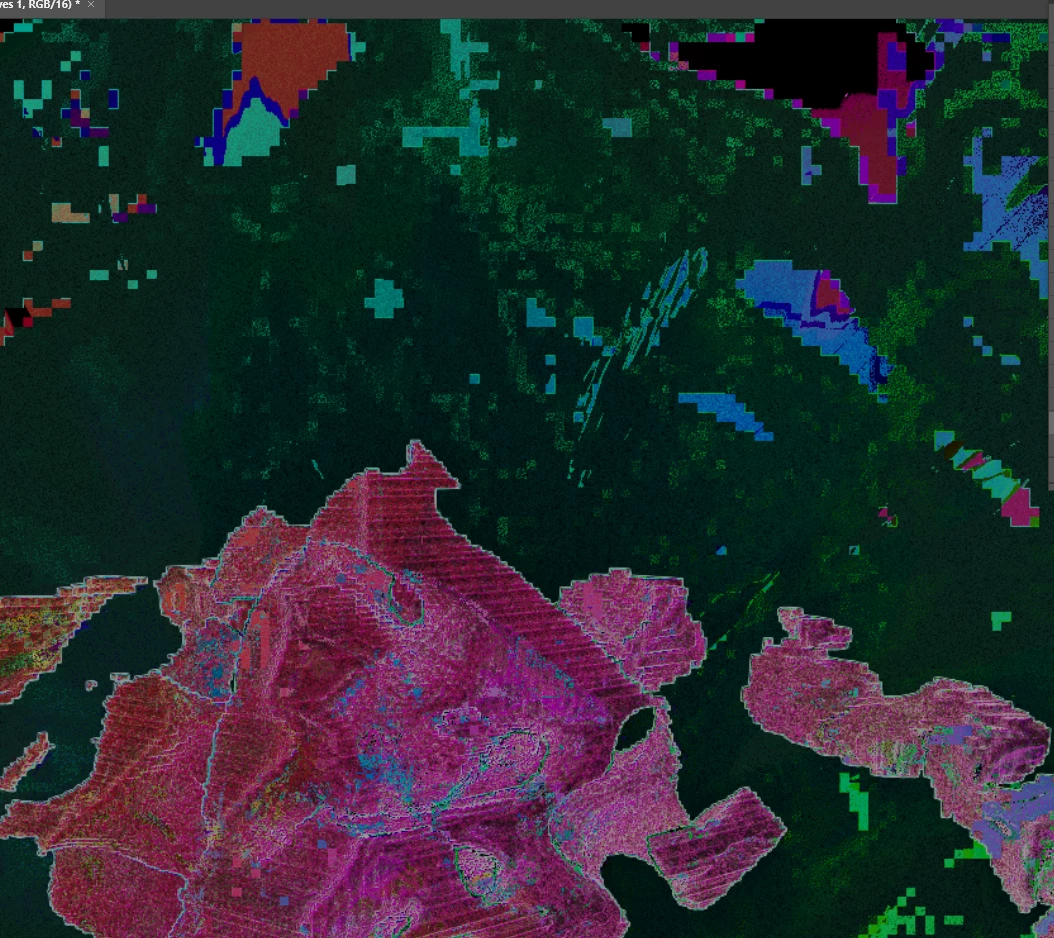
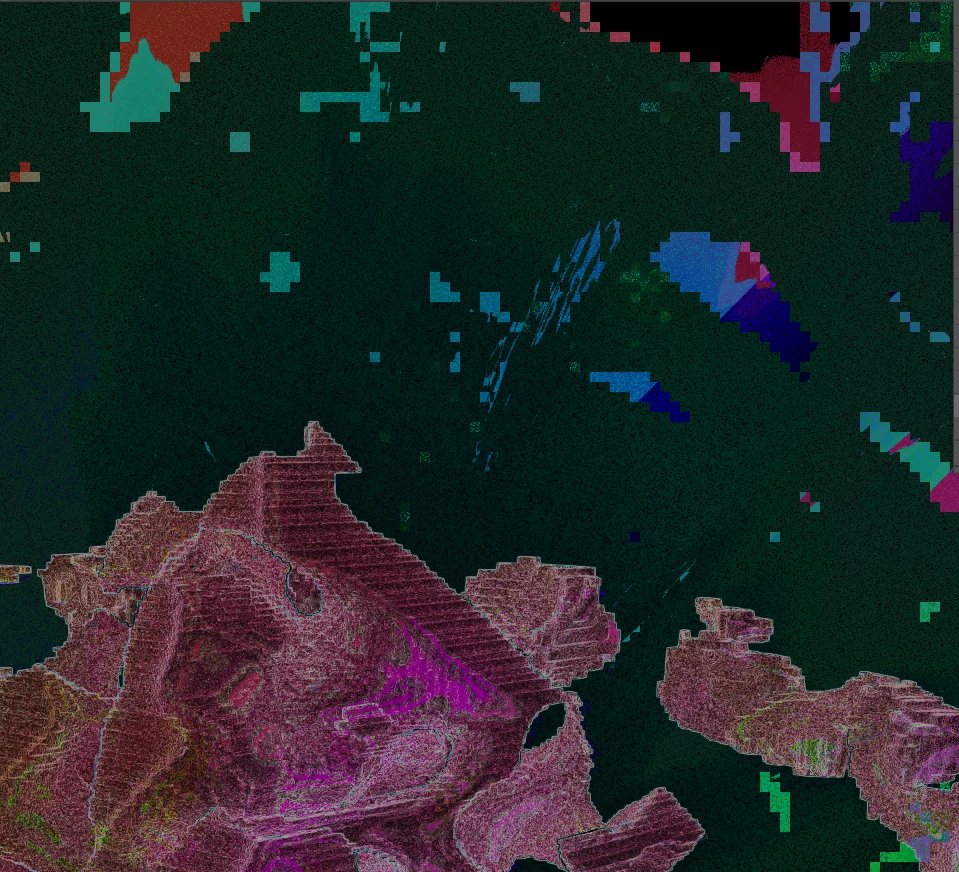
Is there any specific reason that photoshop can't accurately display what i'm working on until i've zoomed 

in to a certain point? The first photo is what I thought I was working on and the second photo is apparently what i was actually working on. The only difference between the two is that the first one was on 63% zoom and the second one was on 66% zoom. This problem seems to mostly be with projects that have a lot of noise but that affects me pretty severely because i add a ton of noise to almost everything I do
This topic has been closed for replies.
Correct answer PECourtejoie

Hi, the truest image would be at 100% You can open a new window for the image at a different magnification, check in the Windows>Arrange>New Window for [filename] menu

Is it a 16 bits or an 8bits/channel image? There is a feature request for more accurate previews at lower magnification...

4 replies

davescm
Community Expert
Community Expert
December 14, 2021

In addition to the correct comments above, regarding 100% being the only true preview, there is an additional factor between 66.7% and below that affects 16 bit/channel images.

At zoom levels greater than 66.7%  such images are previewed using 16 bits/channel to calculate the preview. At zoom levels below 66.6% then 8 bits/channel is used (even on 16 bits/channel documents). Put that together with the resampling of zoomed pixels and the preview changes. In most images the change is all but invisible but in some it can be very visible indeed (as you have found).


Dave

D Fosse
Community Expert
Community Expert
December 14, 2021
quote

Is there any specific reason that photoshop can't accurately display what i'm working on until i've zoomed in to a certain point?


By @loganr81219042


Yes, there is, and it's called resampling. This is all pixels, right? So you need to consider what happens when a single screen pixel has to represent an arbitrary number of image pixels. This becomes very critical with noisy images, where the noise structure goes all the way down to individual pixel level. This is a very real problem that can be solved in a number of different ways. Different software will have different solutions, but it's hard to imagine a "perfect" solution. Simply averaging the values won't necessarily work.


However, as PEC implies, there is an additional gotcha in this. Adjustment and blending previews are calculated based on this downsampled screen version. This has historically been done for performance reasons. The problem with this is that the downsampled version may contain a lot of intermediate pixel values that aren't really there in the full data. So you can get an inaccurate preview.


The feature request that PEC refers to, is that Photoshop should always (or at least as an option) work on the full pixel data. There will be a performance hit, but at least then you can choose for yourself.


So bottom line - you really have to preview noisy images at 100%, where one image pixel is represented by exactly one screen pixel. Just get in the habit of pressing ctrl+1. This way you always see a correct representation.


PECourtejoie
Community Expert
PECourtejoieCommunity ExpertCorrect answer
Community Expert
December 14, 2021

Hi, the truest image would be at 100% You can open a new window for the image at a different magnification, check in the Windows>Arrange>New Window for [filename] menu

Is it a 16 bits or an 8bits/channel image? There is a feature request for more accurate previews at lower magnification...

JJMack
Community Expert
Community Expert
December 14, 2021

The only difference between the two is that the first one was on 63% zoom and the second one was on 66% zoom. 


That is a big difference they are 100% different images and 100% not your  image.  The are quickly scaled images from you image the scaling done quickly for performance not done using a quality interpolation method for image quality.  At some  zoom percentages the scaling is very poor.  Only judge you image quality when zoomed to 100% size where your image's actual pixels are being displayed. Where all or part of you image is displayed.  You will also see very poor rendering of your image when  you  are transform layer  what you see in the transform box is a quick preview of the scaling of the layer its not the resized layers pixels blended into your image composite, when you commit the transform the layer pixels will be resampled using high quality interpolation method to scale the layer. 

JJMack