
Initial Print Settings are correct, subsequent ones are incorrect
I have a print issue with the later versions of Photoshop. I am running the latest version (19.1.3) on a Windows 10 64bit PC. This issue affects versions 19.1 and above and also affects other other people I know who use Photoshop.
When I initially print a file to any printer it is positioned correctly, like this:
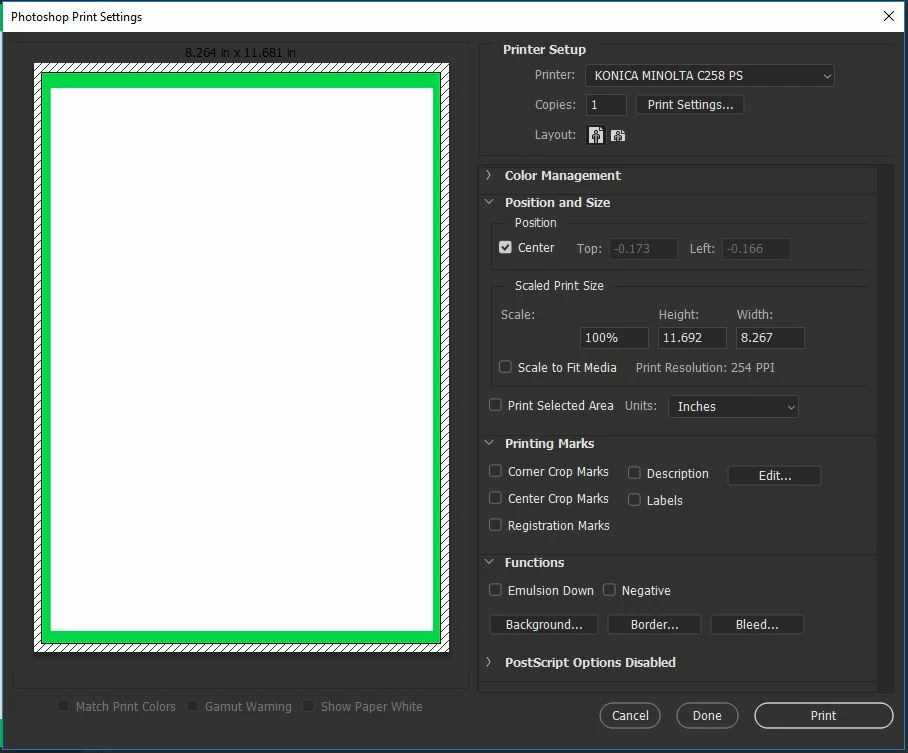
When I print, it prints correctly.
However, if I keep the file open and go to print it again (even if I haven't made any changes at all) the next time I go to Print it, it looks like this:
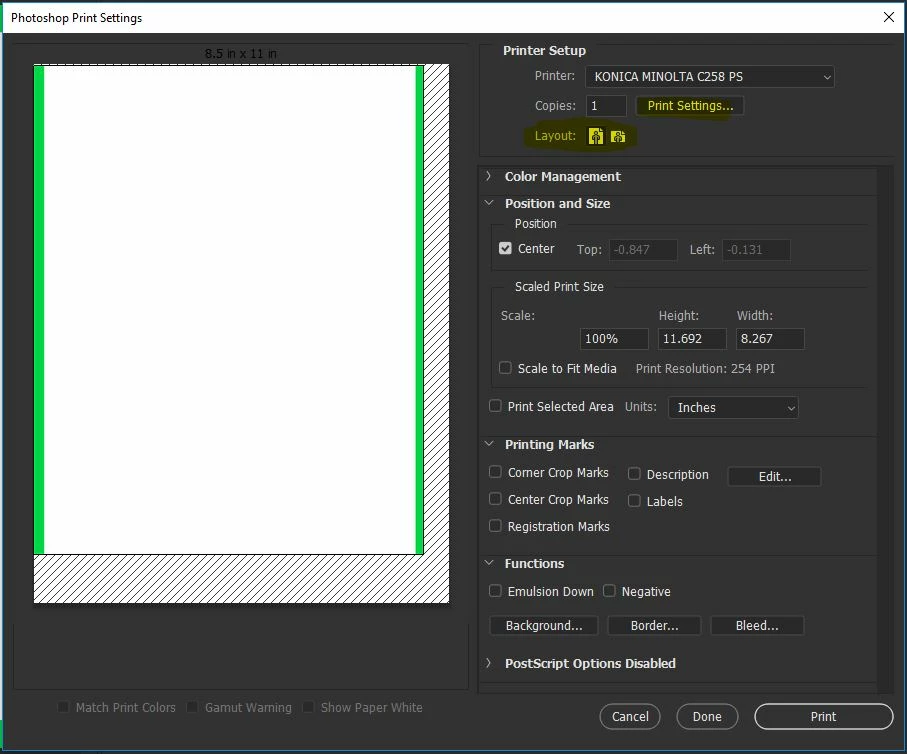
It looks like it's gone to 'Letter' or similar instead of the default of A4. When I print it also prints as displayed above (i.e. incorrectly). To fix this, I need to do either of the the following:
- Click Print Settings (at the top) then just click on OK when the window appears (without changing any settings).
- Click the Layout 'Landscape' button (highlighted in yellow) then the Layout 'Portrait' button.
Once I do either of these, the Print Preview then displays and prints correctly. This issue happens on every subsequent attempts to print this file; only the first time does it display and print correctly.
I have had to revert to v19.0.1 in order to fix this, as this version has a simpler Print Settings window and always displays prints (and subsequent prints) correctly.
Can anyone help me to fix this bug?
 AdChoices