
Answered
Inner Bevel does not work on text
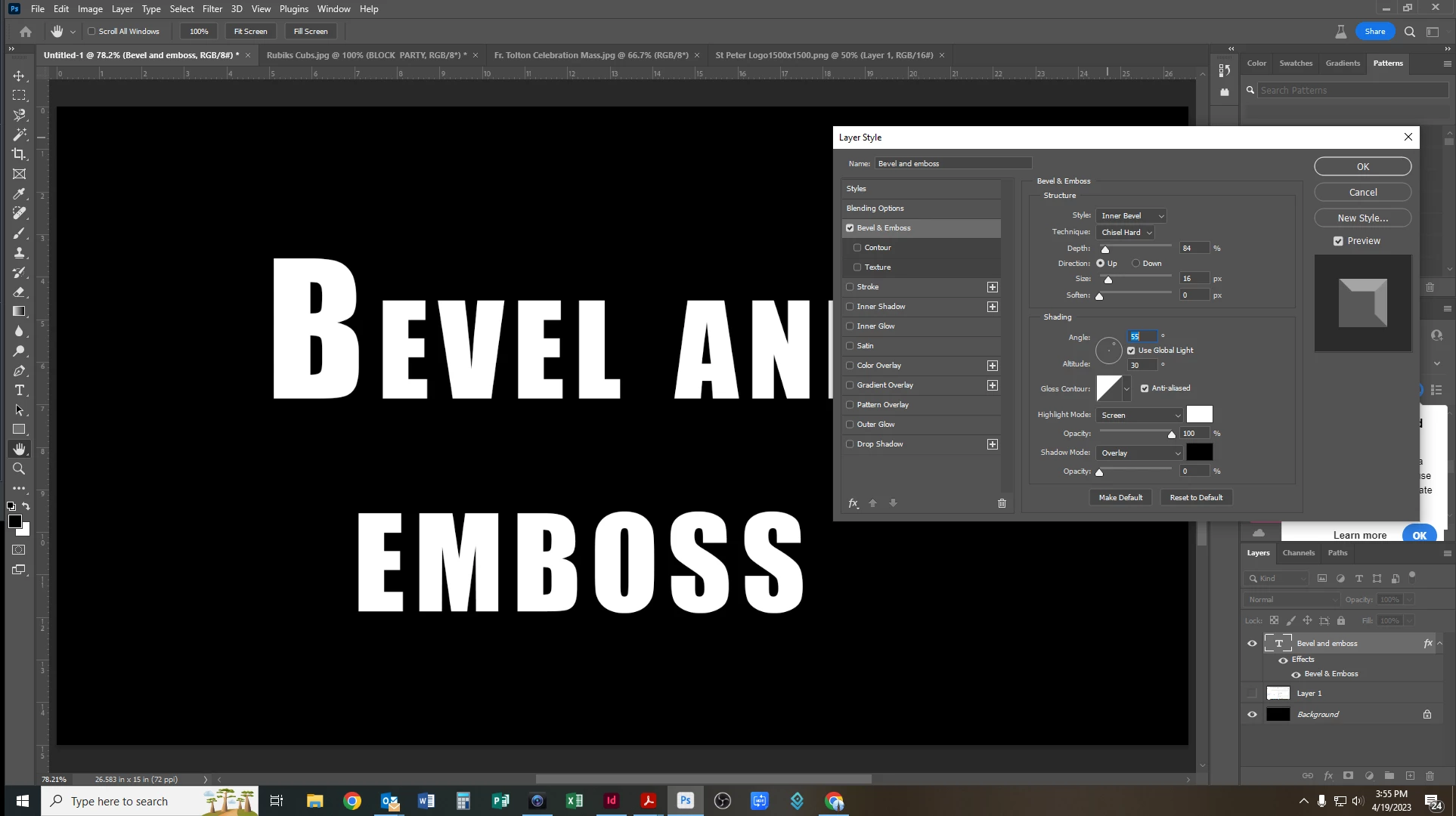
For some reason the Inner bevel does not apply to any texts. It doesn't seem to matter how large or small I make the bevel. I keep getting the same flat result. Does anyone have any suggestions on how to fix this. It used to work. If I want any results I have to do a pillow emboss which I don't want. See example below. You can see in the "preview" that it appears to be working but it does not show up on any text. I am using the lastest version of PhotoShop on a Windows PC.
 AdChoices